
Integrating NotebookLM MCP into Claude Code: From Discovery to Working Pipeline
35 MCP tools, 7 implementation tasks, 2 platforms, 1 session. How I used the superpowers brainstorming, writing-plans, and subagent-driven-development pipeline to integrate NotebookLM into Claude Code as a first-class MCP server.
35 MCP tools, 7 implementation tasks, 2 platforms, 1 session. I went from "Can Claude access my NotebookLM?" to a fully working integration with a custom agent, cross-platform config, and 11 notebooks verified in the smoke test.
This post covers the full journey: discovering the right tool, using a structured brainstorming-to-execution pipeline, wrestling with Windows Python PATH issues, and landing on an architecture that works on both Windows and Mac.
Series Context
This is part of the Claude Code Workflow series. The previous post covered the NotebookLM content pipeline for branded visuals. This one goes deeper into the MCP integration itself: the tooling layer that makes programmatic NotebookLM access possible from inside Claude Code.
The Question That Started It All#
"Can you access my NotebookLM account?"
That was my question to Claude. The answer was straightforward: no. Claude Code has no built-in integration with Google NotebookLM. There is no official NotebookLM API. There is no MCP server bundled with Claude for this purpose.
But I had found something interesting on GitHub: jacob-bd/notebooklm-mcp-cli, a Python package that exposes NotebookLM functionality through the MCP protocol. If this worked, it would give Claude direct access to create notebooks, add sources, generate content, and manage my entire NotebookLM workspace.
The question became: is this the right tool, and how do I integrate it properly?
Discovery: Finding the Right Package#
I dispatched two research agents in parallel. One analyzed the jacob-bd repo in depth. The other searched for alternatives.
Agent 1 findings (jacob-bd/notebooklm-mcp-cli):
- 3,252 GitHub stars
- 704+ unit tests
- 35 MCP tools exposed
- Version 0.5.16 (active development)
- Python-based, pip installable
- Cookie-based authentication against NotebookLM's internal endpoints
Agent 2 findings (alternatives):
- Official NotebookLM Enterprise API (limited, enterprise-only)
- PleasePrompto/notebooklm-mcp (less mature)
- notebooklm-py (Python library, no MCP protocol)
- notebooklm-sdk (early stage)
- Three other smaller packages
The jacob-bd repo won on every dimension: maturity, test coverage, feature completeness, and maintenance activity. The 704+ tests alone told me someone took quality seriously.
Star Count Is a Signal, Not a Verdict
3,252 stars means community interest, but the test suite is what convinced me. A well-tested reverse-engineered API wrapper is far more trustworthy than a popular one without tests. The tests exercise the actual tool endpoints, which means breakages from Google's internal API changes get caught in CI before they reach users.
The Superpowers Pipeline#
This is where the session got interesting. I had the right package. Now I needed a structured approach to design and implement the integration. I used the superpowers plugin (v5.0.6) for the first time, and it changed how I think about complex feature work.
The plugin provides three skills that chain together into a pipeline:
Swipe to see the full diagram · Tap to enlarge
Phase 1: Brainstorming#
The brainstorming skill (superpowers:brainstorming) runs a structured Q&A process. One question at a time, no rushing ahead. It forces you to make decisions sequentially before any design work begins.
Here is what it asked and what I answered:
| Question | Answer |
|---|---|
| Use case? | Both content creation and research assistant |
| Auth approach? | Cookie-based (no official API available) |
| Package choice? | Python-based jacob-bd/notebooklm-mcp-cli |
| Artifact location? | Per-project notebooklm-artifacts/ directory |
After gathering requirements, it proposed three approaches:
- MCP Server Only (simplest, just install and configure)
- MCP Server + Custom Agent (recommended, adds orchestration)
- MCP Server + Agent + Skill (premature, adds unnecessary abstraction)
I picked option 2. The MCP server gives Claude raw access to the 35 tools. The custom agent wraps those tools into higher-level workflows: "turn this blog post into a podcast," "research these sources," "download all artifacts from this notebook." Without the agent, you are issuing one MCP tool call at a time. With it, you describe what you want and the agent orchestrates the multi-step sequence.
What Is the Superpowers Plugin?
Superpowers is a collection of structured Claude Code skills for common engineering workflows: brainstorming, implementation planning, subagent-driven development, and code review. Each skill enforces a specific process (sequential Q&A, task decomposition, parallel execution) rather than letting you freeform your way through a feature. The plugin lives in the claude-code-config repo.
The brainstorming phase produced a design document covering four sections: MCP setup, agent design, cross-platform configuration, and workflow examples. One detail worth noting: I asked about source download capability mid-session, and the brainstormer incorporated source_get_content into the design immediately. The structured Q&A is rigid on process but flexible on scope.
The spec landed at docs/plans/notebooklm-integration-design.md.
Phase 2: Writing Plans#
The writing-plans skill (superpowers:writing-plans) takes the design document and decomposes it into implementation tasks. It used the sequential-thinking MCP tool to walk through 8 reasoning steps before producing the final plan.
Seven tasks, each broken into bite-sized steps:
- Install notebooklm-mcp-cli (pip install, verify binary)
- Register MCP server in
~/.claude.json(cross-platform config) - Authenticate with Google (browser-based cookie capture)
- Write the notebooklm-assistant agent (markdown file with tool orchestration)
- Smoke test (verify CLI and MCP connectivity)
- Write Mac implementation plan (standalone document for the second platform)
- Commit and sync (push to repos)
The plan included a self-review step that checked spec coverage, scanned for placeholder values, and verified type consistency across task descriptions. This is the kind of thing you skip when planning informally and regret when implementing.
Plans Are Cheap, Rework Is Expensive
The 10 minutes spent in structured planning saved me from at least two problems I would have hit during implementation: the cross-platform PATH difference between Windows and Mac, and the need to handle cookie auth expiry in the agent definition. Both showed up in the plan review, not during debugging.
Phase 3: Subagent-Driven Development#
The subagent-driven-development skill (superpowers:subagent-driven-development) takes the task list and executes it, spawning parallel agents where tasks are independent.
Swipe to see the full diagram · Tap to enlarge
Here is how it played out.
Task 1: Installing the CLI#
pip install notebooklm-mcp-cli
Simple, right? Not on Windows. Python 3.13 installed via the Windows Store puts the Scripts directory in a location that is not on PATH by default. The nlm binary installed to:
C:\Users\YourUsername\AppData\Local\Packages\PythonSoftwareFoundation.Python.3.13_qbz5n2kfra8p0\LocalCache\local-packages\Python313\Scripts\nlm.exe
That path is not added to the system PATH automatically. Running nlm from Git Bash or PowerShell returned "command not found."
Windows Store Python PATH Gap
If you install Python from the Microsoft Store, the Scripts directory (where pip puts CLI tools) is not automatically added to PATH. You either need to add it manually or use the full absolute path to the executable. This affects every pip-installed CLI tool, not just this one.
The fix: use the full absolute path in the MCP server registration. Not elegant, but reliable.
Task 2: Registering the MCP Server#
The MCP server entry in ~/.claude.json needed the full executable path and the Windows cmd /c wrapper pattern:
{
  "mcpServers": {
    "notebooklm-mcp": {
      "command": "cmd",
      "args": [
        "/c",
        "C:\\Users\\YourUsername\\AppData\\Local\\...\\nlm.exe",
        "mcp",
        "serve"
      ]
    }
  }
}
On macOS, the same registration is simpler because Homebrew-managed Python puts binaries on PATH:
{
  "mcpServers": {
    "notebooklm-mcp": {
      "command": "nlm",
      "args": ["mcp", "serve"]
    }
  }
}
The cmd /c Pattern for Windows MCP
On Windows, MCP servers must use "command": "cmd", "args": ["/c", ...] as a wrapper. Bare executable paths or npx calls fail because Claude Code's process spawner does not handle Windows path resolution the same way as a terminal shell. This pattern is documented in the Claude Code configuration guide but easy to forget.
Task 3: Authenticating with Google#
Authentication requires a browser-based login flow that captures session cookies. The CLI command is nlm login, but running it from PowerShell had a gotcha.
# This fails with a syntax error:
"C:\Users\YourUsername\AppData\Local\...\nlm.exe" login

# This works:
& "C:\Users\YourUsername\AppData\Local\...\nlm.exe" login
PowerShell requires the & call operator when running a quoted executable path with arguments. Without it, PowerShell treats the entire quoted string as a string literal, not a command invocation. This is a fundamental PowerShell behavior, not specific to this tool.
Authentication completed successfully: 33 cookies captured, CSRF token stored, authenticated as ChrisJohnson@cryptoflexllc.com. The credentials land in ~/.notebooklm-mcp-cli/profiles/auth.json.
Cookie Auth Is Temporary
These session cookies expire every 2 to 4 weeks. When they expire, the MCP server will start returning authentication errors. The fix is to re-run nlm login and go through the browser flow again. There is no refresh token mechanism because there is no official API to issue one. Plan for periodic re-authentication.
Tasks 4 and 6: Parallel Agent Writing#
This is where subagent-driven development shines. Tasks 4 (write the agent) and 6 (write the Mac implementation plan) are independent. The system dispatched two subagents simultaneously.
Agent subagent wrote notebooklm-assistant.md with:
- 5 workflow patterns (Blog to Podcast, Research, Query, Training Materials, Read Sources)
- Error recovery for auth expiry and API timeouts
- Artifact directory convention enforcement
- Multi-step orchestration for complex workflows
Mac plan subagent wrote the cross-platform implementation document covering:
- Homebrew Python installation differences
- PATH handling (simpler on Mac)
- Credential storage location differences
- Syncthing exclusion patterns for credential files
Both completed in parallel while task 5 waited for the agent file to exist.
Task 5: Smoke Testing#
The CLI smoke test verified basic connectivity:
nlm notebook list
Returned 11 existing notebooks. The command syntax is worth noting: it is nlm notebook list, not nlm notebooks list. The singular form is intentional (each subcommand operates on one notebook type), but it is easy to mistype.
The MCP server smoke test (verifying that Claude Code can call the tools through the MCP protocol) was deferred to the next session because it requires a Claude Code restart to pick up the new server registration.
MCP Server Registration Requires Restart
When you add a new MCP server to ~/.claude.json, Claude Code does not pick it up until the next session start. There is no hot-reload for MCP server configuration. Plan accordingly: register the server, then start a new session to verify it works.
The Architecture#
Here is what the final integration looks like:
Swipe to see the full diagram · Tap to enlarge
Three layers, each with a clear responsibility:
Layer 1: MCP Server (notebooklm-mcp-cli) Exposes 35 tools to Claude Code via the MCP protocol. Handles all HTTP communication with Google's internal NotebookLM endpoints. Manages authentication state. This is the infrastructure layer.
Layer 2: Agent (notebooklm-assistant)
Orchestrates multi-step workflows. Instead of calling notebook_create, then source_add_text, then audio_generate manually, you tell the agent "turn this blog post into a podcast" and it handles the full sequence. This is the orchestration layer.
Layer 3: Google NotebookLM The actual service. No official API. The MCP server talks to reverse-engineered internal endpoints that the NotebookLM web UI uses. This could break at any time if Google changes their internals.
The agent lives at ~/.claude/agents/notebooklm-assistant.md and is synced to the claude-code-config repo. The MCP server registration lives in ~/.claude.json and must be configured per-machine (Windows and Mac have different paths).
Cross-Platform Differences#
Running this on two platforms (Windows desktop, Mac Mini server) required handling several differences:
| Concern | Windows | macOS |
|---|---|---|
| Python source | Windows Store | Homebrew |
| CLI binary | Full absolute path | On PATH via Homebrew |
| MCP command | cmd /c <full-path> mcp serve | nlm mcp serve |
| PowerShell gotcha | & prefix needed | N/A (zsh) |
| Credential storage | Same relative path | Same relative path |
| Syncthing exclusion | Yes (prevent credential sync) | Yes |
The credential storage path (~/.notebooklm-mcp-cli/profiles/auth.json) is the same relative to $HOME on both platforms. That helps. Each machine authenticates independently, which means two separate cookie sessions. If one expires, the other keeps working.
Authenticate Per Machine
Do not try to copy auth.json between machines. The session cookies are tied to the browser session that created them, and cross-machine cookie reuse is unreliable. Authenticate separately on each machine. It takes 30 seconds.
What the Superpowers Pipeline Got Right#
This was my first time using the brainstorming, writing-plans, and subagent-driven-development chain as a deliberate pipeline. Three observations.
Brainstorming forced decision-making early. The one-question-at-a-time format prevented me from hand-waving past choices I needed to make. "Cookie-based or API-based auth?" is a question with real downstream consequences. If I had jumped straight to implementation, I would have discovered the auth choice mattered during task 3, not before task 1.
Task decomposition caught cross-cutting concerns. The writing-plans skill identified the cross-platform PATH issue as a distinct problem before I hit it. The plan explicitly called out "Windows PATH resolution" as a subtask, which meant I was prepared for it rather than surprised by it.
Parallel subagents saved real time. Tasks 4 and 6 ran simultaneously. The agent file and the Mac plan were written in parallel because neither depended on the other. Without parallel execution, this would have been sequential work in a single context. With it, I got both outputs in the time it took to produce one.
The Pipeline Is Reusable
Brainstorming, writing-plans, and subagent-driven-development are general-purpose skills. They work for any feature that involves design decisions, task decomposition, and parallel implementation. The NotebookLM integration was my first use, but the same pipeline would work for setting up any MCP server, writing any agent, or building any multi-step feature.
The Numbers#
| Metric | Value |
|---|---|
| MCP tools exposed | 35 |
| GitHub stars | 3,252 |
| Unit tests | 704+ |
| Notebooks discovered | 11 |
| Cookies captured during auth | 33 |
| Implementation tasks | 7 |
| Workflow patterns in agent | 5 |
| Target platforms | 2 (Windows + Mac) |
| Parallel subagent tasks | 2 (tasks 4 and 6) |
Gotchas and Pain Points#
A few things I ran into that you should know about:
The nlm command syntax is singular. It is nlm notebook list, not nlm notebooks list. Every subcommand follows this pattern: nlm source add, nlm audio generate, nlm notebook create. The singular form reads oddly but is consistent.
Cookie auth has a shelf life. Sessions expire every 2 to 4 weeks. You will know it happened when MCP tool calls start returning 401 errors. The fix is nlm login again. There is no way around this with the current approach.
The reverse-engineered API is a moving target. Google changes internal endpoints without notice. The library maintainers track these changes, but there is always a window between a Google update and a library fix. If tools suddenly stop working, check for a library update first.
MCP server config is per-machine. The ~/.claude.json entry for the MCP server is different on Windows versus Mac because of the path differences. You cannot share a single config file across platforms. The agent file is portable (it references tool names, not paths), but the server registration is not.
Lessons Learned#
Structured Planning Beats Freeform for Integrations
MCP server integrations involve multiple concerns: installation, registration, authentication, agent design, cross-platform support, and verification. The superpowers pipeline kept each concern in its lane. Freeform "just start building" would have worked, but with more backtracking.
Windows Python PATH Is a Recurring Problem
If you install Python via the Windows Store, expect every pip-installed CLI tool to need full path resolution. This is not specific to notebooklm-mcp-cli. Any tool that puts a binary in Scripts/ will have the same issue. Consider using pyenv-win or the python.org installer instead, which handle PATH configuration during installation.
Cookie Auth Requires Operational Hygiene
Session cookies deserve the same care as API keys: store in one known location, exclude from backups and sync, authenticate per machine, and know how to rotate (re-run nlm login). The fact that cookies expire naturally does not mean you should be casual about where they live.
Parallel Subagents Are Worth the Setup
The superpowers subagent-driven-development skill automates what you would otherwise do manually: identify independent tasks, spawn agents, and collect results. The overhead of setting up the pipeline (brainstorming, planning, then execution) pays off the moment you have two or more tasks that can run simultaneously.
What's Next#
The MCP server is registered. The agent is written. Authentication works. The smoke test confirmed 11 notebooks. The next step is a full end-to-end test in a new Claude Code session: create a notebook, add a source, generate an audio overview, and download the result, all through MCP tool calls orchestrated by the agent.
The Mac implementation is planned but not yet executed. That is a separate session, following the plan that was written in parallel during this one.
If you want to set up the same integration, the agent definition and configuration patterns are in the public claude-code-config repo. The MCP server itself is at jacob-bd/notebooklm-mcp-cli. Between the two, you have everything you need to replicate this setup.
This is post 12 in the Claude Code Workflow series.
Weekly Digest
Get a weekly email with what I learned, summaries of new posts, and direct links. No spam, unsubscribe anytime.

Related Posts
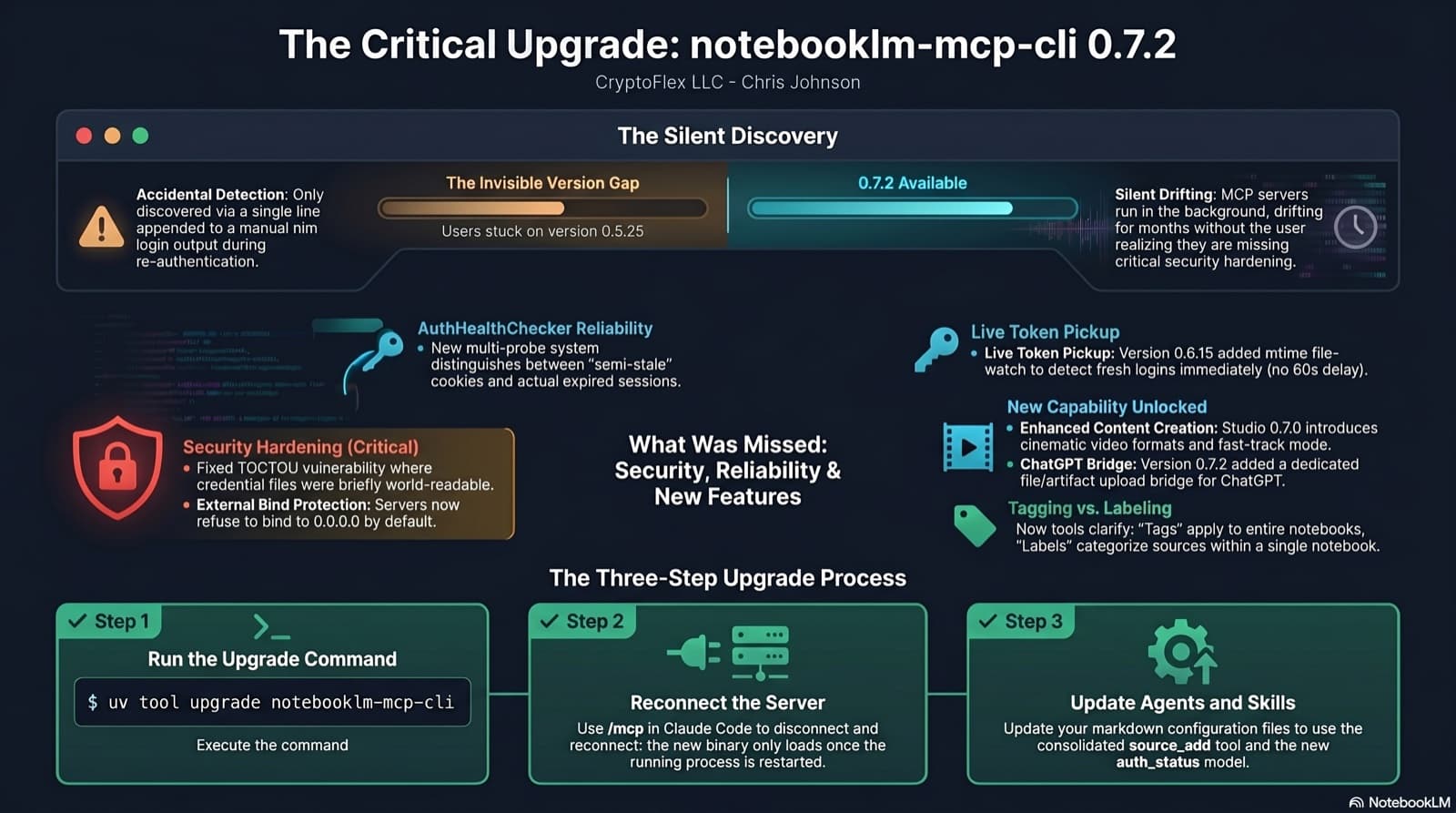
I was two minor versions behind on notebooklm-mcp-cli and had no idea until a re-auth banner interrupted a session. The gap was 0.5.25 to 0.7.2. Security fixes, auth reliability improvements, and new features I was missing the whole time. Here is the three-part upgrade that most people stop after step one.
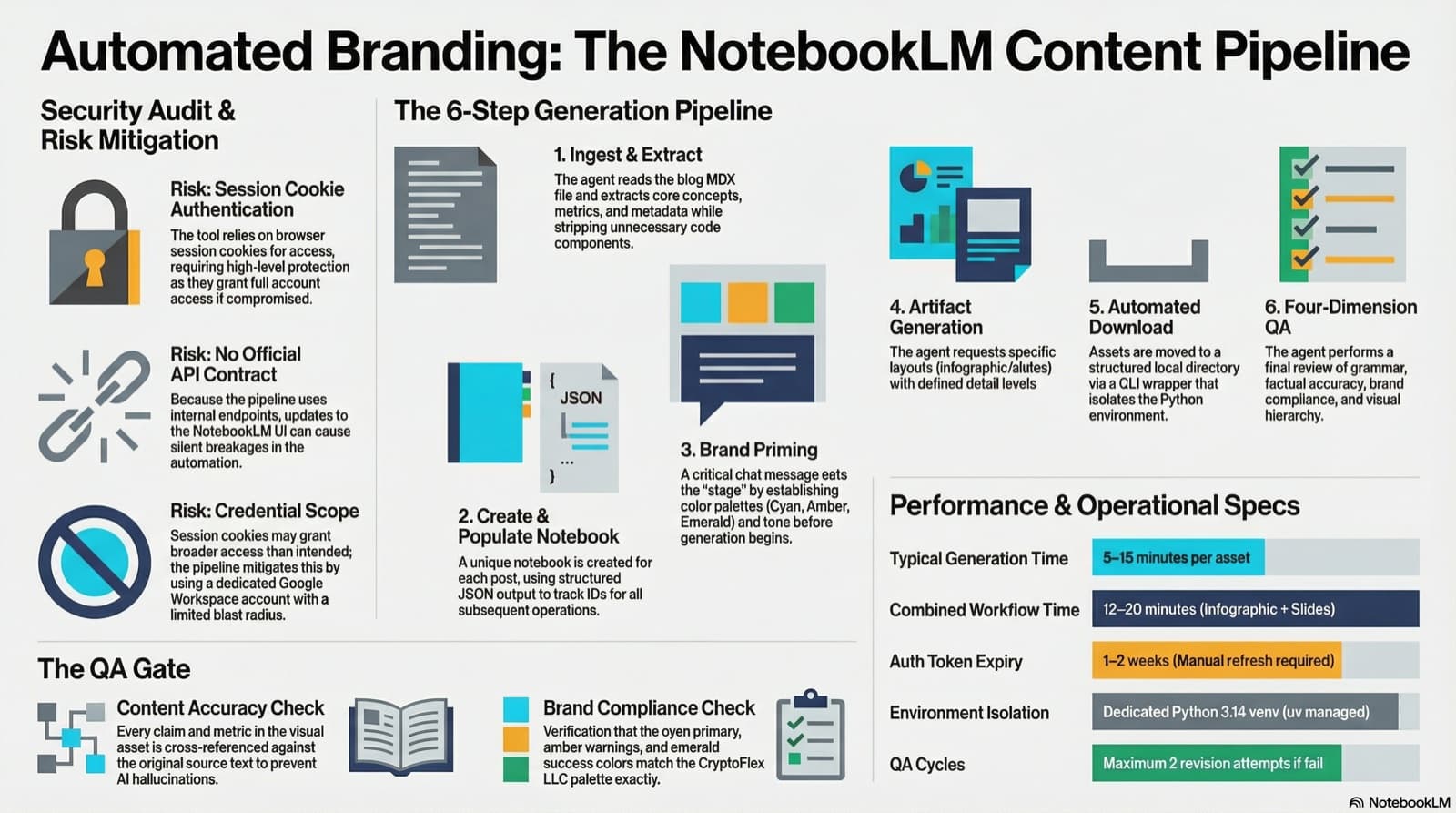
I set up notebooklm-py as a programmatic content creation pipeline for CryptoFlex LLC, building a custom agent and skill that turns blog posts into branded infographics and slide decks with automated QA. Here is how the security review went, what the pipeline looks like, and what I learned about trusting reverse-engineered APIs.
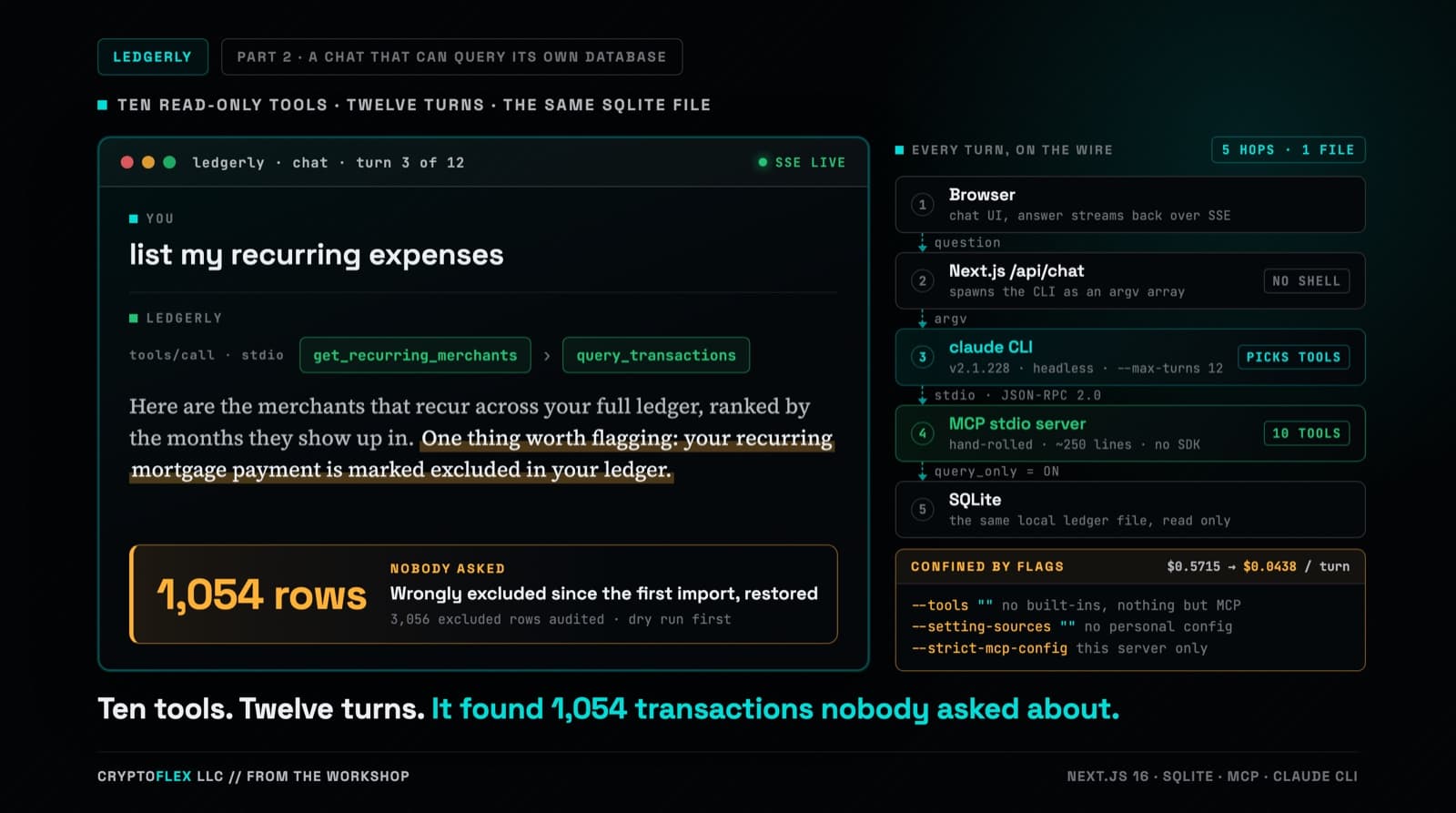
Part one's chat answered from two months of category totals stuffed into a single-turn prompt, and it could not run one query against the database sitting right there. Part two replaces that with a hand-rolled MCP server, ten read-only tools, and multi-turn tool calling confined by CLI flags a de-risking spike worked out against the real claude CLI. Three review passes ran before the commit, and one confirmed finding was a tool-name mismatch that every unit test passed and only a captured NDJSON fixture caught. The same work also turned up a data problem that had nothing to do with any of it: 1,054 real transactions wrongly marked excluded since the original import in part one.
Comments
Subscribers only — enter your subscriber email to comment