
From Bug Report to Release: Maintaining an Open-Source MCP
Someone filed issue #5 against my UniFi MCP: two port-forward bugs, one of them a silent no-op that reported success. Here is the whole journey from bug report to a published v0.4.1 release, and the open-source hygiene that makes a merge into something users can actually install.
Someone I have never met filed a bug against my open-source project, and one of the two bugs was the kind that lies to you. The tool returned rc: ok and HTTP 200, then nothing on the device actually changed. A green checkmark over a write that did nothing is a specific kind of bug, and it is the one I want to start with.
That was issue #5 against unifi-mcp, the unified UniFi Network and Protect MCP server I built over three days and have been dogfooding ever since. Two real port-forward bugs, a couple of edits to fix, and then the longer tail: turning a merged fix into a release a stranger can actually install.
What is an MCP server?
MCP stands for Model Context Protocol. An MCP server is a small program that exposes tools (read a file, call an API) through a standard protocol, so Claude Code can use them inside a session. This one ships as a Claude Code plugin, which matters later: a plugin user installs the published release, not the merged commit. That distinction is the whole point of this post.
The Bug Report That Started It#
Issue #5 was titled, with the kind of precision that makes a maintainer's day, "Port-forward tools: list_port_forwards reports empty fwd_ip, and update_port_forward silently no-ops (partial PUT)." Filed against v0.2.1, observed on UniFi Network 9.x running on a UDM Pro.
That is a good bug report. It names the tools, states the symptoms, and gives me the firmware version. I did not have to play twenty questions. I could reproduce both bugs from the title alone.
There were two of them, and they were different species.
Bug One: The Field That Got Renamed#
list_port_forwards returned fwd_ip: "" for a rule whose Forward IP was actually configured. The rule worked fine in the UniFi UI. My tool just reported it as empty, so a correctly configured port forward looked broken.
The root cause was a field name. On UniFi Network 9.x, the controller stores the forward-target IP in a field called fwd. My tool read a field called fwd_ip. The field I was reading did not exist on this firmware, so it returned the empty-string default. No error, no crash, just a quietly wrong value.
Why the rename bites silently
Dictionary access with a default (r.get("fwd_ip", "")) never throws when the key is missing. It returns the default. That is great for resilience and terrible for catching a renamed field. The code looked correct and ran clean. It was reading a key the controller stopped using.
Bug Two: The Write That Lied#
update_port_forward was worse, because it claimed to succeed.
The tool took the partial updates dictionary the caller passed and sent it straight as the body of a PUT /rest/portforward/{id}. The controller responded with HTTP 200 and rc: ok. Looks like success. But the response data array was empty, and nothing actually changed on the device.
Here is the trap. UniFi's port-forward PUT endpoint accepts a partial body, returns 200, and then ignores the body and persists nothing. A no-op dressed up as a success. From the caller's side, a write that silently does nothing is indistinguishable from a write that worked.
200 plus empty data is a dangerous contract
An endpoint that returns HTTP 200 with an empty result on a no-op is an API design landmine. The status code says success. The payload says nothing happened. If your client trusts the status code, you ship a tool that confidently lies. I have now hit this exact pattern twice on UniFi (the traffic-rules delete was the first). It is becoming a house rule: never trust the status code alone, check the body.
The Fix#
Two bugs, two fixes, plus a couple of extras that fell out naturally once I was in the code.
For bug one, reads now prefer fwd and fall back to fwd_ip, so both the new and old schema shapes surface a value:
"fwd_ip": r.get("fwd") or r.get("fwd_ip", ""),
While I was there I also started surfacing pfwd_interface, the WAN-binding field, because a dual-WAN user needs to know which interface a rule is bound to.
For bug two, the fix is the interesting one. You cannot send a partial body to this endpoint and expect it to merge. So the tool now reads the whole rule first, merges the requested changes onto the full object, then PUTs the complete thing:
existing = await _fetch_rule(client, rule_id)
if existing is None:
    return {"executed": False, "error": f"Port forward rule {rule_id} not found."}

merged = {**existing, **normalized}
response = await client.put(f".../rest/portforward/{rule_id}", json=merged)
GET the current state, layer the updates on top, PUT the union. The controller now gets a body it respects because it is a complete object, not a fragment.
Treating the Lie as a Failure#
The merge fixes the no-op. But I also wanted the tool to stop lying when the controller does the empty-data thing anyway. So after the PUT, the tool inspects the response body:
data = response.get("data", []) if isinstance(response, dict) else []
if not data:
    return {
        "executed": False,
        "error": "Controller returned an empty data array; the update did not persist.",
    }
A successful update echoes the changed rule in data. An empty array means the controller accepted the request and persisted nothing. That is now executed: false with a plain-English error, not executed: true. A non-persisting write is no longer reported as success.
Surface the no-op as a failure
When an API can return success-shaped responses that did not actually do anything, make your wrapper assert on the result, not the status code. The honest failure ("the update did not persist") is far more useful to a caller than a cheerful lie.
The extras: update_port_forward now accepts the forward target as either fwd or fwd_ip and normalizes both to fwd, so callers do not have to know the controller's field name. create_port_forward gained an optional pfwd_interface parameter for dual-WAN binding. And I added regression tests for both bugs. The full suite landed at 232 passed, 19 skipped.
The Bugs and the Fix, in Two Frames#
The same story in two slides: the two bugs first, then the write-path fix that turns a silent no-op into an honest failure.
Merging Is Not Releasing#
The code fix was the small part. The bigger part is the hygiene that turns a merged fix into something a stranger can install and trust.
I worked the change on a branch named fix/port-forward-tools-issue-5. Descriptive branch names are free documentation: anyone scanning the branch list knows exactly what it is and which issue it maps to.
I opened PR #6 with a structured summary and a test-plan checklist. The body included the line Resolves #5. That magic phrase tells GitHub to auto-close issue #5 when the PR merges. CI ran the suite on Python 3.12 and 3.13, both green. I squash-merged to main as commit 3c145a5 and deleted the branch.
At this point a less experienced me would have called it done. The PR is merged. The fix is on main. Ship it, right?
No. And then the wheels came off, in a quiet way.
A merged PR is not a release
Merging a PR puts code on your default branch. It does not create a release, a tag, or a version anyone can install. For a project that ships as a plugin, the merged commit is invisible to your users until you cut an actual release. Merged and released are two different events.
Bumping the Version (in Three Places)#
Before the release, the version. This was a backward-compatible bug fix: same tools, same parameters, no breaking changes, just correct behavior where there used to be wrong behavior. Under Semantic Versioning that is a patch. So 0.4.0 became 0.4.1, not 0.5.0 and definitely not 1.0.0.
Why this is a patch, not a minor or major
SemVer is MAJOR.MINOR.PATCH. MAJOR is for breaking changes, MINOR for backward-compatible new features, PATCH for backward-compatible bug fixes. I added an optional pfwd_interface parameter, which is arguably a feature, but optional and backward-compatible, and the headline of the release is two bug fixes. Patch is the honest call. When in doubt between minor and patch, ask whether existing callers need to change anything. They do not. Patch.
The version lives in three places in this repo, and all three have to move together:
pyproject.toml                 version = "0.4.1"
.claude-plugin/plugin.json     plugin manifest version
uv.lock                        the self-package entry
Miss one and you get a confusing mismatch where the package says one version and the plugin manifest says another. I have done that before. It is the kind of thing that passes every test and still embarrasses you in the wild.
Grep for the old version before you tag
Before cutting a release, search the repo for the version string you are leaving behind. If 0.4.0 still appears anywhere outside the changelog history, you missed a spot. Three files in this project, but every project has its own count.
Writing Release Notes That Are Worth Reading#
I keep a CHANGELOG.md in Keep a Changelog format. The fix got a new heading and two sections:
## [0.4.1] - 2026-06-13

### Fixed
- `list_port_forwards` now surfaces the forward target IP...
  (the controller stores it in `fwd`, not `fwd_ip`, on 9.x). (#5)
- `update_port_forward` no longer silently no-ops... GETs the
  existing rule, merges updates, PUTs the complete rule. (#5)

### Added
- `update_port_forward` accepts `fwd` or `fwd_ip`; both normalize.
- `create_port_forward` gains optional `pfwd_interface`. (#5)
Good release notes answer three questions: what changed, why it changed, and where to read more. The (#5) references are not decoration. They let any reader jump from a one-line changelog entry to the full bug report with the reproduction steps. The changelog is the index; the issue is the detail.
Link changelog entries back to issues
Every changelog line that came from a reported bug should carry the issue number. It turns your changelog into a navigable map of why the project is the way it is, instead of a flat list of past-tense verbs.
Cutting the Actual Release#
Now the moment that motivated this whole post. After the merge, the version bump, and the changelog, I looked at the GitHub repo page. The "Latest" release still said v0.4.0.
The fix was on main. The version files said 0.4.1. The changelog had a 0.4.1 entry. And GitHub still told the world that v0.4.0 was the latest release. Because it was. Nothing I had done created a release.
A release on GitHub is a separate, deliberate act: an annotated tag plus a published Release object with notes. So I made one.
git tag -a v0.4.1 -m "Port-forward read/write fixes (#5)"
git push origin v0.4.1
gh release create v0.4.1 --title "v0.4.1" \
  --notes "Fixes the port-forward read and write bugs from #5." \
  --notes "Full Changelog: v0.4.0...v0.4.1"
Only after the tag was pushed and the Release was published did the repo page flip "Latest" to v0.4.1. I added a "Full Changelog" compare link (v0.4.0...v0.4.1) so anyone can see the exact diff between the two releases in one click.
Latest is what your users install
This project ships as a Claude Code plugin. When someone installs it, they get the latest published release, not whatever is sitting on main. If I had stopped at the merge, every new install would still pull v0.4.0 with both bugs intact, even though the fix was sitting right there in the repo. "Latest" is not a cosmetic label. It is the thing your users actually receive.
Closing the Issue With a Note, Not a Silence#
The Resolves #5 line did its job: merging PR #6 auto-closed issue #5. I could have walked away there. The issue was closed, the bot did the bookkeeping, done.
I did not. I added a closing comment that mapped each of the two bugs to its specific fix and linked the v0.4.1 release.
A silent close teaches nobody. Someone lands on issue #5 six months from now, sees a closed issue, and has no idea what actually happened or which version fixed it. They have to go spelunking through commits to find out. A closed issue with a note is documentation. A closed issue with no note is a dead end with a green checkmark.
Close issues with a paper trail
Even when an auto-close fires, leave a human comment: what was wrong, what fixed it, and which release carries the fix. The person who reads that closed issue later is often the most underserved reader in your whole project. Serve them.
That whole chain, from a fix branch to a published release to an issue closed with a note, is what turns a merge into something a stranger can install. Here it is end to end:
Lessons Learned#
Four things I will carry into the next issue, none of them new, all of them things I have gotten wrong at least once. A merge is not a release, so I check whether "Latest" actually moved before I call anything shipped. The SemVer level follows impact, not how much code the fix took, so a backward-compatible bug fix stays a patch even when it touches a lot. Issue references in a changelog turn a flat list into something you can navigate six months later. And a wrapper sitting in front of an API that returns 200 on a no-op has to assert on the body, because the status code will lie to you.
The MCP is one bug lighter today than it was when issue #5 landed, and the next person who calls update_port_forward gets a real success or an honest failure, never a silent lie. Fixing the bug was the small part. Shipping it where a stranger can find it, install it, and read why it changed was the rest.
The next entry in this series will come from whatever the next issue teaches me. With luck, the bug count stays at zero for a while. History suggests it will not stay there long.
Weekly Digest
Get a weekly email with what I learned, summaries of new posts, and direct links. No spam, unsubscribe anytime.

Related Posts
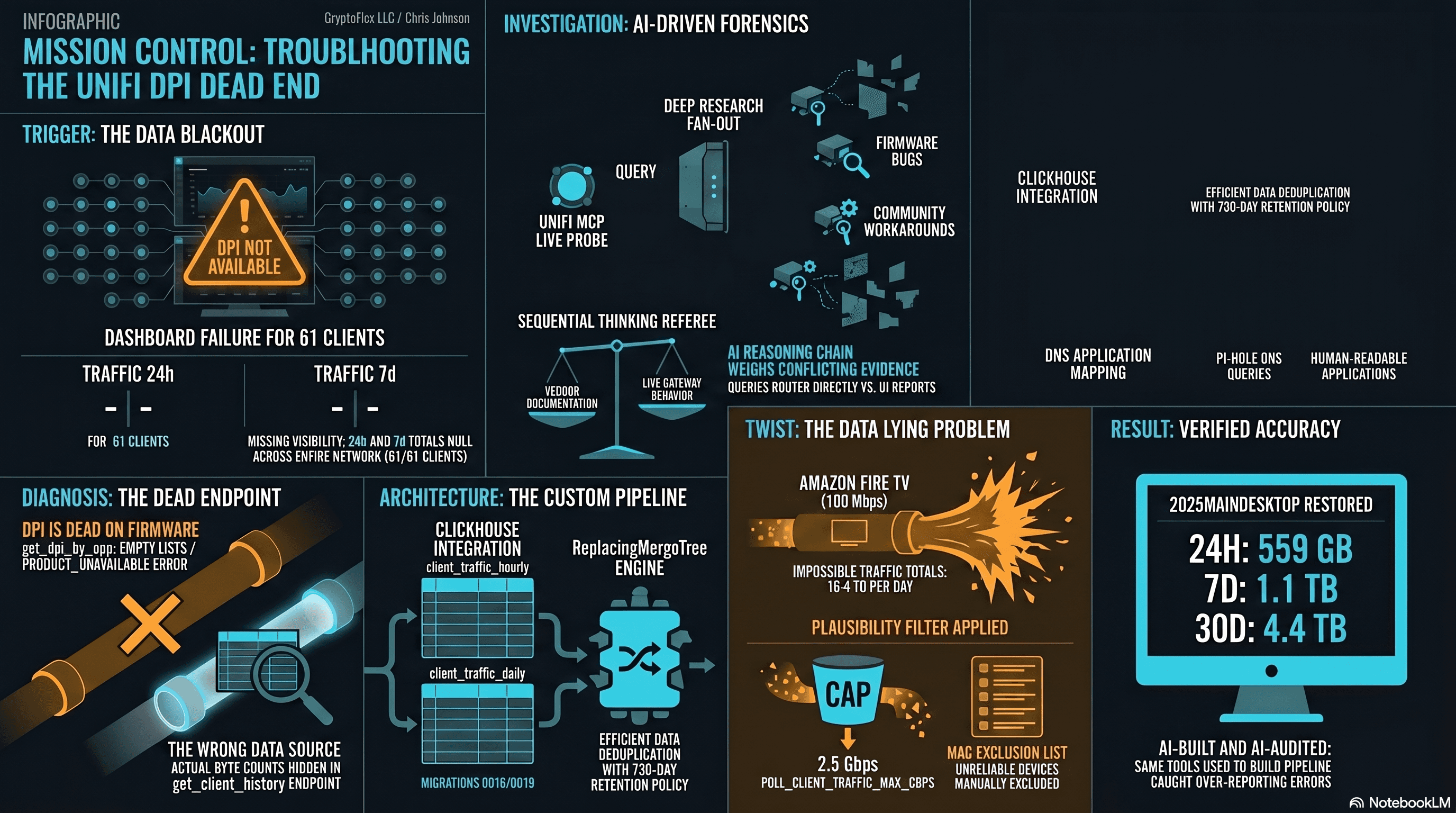
The Clients page showed "--" for traffic and "DPI not available for this device" for applications. The investigation found that per-app DPI is genuinely dead on this firmware, but per-client hourly byte buckets are alive and well in a different endpoint the dashboard was never reading. Fix the source, accumulate in ClickHouse, reconstruct Top Applications from Pi-hole DNS, and then discover that some clients are reporting physically impossible volumes. One afternoon, one commit (e07a8ac, 27 files), three confessional asides, and a plausibility cap that became load-bearing.
A red dns_bypass card on my home dashboard sat at 0.667. Closing it took two ZBF rules, a deliberately incomplete remediation on the Default subnet, and a new traffic_rules surface in the chris2ao/unifi-mcp v0.4.0 release. Here is the full walk.
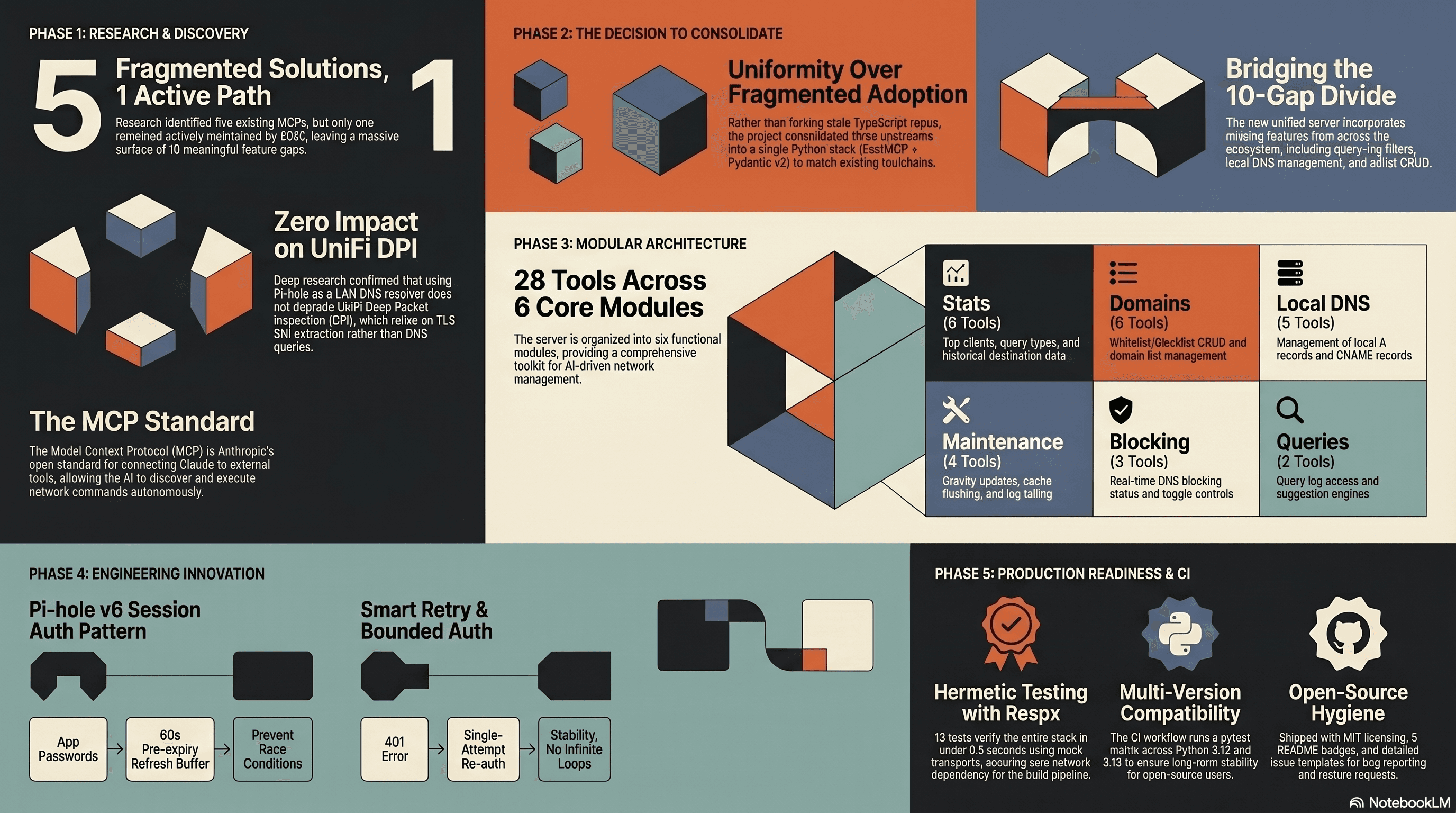
5 existing Pi-hole MCPs. 1 actively maintained. 10 real gap items. I used /deep-research to scan the landscape, then consolidated 28 tools from three upstream repos into one Python FastMCP server that matches my UniFi MCP stack, and shipped it public with CI, issue templates, and branch protection.
Comments
Subscribers only — enter your subscriber email to comment