
My First 24 Hours with Claude Code: From Zero to Production Website
A detailed, hour-by-hour account of my first day with Claude Code - starting with Ollama frustrations, discovering Opus 4.6, building a complete website, and deploying to production. 30 commits, 4 repositories, and one very long day.
I started yesterday with a vague idea - "I should try AI-assisted coding" - and ended today with a production website, four GitHub repositories, a fully configured development environment, and more excitement about software than I've felt in years. This is the story of those 24 hours, every stumble, every breakthrough, and every moment where I just sat back and thought "wait... it can do that?"
If you want to follow along, I'll include the actual commands and code throughout. Everything here is reproducible.
Hour 0: The YouTube Rabbit Hole#
It started the way most things start - watching YouTube videos at midnight. I'd been hearing about AI coding tools and wanted to understand what the hype was about. A few videos in, I started to get the picture: these aren't autocomplete tools. They're agents that can read your codebase, write code across multiple files, run commands, and iterate on errors.
Two tools kept coming up: GitHub Copilot and Claude Code. I decided to try Claude Code because the CLI-first approach appealed to me. No IDE plugins, no GUI - just a terminal and a conversation.
But first, I made a detour.
Hours 1-3: The Ollama Experiment (And Why I Abandoned It)#
Before spending money on an API, I wanted to try running a model locally. Free, private, no cloud dependency. The idea was perfect. The execution... wasn't.
I installed Ollama and pulled the Qwen 3.4B model:
ollama pull qwen2.5-coder:3b
ollama serve
Then I configured Claude Code to use it as a backend. The setup worked - technically. Qwen would respond to prompts, generate code, even attempt multi-file edits. But two problems killed it:
Problem 1: Speed
Every response took 30-60 seconds. When you're iterating on code and asking follow-up questions, that latency is brutal. You lose your train of thought. You start second-guessing whether you should even ask for help or just write it yourself.
Problem 2: Code Quality
The Qwen 3.4B model would generate code that looked right but had subtle bugs - wrong API signatures, deprecated patterns, logic errors that only surfaced at runtime. I'd spend 20 minutes debugging code that the AI wrote, which is worse than writing it from scratch.
I actually built some things during this phase - early scaffolding for a project, some utility functions, configuration files. But I didn't realize how many problems were lurking in that code until later. More on that in a bit.
The Takeaway
Local models are great for privacy-sensitive work or if you have serious GPU hardware (think RTX 4090 or better). For actual development on a normal workstation? The cloud models are in a different league right now. Maybe that changes in a year. Today, it's not close.
Hour 4: Setting Up Claude Code (For Real This Time)#
After the Ollama experiment, I committed to trying the real thing. Here's exactly what I did:
Step 1: Anthropic Account#
Went to console.anthropic.com, created an account, added a payment method. The pricing is pay-as-you-go - no monthly subscription. I loaded $20 to start.
Step 2: Install Claude Code#
npm install -g @anthropic-ai/claude-code
One command. That's it. No VS Code extension, no config wizard, no sign-in flow. It installs a CLI tool called claude that you run from your terminal.
Step 3: First Launch#
cd my-project
claude
The first time you run it, it asks you to authenticate with your Anthropic API key. After that, you're in a conversation. You type in natural language, and Claude reads your files, writes code, runs commands, and explains what it's doing.
I chose Opus 4.6 as my model. It's the most capable model in the Claude family - deeper reasoning, better code generation, and longer context windows. And the speed? Night and day compared to Ollama. Responses came back in 2-5 seconds instead of 30-60. The difference was so dramatic it felt like a different category of tool.
The First "Whoa" Moment#
I asked Claude to look at the code I'd written with Qwen/Ollama and tell me what was wrong with it. It found seven issues in about 10 seconds - including a path handling bug that would have only manifested on Linux, a missing error boundary, and two functions that silently swallowed errors. It didn't just find them - it fixed them, explained why each fix was necessary, and showed me the diff.
That was the moment I realized this wasn't just "faster autocomplete." This was a senior engineer sitting next to me, reviewing my code in real time.
Hours 5-8: Building the Learning Project#
My first real project was a learning journal, a repository to document everything I was doing with Claude Code. I wanted session logs, activity tracking, and a narrative of what worked and what didn't. I created a repo called CJClaude_1 and started experimenting.
The Hooks System Discovery#
The first thing I wanted was automatic session logging. My initial approach? Build a standalone Rust program that would intercept Claude Code's conversations and save them to disk.
# Cargo.toml - The approach that didn't work
[package]
name = "claude-auto-save"
version = "0.1.0"
Wrong Architecture
This was completely wrong. A standalone binary cannot intercept Claude Code's internal conversation data. It's not an open pipe you can tap into - it's an internal process.
After some frustration, I discovered the correct approach: Claude Code hooks. These are shell commands that run automatically in response to session events. You configure them in .claude/settings.local.json:
{
  "hooks": {
    "SessionEnd": [
      {
        "hooks": [
          {
            "type": "command",
            "command": "powershell -NoProfile -ExecutionPolicy Bypass -Command \". '.claude/hooks/save-session.ps1'\""
          }
        ]
      }
    ],
    "PostToolUse": [
      {
        "matcher": "Bash|Edit|Write|NotebookEdit",
        "hooks": [
          {
            "type": "command",
            "command": "powershell -NoProfile -ExecutionPolicy Bypass -Command \". '.claude/hooks/log-activity.ps1'\"",
            "async": true
          }
        ]
      }
    ]
  }
}
The hook types are:
- SessionEnd - fires when you close a session (perfect for archiving transcripts)
- PostToolUse - fires after every tool operation (perfect for activity logging)
- PreToolUse - fires before tool execution (for validation)
- Notification - fires on notifications
- Stop - fires when the session stops
The PowerShell Stdin Gotcha#
Silent Failure
This one cost me an hour. Hooks receive JSON data on stdin - session ID, transcript path, tool name, etc. In PowerShell, the natural way to read stdin is $input. But when PowerShell is invoked via -File, $input doesn't work. You have to:
- Use
[Console]::In.ReadToEnd()instead of$input - Invoke the script via
-Command ". 'script.ps1'"(dot-sourcing) instead of-File
# This DOESN'T work:
# powershell -File save-session.ps1
# $stdinData = $input  # <-- always empty!

# This DOES work:
# powershell -Command ". 'save-session.ps1'"
$stdinData = [Console]::In.ReadToEnd()
$hookData = $stdinData | ConvertFrom-Json
A small thing, but the kind of thing that has zero error messages. The script runs, reads nothing, and silently does nothing. I only figured it out by adding debug logging to verify what was actually coming through. (I go deeper on this and other Windows/PowerShell gotchas in Configuring Claude Code.)
Cleaning Up After Qwen#
Remember the code I built with the Ollama/Qwen model? Once I had Opus 4.6, I asked it to review everything. The results were... humbling.
Claude found bad path handling (hardcoded separators that would break on Linux), missing error handling (functions that returned undefined on failure instead of throwing), and configuration files that referenced features that didn't exist. The Qwen model had been confidently generating plausible-looking code that was subtly broken.
Opus fixed all of it in one pass. Removed the broken Rust auto-save approach entirely, replaced it with the hooks system, and restructured the project from scratch. The commit message tells the story:
Replaced Rust auto-save with hooks-based session logging

The Rust auto-save approach was fundamentally flawed: a standalone
binary cannot intercept Claude Code's internal conversation data.
Claude Code's hooks system is the correct mechanism.
Eleven files deleted. Two PowerShell scripts created. The project went from "pile of experimental code" to "clean, working system" in about 20 minutes.
Hours 9-12: The Configuration Deep Dive#
Once the basics worked, I went deep on configuration. This is where a colleague's recommendation changed everything.
The everything-claude-code Repository#
A colleague shared everything-claude-code with me - a community configuration repo with over 41,000 stars. It's essentially a best-practices blueprint for Claude Code: 13 specialized agents, 30+ slash commands, modular rules, and patterns for everything from TDD to security reviews.
I installed it as a plugin:
// ~/.claude/settings.json
{
  "projects": {},
  "extraKnownMarketplaces": [
    "affaan-m/everything-claude-code"
  ],
  "enabledPlugins": [
    "affaan-m/everything-claude-code"
  ]
}
Then I copied over the rules - 8 markdown files that go in ~/.claude/rules/ and apply to every project:
~/.claude/rules/
├── agents.md           # When to use which specialized agent
├── coding-style.md     # Immutability, file size limits, error handling
├── git-workflow.md     # Conventional commits, PR workflow
├── hooks.md            # Hook types and permission management
├── patterns.md         # Repository pattern, API response format
├── performance.md      # Model selection strategy (Haiku/Sonnet/Opus)
├── security.md         # Pre-commit security checklist
└── testing.md          # TDD mandatory, 80% coverage minimum
The Frontmatter Bug#
18 Missing Commands
After installing the plugin, I noticed that 18 of the 31 slash commands weren't showing up. No error messages. They just... didn't appear in autocomplete.
After investigation, I found the root cause: Claude Code requires YAML frontmatter at the top of command files to register them. Eighteen of the plugin's command files were missing it. This is a bug in everything-claude-code v1.2.0.
The format is:
---
description: "Run comprehensive code review"
---
# Code Review
...
Without that --- block, the file is silently ignored. I fixed all 18 files by adding frontmatter with descriptions sourced from the .opencode/commands/ equivalents (which had them). After that, all 31 commands appeared.
Lesson Learned
When something silently doesn't work in Claude Code, check for missing frontmatter. It's the most common cause of "I configured this but nothing happened." (Full details on the plugin setup and the fix in Configuring Claude Code.)
Trimming the Rules#
The raw rules from everything-claude-code were verbose - lots of rationale paragraphs, examples, and checklists that restated things Claude already knows. Every line in a rule file costs context window tokens. So I trimmed them:
- Removed ~98 lines (~40% reduction)
- Stripped paragraphs explaining why immutability matters (Claude knows)
- Removed agent references from 6 of 8 files (they don't work without the plugin)
- Cut redundant MCP server recommendations from 5 to 2
The trimmed rules work better because they leave more context window for actual coding.
Hours 13-14: MCP Servers and Node.js Hell#
MCP Servers#
MCP (Model Context Protocol) servers extend Claude Code with external capabilities. I set up two:
claude mcp add memory @modelcontextprotocol/server-memory --scope user
claude mcp add context7 @upstash/context7-mcp --scope user
- memory - persistent knowledge graph that survives across sessions
- context7 - live documentation lookup for any library or framework
Wrong Config File
But here's the gotcha that cost me 30 minutes: ~/.claude/mcp-servers.json is for Claude Desktop, not Claude Code. I configured all my servers in the wrong file. Claude Code stores MCP servers in ~/.claude.json under "mcpServers". The claude mcp add CLI command writes to the correct location - don't try to edit the file manually. (See Configuring Claude Code for the full MCP setup walkthrough.)
The Node.js PATH Nightmare#
Setting up MCP servers required npm, which required Node.js, which led to discovering three separate environment issues:
Three PATH Issues
-
Node.js wasn't in Git Bash's PATH. It was installed at
C:\Program Files\nodejs\and worked in PowerShell, but Git Bash (MSYS2) didn't inherit the Windows system PATH. -
npm's global directory didn't exist. The Windows Node.js installer doesn't create
%APPDATA%\npm- it's only created when you firstnpm install -gsomething. -
Git Bash mangles Windows paths. Running
npm run buildin Git Bash produces paths prefixed withC:\Program Files\Git\. Git Bash (MSYS2) rewrites absolute paths. The workaround is to usenpxwith Node.js directly in PATH.
Fix for issue 1:
# ~/.bash_profile
export PATH="/c/Program Files/nodejs:$PATH"
Fix for issue 2:
mkdir -p "$APPDATA/npm"
Fix for issue 3:
export PATH="/c/Program Files/nodejs:$PATH"
npx next build
These are the kinds of issues that have you questioning your career choices at 2 AM. No good error messages, just paths that look almost right but are subtly wrong.
Hours 15-19: Building CryptoFlexLLC.com#
With the environment finally stable, I decided to build something real. I had a domain - cryptoflexllc.com - sitting on Squarespace doing nothing. Time to give it a website.
The Stack Decision#
I asked Claude to scaffold a Next.js project:
npx create-next-app@latest cryptoflexllc \
  --typescript --tailwind --eslint --app \
  --src-dir --import-alias "@/*" --use-npm
Then added shadcn/ui for components:
npx shadcn@latest init -d --base-color zinc
npx shadcn@latest add button card badge separator sheet
And the MDX stack for blogging:
npm install @next/mdx @mdx-js/loader @mdx-js/react \
  gray-matter next-mdx-remote remark-gfm \
  rehype-pretty-code shiki @tailwindcss/typography
What Claude Built#
Over the next few hours, Claude and I built the entire site together. I'd describe what I wanted, Claude would write the code, I'd review it, suggest changes, and we'd iterate. Here's what we ended up with:
7 pages:
- Homepage with hero, featured blog posts, and service teasers
- Blog listing with card grid, search, and tag filtering
- Individual blog posts rendered from MDX with custom components
- About page with career timeline
- Services page with consulting offerings
- Portfolio with project cards and tech badges
- Contact page with LinkedIn CTA and email fallback
Key architecture decisions:
- Dark theme with OKLCH cyan accent colors (Tailwind CSS v4 - no
tailwind.config.ts, all config lives in CSS via@themeblocks) - File-based MDX blog system using gray-matter for frontmatter and next-mdx-remote for rendering
- Glassmorphism sticky nav with mobile hamburger menu (Sheet component from shadcn/ui)
- Server components everywhere except where interactivity is needed (blog search, nav)
The Client Component Metadata Workaround#
Next.js Gotcha
The Contact page originally used "use client" for form state (useState), but I also needed SEO metadata (export const metadata). In Next.js App Router, you can't export metadata from a client component. No error - it's just silently ignored.
The fix is a wrapper layout:
app/contact/
  layout.tsx   # Server component - exports metadata
  page.tsx     # Client component - uses useState
// layout.tsx (server component)
import type { Metadata } from "next";

export const metadata: Metadata = {
  title: "Contact",
  description: "Get in touch with Chris Johnson at CryptoFlex LLC.",
};

export default function ContactLayout({
  children,
}: {
  children: React.ReactNode;
}) {
  return children;
}
The layout does nothing except provide metadata. Next.js renders the server layout wrapping the client page, and both metadata and interactivity work. (More on the component architecture in How I Built This Site.)
Production Build#
npx next build
Route (app)                    Size     First Load JS
┌ ○ /                          12.6 kB        112 kB
├ ○ /about                     5.73 kB        105 kB
├ ○ /blog                      1.81 kB        101 kB
├ ● /blog/[slug]               1.11 kB        100 kB
├ ○ /contact                   1.63 kB        101 kB
├ ○ /not-found                 879 B          100 kB
├ ○ /portfolio                 2.44 kB        102 kB
└ ○ /services                  3.79 kB        103 kB

○  (Static)   prerendered as static content
●  (SSG)      prerendered as static HTML (uses generateStaticParams)
All 13 pages generated. Zero errors. Zero warnings. From create-next-app to production build in about 4 hours, including all the content.
Hours 20-22: Going Live#
GitHub#
gh repo create your-username/your-repo-name --public \
  --source=. --push
One command. Repo created, code pushed. I also wrote a 1,350-line BUILD-GUIDE.md that walks through every step of building the site - from scaffolding to deployment - so anyone could follow along and build the same thing.
Vercel#
Connected the GitHub repo to Vercel, pointed the Squarespace DNS:
- CNAME:
www→cname.vercel-dns.com - A Record:
@→76.76.21.21
SSL auto-provisioned. Auto-deploys on push to main. The site was live at cryptoflexllc.com within minutes.
Content#
I wrote three blog posts (the ones you can read on this site), added a real headshot to the About page, updated the footer with my GitHub link, and pushed everything. Then I created a private repo for deployment notes that shouldn't be public.
Hours 22-24: Backing Up and Documenting Everything#
The last few hours were about preservation. I'd built a lot in one day, and I didn't want to lose any of the configuration knowledge.
Config Backup#
I initialized a git repo in ~/.claude/ and pushed it to a private GitHub repo:
cd ~/.claude
git init
gh repo create <your-username>/<your-config-repo> --private --source=. --push
This backs up all my rules, learned skills, and configuration so I can replicate my environment on any machine.
Learned Skills Extraction#
Persistent Patterns
Claude Code has a /learn command that extracts reusable patterns from your session history. I ran it and it pulled out 5 skills - solutions to problems I'd solved during the day:
- PowerShell stdin hooks - the
$inputvs[Console]::In.ReadToEnd()gotcha - MCP config location -
~/.claude/mcp-servers.jsonvs~/.claude.json - Command YAML frontmatter - why commands silently don't register
- Git Bash npm path mangling - MSYS2 path rewriting breaking npm
- Next.js client component metadata - the wrapper layout workaround
These are now saved as markdown files that Claude can reference in future sessions. The patterns persist.
The Final Repo Inventory#
By the end of 24 hours, I had four repositories:
| Repo | Visibility | What It Contains |
|---|---|---|
chris2ao/CJClaude_1 | Private | Learning journal, hooks, changelog, session history |
chris2ao/cryptoflexllc | Public | Website source code, BUILD-GUIDE.md |
| (private repo) | Private | Deployment notes, infrastructure docs |
| (private repo) | Private | Rules, learned skills, config backup |
30 commits. 11 Claude Code sessions. One very long day.
What Made Opus 4.6 Different#
I want to be specific about this because it's the core of the experience. Opus 4.6 didn't just write code faster than Qwen - it wrote better code, caught more bugs, and understood context across files in ways the local model simply couldn't.
Speed
2-5 second responses vs 30-60 seconds with Ollama. This sounds like a minor convenience, but it fundamentally changes how you work. With fast responses, you have a conversation. With slow responses, every question becomes a commitment.
Context Awareness
Opus could read my entire project, understand the relationships between files, and make changes that were consistent across the codebase. When I asked it to add a footer component, it automatically matched the styling patterns from the nav, used the same responsive breakpoints, and imported from the same icon library - without me specifying any of that.
Error Recovery
When something broke, Opus would read the error message, identify the root cause (not just the symptom), and fix it. The Qwen model would often "fix" errors by introducing different errors.
Code Review
Opus found issues that I would have missed in manual review - silent error swallowing, path handling bugs, missing edge cases. It explained each issue clearly and fixed them all in one pass.
What I'd Do Differently#
If I were starting over tomorrow, here's what I'd change:
1. Skip the local model entirely
Unless you have specific privacy requirements. The time I spent debugging Qwen's output was time I could have spent building.
2. Start with the hooks system
Instead of trying to build external tooling. Read the Claude Code docs on hooks before writing any automation.
3. Install everything-claude-code immediately
The rules and commands save significant time. Just be ready to fix the frontmatter bug on 18 command files.
4. Trim rules early
Don't blindly copy all the rules from a reference repo. Every line costs context window tokens. Trim rationale paragraphs and examples that restate things Claude already knows.
5. Set up ~/.bash_profile first
With Node.js and npm paths before doing anything else on Windows with Git Bash.
Looking Forward#
I'm 24 hours in and I've already built more than I expected to build in a week. The website is live. The blog system works. The development environment is configured, documented, and backed up. Every lesson learned is captured as either a changelog entry, a README phase, or a reusable skill.
But here's what excites me most: this is day one. I haven't touched testing frameworks yet. I haven't tried the TDD workflow that the rules enforce. I haven't used the specialized agents for security reviews, architecture planning, or E2E testing. I haven't even scratched the surface of what MCP servers can do - the memory server alone could change how I work across sessions.
The gap between "I have an idea" and "it's live on the internet" has collapsed to hours. Not because the AI writes perfect code - it doesn't - but because the iteration speed is so fast that imperfect code gets refined quickly. You write, review, fix, and ship in a single conversation.
If you're on the fence about trying AI-assisted development, my advice is simple: load $20 onto an Anthropic account, install Claude Code, open a terminal, and start building. You'll know within 30 minutes whether it changes how you work.
For me, it did. And I'm just getting started.
Written by Chris Johnson and edited by Claude Code (Opus 4.6). Every command in this post was actually run. Every error was actually encountered. Every fix was actually applied.
This post is part of a series about AI-assisted development. Previous: How I Built This Site. Next: Automating Session Wrap-Up (building a custom slash command). For deeper dives on specific topics, see Configuring Claude Code (rules, hooks, MCP, plugins) and How I Built This Site (component architecture, Tailwind v4, MDX system).
Weekly Digest
Get a weekly email with what I learned, summaries of new posts, and direct links. No spam, unsubscribe anytime.

Related Posts
How I built a full direct-booking vacation rental website for my brother-in-law Terry using Claude Code and a 6-agent AI team: Next.js 16, Supabase, Resend, and a surprisingly capable admin dashboard for a non-technical host.
One cybersecurity nerd, one AI coding assistant, one week, 117 commits, 24 pull requests, 17 blog posts, 410 tests at 98% coverage. This is the story of building a production website from scratch with Claude Code, including every mistake, meltdown, and meme along the way.
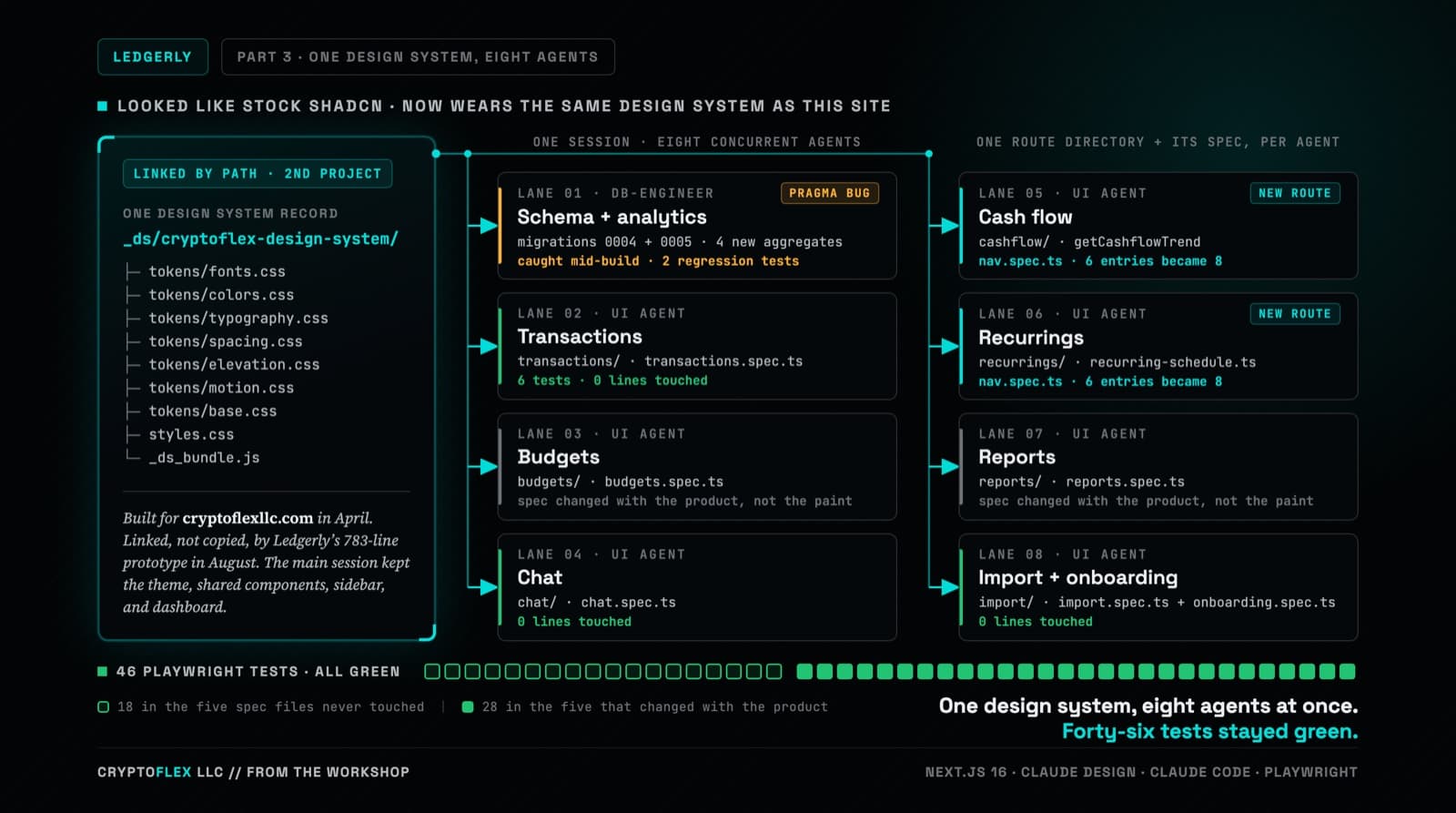
Ledgerly's UI still worked but looked like stock shadcn, so the whole thing went through Claude Design and came back wearing CryptoFlex's Cyber Editorial system, the same one from April's site rebuild. Eight parallel agents rebuilt every screen against real backend constraints while 46 Playwright tests stayed green, one of them written to prove a SQLite migration bug on purpose.
Comments
Subscribers only — enter your subscriber email to comment