
The Hidden Risks of Community MCP Servers: A Security Case Study
How a routine search for blog content tools led to discovering critical security risks in a popular MCP server, and why I built my own secure alternative.
The scariest vulnerabilities are the ones that come recommended.
Not the zero-days buried deep in kernel code. Not the obscure buffer overflows in legacy C libraries. The ones that get past your defenses because a tool you trust suggested them, the documentation looked professional, and the GitHub repo had thousands of stars.
That's what happened to me last week. I asked Claude Code to help me find a tool for generating infographics and slide decks from my blog posts. It found one that looked perfect: 2,270 stars, active maintenance, 60+ PyPI releases, and a clean MCP integration that would slot right into my workflow.
It also required extracting your full Google session cookies and storing them as plaintext on disk.
This post is the story of how I found the risk, quantified it, and built a secure alternative. If you're plugging MCP servers, community tools, or AI-suggested packages into your workflow, this is why you should care.
Companion Resources
This post is the full narrative. For a condensed reference covering the threat model, risk matrix, and evaluation checklist, download The MCP Security Trap (PDF). For an audio deep-dive you can listen to on the go, check out the Audio Briefing.
The Use Case: Visual Content from Blog Posts#
Every time I publish a blog post, I want companion content: an infographic summarizing the key points, a slide deck for presentations, and social media snippets. Doing this manually takes an hour per post. I wanted to automate it.
The ideal workflow:
- Write the blog post in MDX
- Feed the content to an analysis tool
- Generate an infographic automatically
- Create an editable slide deck
- Export social media posts
Google's NotebookLM does a lot of this natively. It can take documents, analyze them, and generate visual content. So the obvious question was: is there an MCP server that wraps NotebookLM?
The Discovery: A Tool That Seemed Perfect#
I asked Claude Code to search for NotebookLM MCP integrations, and it found notebooklm-mcp-cli. On paper, it was ideal:
| Metric | Value |
|---|---|
| Stars | 2,270 |
| Forks | 423 |
| Contributors | 11 |
| PyPI Releases | 60+ |
| MCP Tools | 29 |
| License | MIT |
Installation was trivial:
uv tool install notebooklm-mcp-cli
nlm login
nlm setup add claude-code
And the workflow matched my needs exactly: create a notebook, add blog content as a source, generate an infographic, generate a slide deck, download the outputs. Three commands and done.
I almost installed it.
Stars Are Not a Security Audit
2,270 GitHub stars means 2,270 people thought the README looked useful. It does not mean anyone reviewed the authentication model, checked what data it stores on disk, or verified that it follows the principle of least privilege. Stars measure popularity, not safety.
The Assessment: An AI Agent Team Review#
Before installing anything that touches authentication or external services, I run a structured security assessment. Not a quick skim of the README. A multi-perspective review using a team of specialized AI agents, each with a distinct security persona and evaluation criteria.
How the Agent Team Works#
The team consists of four agents, each running as a parallel Claude Code subagent with a focused prompt and persona:
| Agent | Role | What They Evaluate |
|---|---|---|
| Sr. AppSec Engineer (Lead) | Risk posture, go/no-go recommendation | Overall architecture, auth model, blast radius, final verdict |
| Pentester | Attack surface, exploitability | File system access, network exposure, injection vectors, credential storage |
| Security Engineer | Auth patterns, credential management | Cookie scope, token lifetime, session replay, ToS compliance, official API alternatives |
| Developer | Practical viability | Workflow fit, installation friction, dependency quality, maintenance burden |
Each agent independently reviews the tool's source code, documentation, and published packages. They produce structured findings with severity ratings (CRITICAL, HIGH, MEDIUM, LOW, INFO), evidence from specific files and code paths, and concrete mitigation recommendations.
Why This Works Better Than Solo Review#
A single reviewer brings one perspective. A pentester focuses on exploitability but might miss that the developer experience is so painful that nobody will follow the mitigation steps. A developer sees the workflow benefits but might not notice that the auth pattern stores full account credentials in plaintext. The AppSec lead thinks about organizational risk but might not dig into the CDP WebSocket implementation.
Running four agents in parallel takes about the same wall-clock time as one deep review, but produces a 360-degree assessment. The agents don't know what the others found, so their findings are independent. When three out of four agents flag the same issue (as happened here with the cookie storage pattern), that convergence is a strong signal.
The final step is mine: I review the consolidated findings, weigh the risk ratings against my actual use case, and make the go/no-go decision. The agents provide the analysis. The human provides the judgment.
For this evaluation, the agents produced 11 findings across the severity spectrum. The full assessment ran to about 400 lines. Here are the findings that mattered most.
CRITICAL: Full Google Account Cookies Stored in Plaintext
The tool authenticates by launching Chrome with a remote debugging port, extracting your Google session cookies via the Chrome DevTools Protocol, and saving them to ~/.notebooklm-mcp-cli/profiles/default/cookies.json as plaintext JSON.
These aren't NotebookLM-specific tokens. These are Google-wide session cookies:
| Cookie | Purpose | Scope |
|---|---|---|
| SID | Master session ID | Entire Google account |
| HSID | HTTP-only session ID | Entire Google account |
| SSID | Secure session ID | Entire Google account |
| APISID | API session ID | Entire Google account |
| SAPISID | Secure API session ID | Entire Google account |
A single leaked cookie file gives an attacker full access to Gmail, Google Drive, Google Calendar, Google Photos, Google Cloud Console, YouTube, Google Pay, and every other Google service tied to that account. From any machine. With no IP binding or device fingerprinting to prevent it.
Session Replay Risk
Google session cookies persist for weeks to months. The tool's auto-refresh mechanism can extend sessions indefinitely. If these cookie files are exfiltrated (malware, accidental git commit, misconfigured cloud sync, backup leak), the attacker gets persistent, full-account access with no way to revoke just the NotebookLM session. You'd have to kill all active Google sessions.
CRITICAL: Broad Google Account Scope via Browser Cookies
The tool doesn't use OAuth with narrow scopes. It doesn't use an API key limited to a single service. During authentication, the CDP Network.getAllCookies call extracts cookies for every domain in the browser, not just .google.com. The tool filters these down and persists only the Google session cookies it needs, but the extraction itself touches everything.
The MCP server only communicates with notebooklm.google.com. But the stored cookies could be reused by any process on the machine against any Google service. The blast radius is your entire digital life.
HIGH: Plaintext Cookie Storage on Disk
The cookies are saved with 0o600 file permissions (owner-readable only), and the directory has 0o700 permissions. That's better than nothing, but it's not encryption. Any process running as your user can read these files. There's no OS keychain integration, no encryption at rest, and no file integrity checking.
HIGH: Google Terms of Service Violation
The entire project reverse-engineers Google's internal batchexecute RPC protocol. This is not an official API. It uses browser User-Agent spoofing to impersonate Chrome 143. Google has precedent for taking action against this kind of automated access. In December 2025, Google sued SerpApi for similar automated access patterns.
The risks are real:
- Account suspension (immediate, no warning required)
- Cascading suspension of "related accounts" using the same payment method
- Loss of access to all Google services on that account
Additional Attack Surface
Beyond the critical and high findings, the assessment identified several medium-severity risks that compound the problem:
29 MCP tools with prompt injection exposure. Every tool exposed to the AI assistant is a potential action a prompt injection can trigger. A malicious prompt could instruct the AI to share notebooks publicly via notebook_share_public(is_public=True) (which requires no confirmation), upload sensitive local files via source_add with no path sandboxing, or invite unauthorized collaborators. That's a lot of blast radius for a tool whose job is to make infographics.
Chrome DevTools Protocol exposure during login. The tool launches Chrome with --remote-debugging-port and --remote-allow-origins=*. While Chrome is running with debugging enabled, any local process can connect to the port and execute arbitrary JavaScript. The exposure window is brief (only during authentication), and the port binds to localhost, but there's no verification that the connecting client is legitimate.
Unauthenticated HTTP transport. When running in HTTP mode, the full 29-tool MCP surface is exposed without any authentication. No tokens, no TLS, no access control. The default is stdio (safe), but there's no warning when switching to HTTP.
The Team Risk: Why This Matters at Scale#
Everything above describes the risk for a single developer. But as AI coding tools like Claude Code, Cursor, and Windsurf become standard across engineering teams, the calculus changes dramatically.
Picture this: one developer on a team of fifty installs notebooklm-mcp-cli on their work machine and authenticates with their corporate Google Workspace account. That cookie file now contains session tokens with access to every shared Drive, every team calendar, every internal document that developer can reach. A single exfiltrated cookie file from one laptop compromises the organization's entire Workspace.
And it gets worse. With 60+ PyPI releases and trusted publishing, a supply chain attack on this package (a malicious PR, a compromised maintainer account) would push code to every developer who runs uv tool upgrade. In a team environment, that's not one compromised account. That's potentially dozens.
For teams in regulated industries (finance, healthcare, government), storing full Google session cookies in plaintext on developer machines likely violates compliance requirements like SOC 2 and HIPAA. Most security teams would flag this in a vendor risk assessment, but MCP servers typically bypass that process entirely. They're installed by individual developers, not procured through IT.
The MCP ecosystem has no org-level governance model today. No way for a security team to approve or block specific MCP servers across a fleet of developer machines. No centralized audit of what tools are installed or what credentials they hold. Every developer is making independent trust decisions about tools that touch organizational data.
This is the hidden risk the title promises: it's not just that one tool has a bad authentication pattern. It's that the entire ecosystem lacks the guardrails that enterprises need, and adoption is outpacing governance.
The Decision: Build, Don't Borrow#
Here's the risk matrix from our assessment:
| Risk | Likelihood | Impact | Rating |
|---|---|---|---|
| Cookie theft leads to full Google account compromise | Medium | Critical | CRITICAL |
| Google suspends account for ToS violation | Low-Medium | High | HIGH |
| Prompt injection exfiltrates local files or shares notebooks | Low | Medium | MEDIUM |
| CDP exposes debugging port during login | Low | Medium | MEDIUM |
| API breaks after Google update | Medium | Low | LOW |
The team's verdict was "CONDITIONAL GO," meaning the tool could be used safely if deployed with a dedicated Google account that contains nothing sensitive. But I looked at the mitigation list and asked myself: why am I working this hard to make an inherently risky architecture safe when I can build a secure one from scratch?
My actual need was simple:
- Analyze a blog post to extract key themes and data points
- Generate an infographic image
- Create an editable slide deck
- Generate derivative text content (social posts, summaries)
None of these require full Google account access. None of these require browser cookies. None of these require reverse-engineering internal APIs. If a tool needs more access than its function requires, that's a design smell. When the required permissions far exceed the functional requirements, build something narrower.
The Architecture: Four Tools, Minimal Scope#
I built a custom MCP server called blog-content-generator with four tools and a deliberately narrow authentication footprint. Here's the comparison:
| Aspect | notebooklm-mcp-cli | blog-content-generator |
|---|---|---|
| Scope | Entire Google account | Gemini API + Slides only |
| Auth type | Extracted session cookies | API key + service account |
| ToS | Violates Google ToS | Fully compliant |
| Blast radius | Gmail, Drive, Calendar, everything | Gemini calls + one Drive folder |
| Maintenance | Re-login every 2-4 weeks | None (API key + SA are stable) |
| Revocation | Impossible without killing all sessions | Revoke key/account independently |
| MCP tools | 29 | 4 |
| Attack surface | Broad | Minimal |
The four tools: analyze_blog_post sends content to Gemini 2.5 Pro for structured analysis, generate_infographic creates images via Imagen 4, create_slide_deck builds editable Google Slides presentations, and generate_document produces derivative text. Each tool does one thing. Each validates its inputs at the boundary.
Authentication: Scoped and Revocable#
The Gemini API key is loaded from an environment variable and scoped to Gemini API calls only. You should also restrict the key to the Generative Language API in Google Cloud Console, since an unrestricted key could theoretically be used against any enabled API in the project. If the key is compromised, an attacker can make Gemini API calls on your account. That's it. Revoke and rotate the key in seconds.
The Google Slides and Drive APIs use a service account with two scopes: presentations (create and edit slides) and drive.file (access only files it creates). Service accounts have no browser sessions to steal, no cookies to extract, and permissions explicitly scoped via IAM roles. The service account key file is a credential on disk (just like the cookies), but the blast radius if it leaks is limited to creating presentations in one Drive folder, not your entire Google account. The server checks file permissions on the key at startup and warns if they're too permissive.
One note on our implementation: the service account uses domain-wide delegation to impersonate a Google Workspace user for Drive storage access. This is a deliberate tradeoff. Delegation is a powerful capability that security teams routinely flag, and the impersonation subject should be a dedicated service account email rather than a personal account. We chose this approach over a shared Drive because it keeps the scope narrow (only the delegated scopes apply), but it's worth calling out as a residual risk.
Blast Radius Comparison
If notebooklm-mcp-cli's cookie file is compromised: the attacker has your entire Google account, every service, every document, every email. Revocation requires killing all active Google sessions.
If blog-content-generator's API key is compromised: the attacker can make Gemini API calls. Revoke the key in Google Cloud Console. Done. If the service account key is compromised: the attacker can create presentations in one Drive folder. Delete the service account. Done.
What's Not Perfect#
No tool is without residual risk, and intellectual honesty matters in a security post. The supplementary_files parameter in analyze_blog_post accepts arbitrary file paths, meaning a prompt injection could attempt to read sensitive files from the local filesystem. The output_path parameters on the infographic and document tools accept arbitrary paths for writing. This is the same class of path traversal vulnerability that the assessment identified in notebooklm-mcp-cli's source_add tool. Path sandboxing is a planned improvement.
Blog content and supplementary files are also sent to Google's Gemini API for processing. For posts containing proprietary or pre-publication content, evaluate Google's data usage policies. This isn't a vulnerability, but for a security-focused workflow, it's a data flow worth acknowledging.
Five dependencies power the server, all from Google's official SDK or well-established libraries: fastmcp, google-genai, google-api-python-client, google-auth, and pydantic. No websocket-client for CDP connections. No httpx for reverse-engineered API calls. No browser automation libraries. The supply chain is narrow and auditable.
Lessons Learned#
1. The MCP Ecosystem Needs Better Security Defaults#
There is no MCP server registry with security ratings. No standardized permission model. No required security review before publishing. The ecosystem is roughly where npm was in 2015: move fast, install everything, hope nothing goes wrong.
Every MCP server you install has full access to whatever credentials and permissions you give it. Treat the decision to install one with the same care you'd give to adding a dependency that handles authentication. Read the source. Check the auth model. Verify the scope.
2. Your AI Assistant Will Recommend Insecure Tools#
Claude found notebooklm-mcp-cli because it matched my query perfectly. It has great documentation, active maintenance, and a clean API. From a functionality perspective, it's excellent. From a security perspective, it stores your entire Google identity in plaintext on disk.
AI assistants optimize for functionality match, not security posture. The security review is your job. And the discoverability pipeline itself is worth scrutinizing: how does your AI tool find and recommend MCP servers? Is there a registry? Can tool authors game the recommendations? Today, the answer to most of these questions is "nobody knows."
3. Building Narrow Tools Is Cheaper Than Mitigating Broad Ones#
The notebooklm-mcp-cli assessment recommended creating a dedicated Google account, enabling 2FA, verifying file permissions, adding .gitignore entries, restricting transport modes, and disabling the server when not in use. That's six mandatory mitigations for a tool I'd be nervous about running even after applying all of them.
Building blog-content-generator took less time than writing the mitigation plan. And I sleep better knowing the worst case is someone making unauthorized Gemini API calls on my dime, not reading my email.
4. Official APIs Exist for Good Reasons#
Google has official APIs for Gemini, Slides, and Drive. They use standard OAuth2 and service account authentication. They're versioned, documented, and supported. They don't require extracting browser cookies or reverse-engineering internal RPC protocols.
The unofficial approach is free (no API costs on the consumer tier). The official approach costs money. But the unofficial approach can get your account suspended and requires you to re-authenticate every 2-4 weeks when cookies expire. The official approach just works.
5. Four Tools, Not Twenty-Nine#
The notebooklm-mcp-cli server exposes 29 tools. Most of them (notebook management, source management, sharing, research, chat) are irrelevant to my use case of generating visual content from blog posts. But every exposed tool is attack surface. Every tool consumes context window. Every tool is a potential vector for prompt injection.
I built four tools because four tools is what I need. Not twenty-nine. Scope your tools to your use case, not to every possible use case.
Security Checklist for MCP Server Evaluation#
Before installing any MCP server, ask these questions:
- What credentials does it require? API keys and service accounts are good. Browser cookies and full account tokens are red flags.
- Is the scope proportional to the function? A tool that generates images doesn't need email access.
- How are credentials stored? Environment variables and OS keychains are good. Plaintext JSON files on disk are a risk.
- Does it use official APIs or reverse-engineered ones? Official APIs have stability guarantees and ToS compliance.
- How many tools does it expose? More tools means more attack surface. Are all of them necessary for your use case?
- What happens if credentials leak? Can you revoke a single key, or do you lose your entire account?
- Does it validate inputs? Every tool parameter should be validated at the boundary.
- What data does it send to external services? A tool that sends your local files to an external API deserves the same scrutiny as one that reads your cookies.
- Is it maintained? Check the commit history, issue tracker, and release cadence. But remember: maintained does not mean audited.
The Result#
The blog-content-generator MCP server is running in production. It takes a blog post, analyzes it with Gemini 2.5 Pro, generates an infographic with Imagen 4, creates an editable slide deck via the Google Slides API, and produces social media content. Four tools, two credentials (an API key and a service account), zero browser cookies, zero ToS violations. The entire server is roughly 500 lines of Python across 8 files, small enough to audit in a single sitting.
Build Small, Audit Often
A 500-line MCP server is something you can read, understand, and audit in an afternoon. A 29-tool server with Chrome DevTools integration and cookie extraction? That's a project you have to trust. Building small isn't just about simplicity. It's about maintaining the ability to verify that your tools do what you think they do.
The next time your AI assistant suggests a tool that seems perfect, take twenty minutes to check what it's actually doing with your credentials. You might find that building your own takes less time than worrying about someone else's.
The scariest vulnerabilities are still the ones that come recommended. Now you know what to look for.
Weekly Digest
Get a weekly email with what I learned, summaries of new posts, and direct links. No spam, unsubscribe anytime.

Related Posts
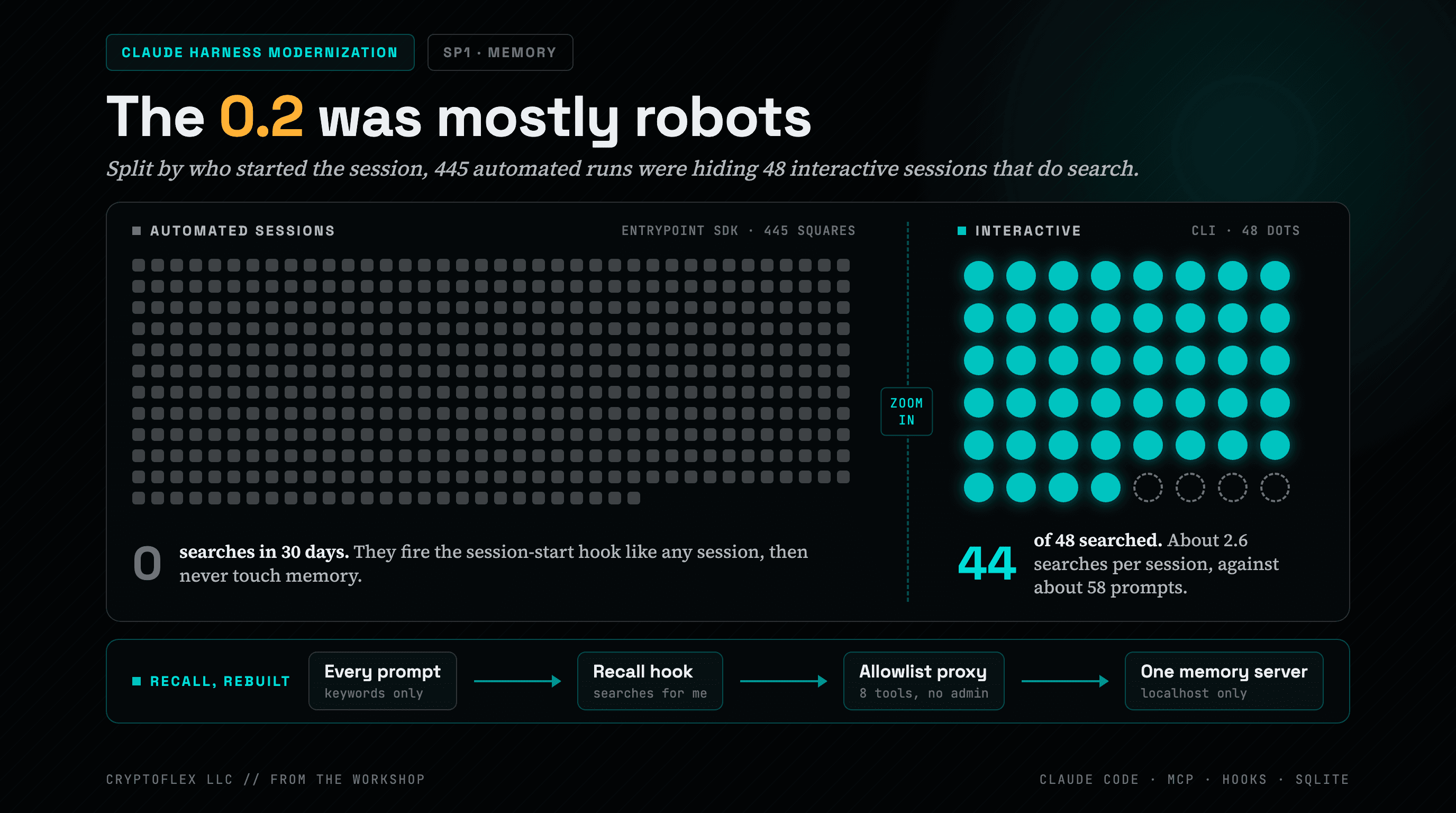
The first audit said Claude searched memory 0.2 times per session. Splitting the sessions by who started them changed the design. Part 2 of the Claude Harness Modernization series.
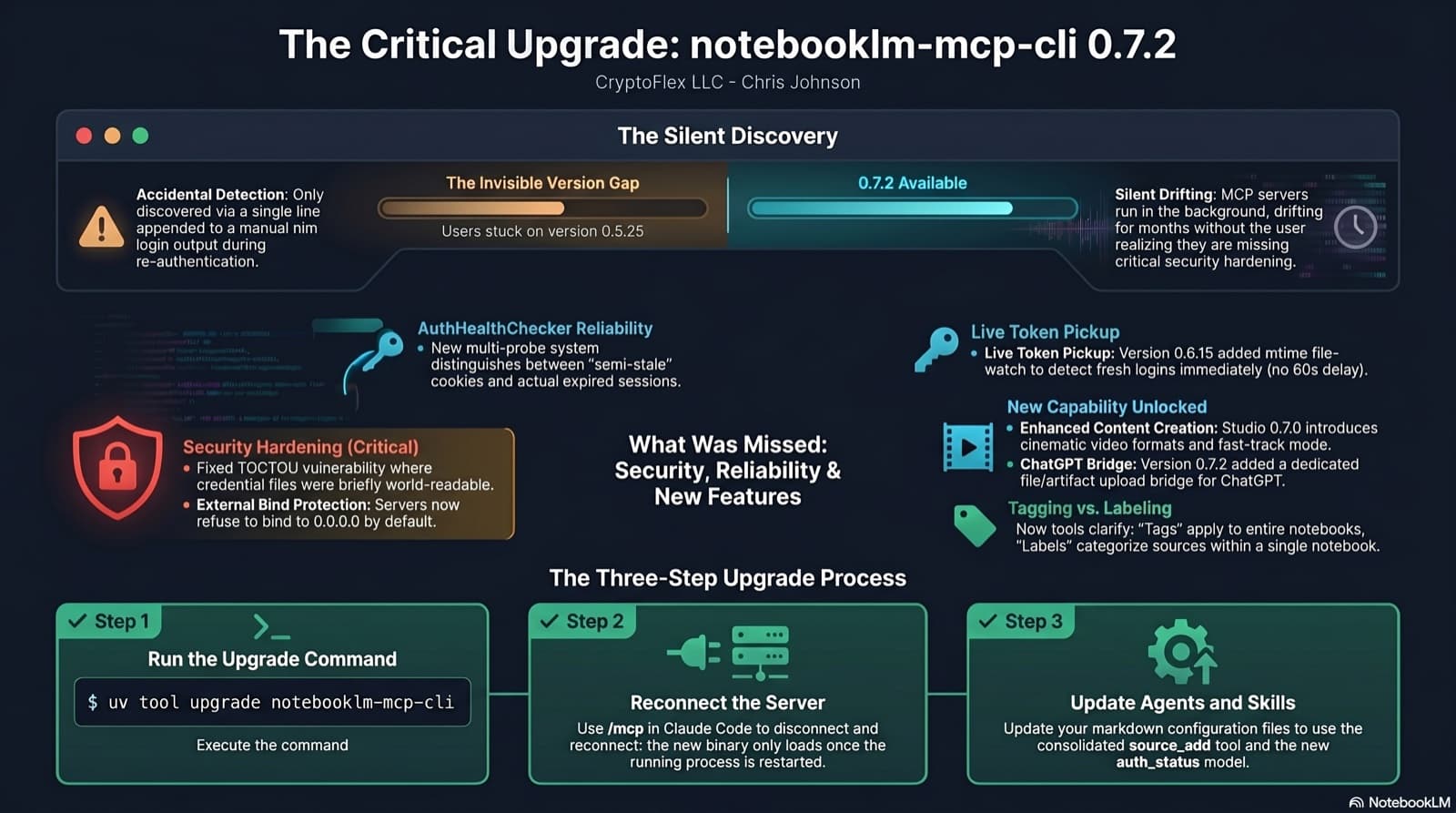
I was two minor versions behind on notebooklm-mcp-cli and had no idea until a re-auth banner interrupted a session. The gap was 0.5.25 to 0.7.2. Security fixes, auth reliability improvements, and new features I was missing the whole time. Here is the three-part upgrade that most people stop after step one.
A red dns_bypass card on my home dashboard sat at 0.667. Closing it took two ZBF rules, a deliberately incomplete remediation on the Default subnet, and a new traffic_rules surface in the chris2ao/unifi-mcp v0.4.0 release. Here is the full walk.
Comments
Subscribers only — enter your subscriber email to comment