
I Audited My Own Code. 19 Security Findings Later...
A security professional audits his own code: blog posts leaking private repo names, query-string secrets in browser history, SSRF vectors, and error messages handing attackers the database schema. 19 findings and the journey to fix every one.
I do security reviews professionally. When I finished building a custom analytics dashboard for this site, I did what I always tell clients to do: I audited my own work.
19 findings.
Not minor stuff. Query-string authentication that leaked secrets into browser history. An SSRF vector that could probe internal networks. Error messages that handed attackers my database schema. The kind of issues I'd flag as HIGH or CRITICAL in a client report.
The irony wasn't lost on me. I shipped this code. I'm the one who advocates for "build security in from the start." And yet, when I was moving fast with Claude Code, building features and solving problems, I made the same mistakes I see in every rapid development cycle.
This post is the story of that audit. Not a checklist, not a tutorial. Just the journey from "it works" to "it's defensible."
The Scope#
Before diving into code, I started where a threat actor would start: reconnaissance.
What's publicly visible? What can be learned without touching the application?
I reviewed:
- All blog posts on this site
- The public GitHub repository
- Information disclosed in examples, error snippets, and architecture explanations
The goal was to map what an adversary knows before they even send their first request.
Phase 1: Information Disclosure Audit#
From a threat actor's perspective, published content is gold. Blog posts, documentation, and example code reveal patterns, dependencies, and internal structure.
What I Found in My Own Content
- Private repository names - Found in blog post code examples. Risk: MEDIUM. An attacker now knows those repos exist and can monitor for accidental public exposure.
- GitHub username patterns - Found in public repo links. Risk: LOW. Enables targeted social engineering and credential stuffing.
- Internal file paths (Windows user directory structure) - Found in error message examples. Risk: LOW. Reveals OS, username conventions, and project layout.
- Environment variable names - Found in configuration walkthroughs. Risk: LOW. Tells attackers exactly which secrets to look for if they gain partial access.
- Database provider (Neon Serverless Postgres) - Found in architecture post. Risk: LOW. Narrows the attack surface to provider-specific vulnerabilities.
- Analytics endpoint paths - Found in analytics post. Risk: LOW. Gives attackers a map of API routes to probe.
Most of these are LOW risk individually. Knowing I use Neon Postgres doesn't give an attacker access. Seeing environment variable names doesn't reveal their values.
But the pattern matters. Every piece of disclosed information reduces the attack surface an adversary needs to explore. The private repository names were the most actionable finding. An attacker now knows those repos exist and can monitor for accidental public exposure or credential leaks in other contexts.
The Fix
For future posts: redact private repo names, sanitize file paths to remove Windows usernames, use generic examples for error messages rather than copy-pasting real output. And I went back and scrubbed the existing posts.
Phase 2: Authentication (CRITICAL)#
CRITICAL: Query-String Authentication
The dashboard was protected by a shared secret passed as a query parameter:
/analytics?secret=YOUR_SECRET&days=30
This worked. It kept the dashboard private. But from a security perspective, it's indefensible.
Here's why query-string authentication is a problem:
- Browser history. Every visit logs the full URL, including the secret. Anyone with access to the browser can see it.
- Server logs. Web servers log request URLs by default. The secret ends up in access logs, error logs, and any log aggregation systems.
- Referer headers. If the dashboard links to external resources (images, scripts, stylesheets), the secret leaks in the
Refererheader sent to those third parties. - Analytics and monitoring tools. Any client-side analytics (Vercel Analytics, in this case) may capture the full URL.
The fix: HMAC-SHA256 cookie-based authentication.
Here's the core of the implementation:
import { createHmac, timingSafeEqual } from "crypto";

export const ANALYTICS_COOKIE_NAME = "analytics_session";
const TOKEN_PAYLOAD = "analytics-authenticated";

export function generateAuthToken(secret: string): string {
  return createHmac("sha256", secret).update(TOKEN_PAYLOAD).digest("hex");
}

export function verifyAuthToken(token: string): boolean {
  const expectedSecret = process.env.ANALYTICS_SECRET;
  if (!expectedSecret || !token) return false;
  const expected = generateAuthToken(expectedSecret);
  try {
    return timingSafeEqual(Buffer.from(expected), Buffer.from(token));
  } catch {
    return false;
  }
}
What's Happening
The secret is never stored in the cookie. Instead, an HMAC-SHA256 hash is derived from it. The cookie contains only this derived token. Even if an attacker intercepts the cookie, they can't reverse it to get the original secret. And timingSafeEqual prevents timing attacks that could leak the token byte-by-byte through response time differences.
The login flow:
- User visits
/analytics/loginand submits the secret via POST (not GET). - Server validates the secret using constant-time comparison and generates an HMAC token.
- Token is set as an
httpOnlycookie:
response.cookies.set(ANALYTICS_COOKIE_NAME, token, {
  httpOnly: true,
  secure: process.env.NODE_ENV === "production",
  sameSite: "strict",
  path: "/",
  maxAge: 60 * 60 * 24 * 7, // 7 days
});
Now, every request to /analytics checks for the cookie:
import { cookies } from "next/headers";

const cookieStore = await cookies();
const token = cookieStore.get(ANALYTICS_COOKIE_NAME)?.value;

if (!token || !verifyAuthToken(token)) {
  redirect("/analytics/login");
}
Why This Matters
The secret never appears in URLs. It's transmitted once via POST body, then replaced by a cryptographically-signed token that browsers send automatically on every same-origin request. No prop-drilling through React components. No query parameters to manage. The httpOnly flag means JavaScript can't read the cookie (XSS protection), secure means it only travels over HTTPS, and sameSite: strict prevents CSRF attacks.
Phase 3: Input Validation and Rate Limiting#
The tracking endpoint (/api/analytics/track) accepted any POST request. No validation on the pagePath parameter, no deduplication, no rate limiting.
Attack Surface
From an attacker's perspective, this means:
- Flood the database with fake page views to skew metrics or exhaust storage
- Submit oversized or malformed paths to test for injection vulnerabilities
- Probe for SQL injection by sending crafted strings as path values
The first fix: validate the input.
if (
  typeof pagePath !== "string" ||
  pagePath.length > 500 ||
  !pagePath.startsWith("/")
) {
  return NextResponse.json({ error: "Invalid path" }, { status: 400 });
}
This enforces three things: pagePath is a string, it's under 500 characters (prevents storage abuse), and it starts with / (prevents off-site paths from polluting analytics).
The second fix: deduplicate requests by IP and path.
A bot or malfunctioning script could send thousands of requests for the same page from the same IP. Each would create a new database row, inflating metrics and burning through Neon's free-tier query budget.
const existing = await sql`
  SELECT 1 FROM page_views
  WHERE ip_address = ${ipAddress}
    AND page_path = ${pagePath}
    AND visited_at > NOW() - INTERVAL '1 hour'
  LIMIT 1
`;

if (existing.length > 0) {
  return new NextResponse(null, { status: 204 });
}
Deduplication Strategy
If a matching record exists within the last hour, the request succeeds (204 No Content) but doesn't insert a duplicate row. Silent success means legitimate tracking scripts don't need to handle errors. This isn't comprehensive rate limiting (a sophisticated attacker could rotate IPs or vary paths), but it handles the most common abuse patterns.
Phase 4: SSRF Prevention#
The IP intelligence endpoint (/api/analytics/ip-intel) queries external APIs to get geographic and network information about visitor IPs. It powers the OSINT panel on the analytics dashboard.
HIGH: SSRF Vector
The problem: the endpoint accepted any IP address as input. Nothing prevented an attacker from supplying an internal IP address (like 192.168.1.1 or 127.0.0.1) and using the endpoint as a proxy to probe internal networks. This is Server-Side Request Forgery (SSRF).
In this case, the risk is limited because the external API returns geographic data, not raw HTTP responses. An attacker couldn't use this specific endpoint to exfiltrate data directly. But the pattern is dangerous. If the endpoint ever changed to query a different service, or if an upstream API accepted more complex queries, the SSRF vector could become a real compromise path.
The fix: validate that the IP address is public before making any external request.
function isPrivateIp(ip: string): boolean {
  // Checks against RFC 1918 private ranges, loopback,
  // link-local, and IPv6 equivalents
  if (/^127\./.test(ip)) return true;          // Loopback
  if (/^10\./.test(ip)) return true;           // Class A private
  if (/^192\.168\./.test(ip)) return true;     // Class C private
  if (/^172\.(1[6-9]|2[0-9]|3[0-1])\./.test(ip)) return true;
  // ... additional RFC 6598 and IPv6 checks omitted
  return false;
}
Defense in Depth
Any attempt to query internal IP ranges is now rejected with a 400 before the external API call is made. The full implementation covers all RFC 1918 ranges, link-local addresses, and IPv6 equivalents. SSRF vulnerabilities are subtle: the endpoint "worked" for its intended use case, but security isn't about what works, it's about what can be abused.
Phase 5: Error Message Sanitization#
HIGH: Information Leakage
Every API route was returning error.message to clients. The details field could contain database error messages (revealing table names and query structure), file system errors (exposing internal paths), or dependency errors (leaking library versions). Deliberately triggering errors is a standard reconnaissance technique.
catch (error) {
  return NextResponse.json(
    { error: "Query failed", details: error.message },
    // Client would see: { error: "Query failed", details: "[internal schema and path details]" }
    { status: 500 }
  );
}
The fix: log detailed errors server-side, return generic messages to clients.
catch (error) {
  console.error("Analytics query error:", error);
  return NextResponse.json(
    { error: "Failed to load analytics" },
    { status: 500 }
  );
}
This was applied across all API routes. The full error is still available in server logs for debugging. The client sees nothing useful for reconnaissance.
Phase 6: Setup Endpoint Hardening#
The /api/analytics/setup endpoint initializes the database schema. It's necessary for first-time deployment, but dangerous if left accessible in production.
Secure by Default
The fix: an environment variable guard that makes the endpoint disabled by default. The endpoint only runs if ANALYTICS_SETUP_ENABLED=true is explicitly set. After initial setup, the variable is removed, and the endpoint returns 403 Forbidden. Combined with the cookie auth check, that's two layers of protection.
if (process.env.ANALYTICS_SETUP_ENABLED !== "true") {
  return NextResponse.json(
    { error: "Setup endpoint is disabled" },
    { status: 403 }
  );
}
This follows the principle of secure by default. Dangerous operations require explicit opt-in.
Summary of Findings#
| Category | Severity | Fix |
|---|---|---|
| Query-string authentication | CRITICAL | HMAC cookie auth with timingSafeEqual |
| No input validation on tracking | HIGH | Path validation, type checks, length limits |
| SSRF via IP intelligence endpoint | HIGH | Private IP range validation |
| Error messages sent to clients | HIGH | Generic messages + server-side logging |
| No rate limiting or deduplication | MEDIUM | IP+path dedup within 1-hour window |
| Setup endpoint publicly accessible | MEDIUM | Environment variable guard |
| Private repo names in blog posts | MEDIUM | Redacted from published content |
| Days parameter unbounded | MEDIUM | Clamped to 1-365 range |
| Internal paths in blog examples | LOW | Sanitized in published content |
Total: 19 individual issues across these categories.
Lessons Learned#
1. Building fast and building secure are different skills
Claude Code excels at rapid iteration. It's easy to prioritize "make it work" over "make it defensible." The audit step is non-negotiable.
2. Start with the attacker's perspective
Before looking at code, look at what's publicly visible. Reconnaissance is the first phase of every attack. What can an adversary learn from your documentation, blog posts, and public repositories?
3. Query-string secrets are never acceptable
Even for internal tools. Even for side projects. The moment a secret appears in a URL, it's compromised. Use POST requests, use cookies, use headers. Never query strings.
4. Input validation isn't optional
Every parameter that crosses a trust boundary must be validated. Type, length, format, range. The tracking endpoint is public by design (called from client-side JavaScript). Public endpoints need validation on every field.
5. Error messages are reconnaissance tools
Log everything server-side. Return nothing to clients beyond "something went wrong." The debugging convenience isn't worth the information disclosure.
6. SSRF is subtle
An endpoint that "just fetches some data" can become a proxy for internal network access. Validate all user-supplied addresses before making external requests.
7. Published content is part of your attack surface
Blog posts, documentation, and example code reveal patterns, dependencies, and internal structure. Treat published content with the same care as published code.
8. Even security professionals ship insecure code when moving fast
The difference isn't perfection; it's recognizing the gap and closing it. The audit step exists because the build step is inherently imperfect.
What's Next#
The dashboard is defensible. Authentication is cryptographically sound. Input validation prevents abuse. SSRF vectors are closed. Error messages don't leak internal details.
But security isn't a destination. Future work includes automated dependency scanning, comprehensive per-endpoint rate limiting, and moving schema initialization to a deployment script. The analytics system is a living project, and the security posture needs to evolve with it.
For now, it's live, it's useful, and it's not a liability. That's the standard.
Written by Chris Johnson and edited by Claude Code (Opus 4.6). The full source code is at github.com/chris2ao/cryptoflexllc. This post is part of a series about AI-assisted development. Previous: Building Custom Analytics: Audience Intelligence for a Public Website. Next: Making Claude Code Talk: Terminal Bells and the Stop Hook.
Weekly Digest
Get a weekly email with what I learned, summaries of new posts, and direct links. No spam, unsubscribe anytime.

Related Posts
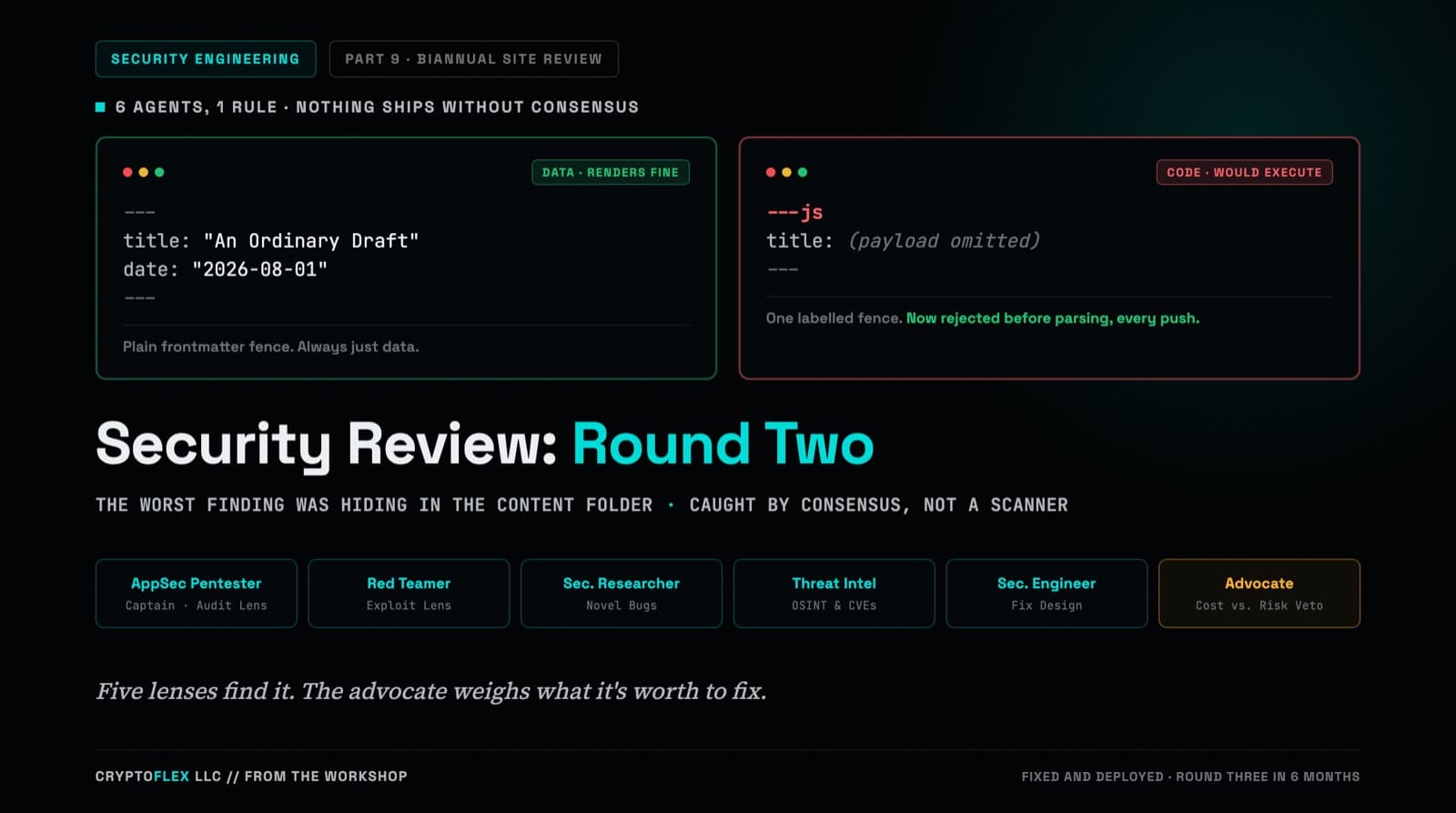
A team of six agents, five security specialists plus an advocate representing the site owner, ran a consensus-driven security review of cryptoflexllc.com. The standout finding: an ordinary-looking blog draft that could have been parsed as executable code instead of data.
How a basic page-view tracker evolved into a 9-section, 26-component analytics command center with heatmaps, scroll depth tracking, bot detection, and API telemetry. Includes the reasoning behind every upgrade and enough puns to make a data scientist groan.
How I built a custom analytics system with interactive visualizations, IP intelligence, and a Leaflet world map, using Next.js, Neon Postgres, and Claude Code. Includes the full Vercel Analytics integration and why custom tracking fills the gaps.
Comments
Subscribers only — enter your subscriber email to comment