
Adding Blog Comments, Likes, and a Belated Welcome Email
How I built a subscriber-gated comment system with thumbs up/down reactions, admin moderation, and a one-time welcome email blast, including the PowerShell quirks and Vercel WAF rules that nearly blocked everything.
This post is about what happens after you build a newsletter. People subscribe. They start reading. And then they want to talk back.
The blog had a subscribe form and a weekly digest, but no way for readers to react to posts or leave feedback. Engagement was a one-way street: I publish, they read. That's not a community. That's a bulletin board.
So I built three things in one session:
- A subscriber-gated comment system with thumbs up/down reactions
- A likes counter that shows engagement inline on every post
- A one-time welcome email to all existing subscribers who never got a proper welcome
Each feature came with its own set of technical decisions, security considerations, and troubleshooting surprises. The comment system needed subscriber verification and admin moderation. The welcome email blast needed to survive PowerShell, Vercel's edge firewall, and a regex-based WAF rule. This post walks through all of it.
The Comment System Architecture#
Here's the full system at a glance:
Swipe to see the full diagram
The design has three layers:
- Client-side form: React component with email, comment text, and reaction toggle
- API route: validates input, verifies subscriber status, inserts into Postgres
- Admin moderation: delete endpoint protected by the analytics dashboard's HMAC cookie auth
The critical design decision: comments require a subscriber email. This isn't a typical username/password comment system. Instead of building a full auth flow, I reuse the subscriber list as the identity layer. If your email is in the subscribers table with active = TRUE, you can comment; if not, you get a 403.
Why Subscriber-Gated?
Anonymous comments invite spam bots, trolls, and SEO spam. Requiring a subscriber email creates a natural friction that filters out drive-by abuse without requiring users to create yet another account. The email isn't displayed publicly; it's masked to ch***@domain.com in the comment display. And since the subscribe form already validates emails and stores them in the database, the subscriber check is just a single SQL query.
Step 1: The Database Schema#
The comments live in a blog_comments table in the same Neon Postgres database as everything else:
CREATE TABLE IF NOT EXISTS blog_comments (
  id         SERIAL PRIMARY KEY,
  slug       VARCHAR(500) NOT NULL,
  comment    VARCHAR(2000) NOT NULL,
  reaction   VARCHAR(10) NOT NULL DEFAULT 'up',
  email      VARCHAR(320) NOT NULL,
  created_at TIMESTAMPTZ NOT NULL DEFAULT NOW()
);

CREATE INDEX IF NOT EXISTS idx_blog_comments_slug
  ON blog_comments (slug);
Schema Design
- slug ties each comment to a specific blog post via its URL slug
- reaction is either
'up'or'down', a simple thumbs up/thumbs down signal alongside the comment text - email stores the commenter's subscriber email for the identity check and display masking
- The slug index makes fetching comments for a specific post efficient (no full table scan)
Step 2: The Comments API#
The API has two routes: one for reading and writing comments (public), and one for deleting them (admin-only).
GET /api/comments?slug=<post-slug>#
Fetches all comments for a post, plus the thumbs-up count:
export async function GET(request: NextRequest) {
  const slug = request.nextUrl.searchParams.get("slug");

  if (!slug) {
    return NextResponse.json(
      { error: "Missing slug parameter." },
      { status: 400 }
    );
  }

  const sql = getDb();

  const comments = await sql`
    SELECT id, slug, comment, reaction, email, created_at
    FROM blog_comments
    WHERE slug = ${slug}
    ORDER BY created_at DESC
  `;

  const thumbsResult = await sql`
    SELECT COUNT(*)::int AS thumbs_up
    FROM blog_comments
    WHERE slug = ${slug} AND reaction = 'up'
  `;

  return NextResponse.json({
    comments,
    thumbsUp: thumbsResult[0]?.thumbs_up ?? 0,
  });
}
Two queries: one for the full comment list, one for the thumbs-up aggregate. The thumbs-up count powers the inline likes counter that appears in the blog post header.
POST /api/comments#
Creating a comment requires four validations before anything touches the database:
export async function POST(request: NextRequest) {
  const body = await request.json();
  const slug: string = (body.slug ?? "").trim();
  const comment: string = (body.comment ?? "").trim();
  const reaction: string = (body.reaction ?? "up").trim();
  const email: string = (body.email ?? "").toLowerCase().trim();

  // 1. Validate required fields
  if (!slug) {
    return NextResponse.json(
      { error: "Missing post slug." }, { status: 400 }
    );
  }

  // 2. Length validation
  if (!comment || comment.length < 2) {
    return NextResponse.json(
      { error: "Comment must be at least 2 characters." }, { status: 400 }
    );
  }
  if (comment.length > 2000) {
    return NextResponse.json(
      { error: "Comment must be 2000 characters or less." }, { status: 400 }
    );
  }

  // 3. Reaction validation
  if (!["up", "down"].includes(reaction)) {
    return NextResponse.json(
      { error: "Reaction must be 'up' or 'down'." }, { status: 400 }
    );
  }

  // 4. Email format validation
  if (!email || !isValidEmail(email)) {
    return NextResponse.json(
      { error: "Please enter a valid email address." }, { status: 400 }
    );
  }

  // 5. Subscriber verification
  const sql = getDb();
  const subscriber = await sql`
    SELECT id FROM subscribers
    WHERE email = ${email} AND active = TRUE
    LIMIT 1
  `;

  if (subscriber.length === 0) {
    return NextResponse.json(
      { error: "You must be a subscriber to comment. Subscribe above and try again!" },
      { status: 403 }
    );
  }

  // 6. Insert the comment
  const result = await sql`
    INSERT INTO blog_comments (slug, comment, reaction, email)
    VALUES (${slug}, ${comment}, ${reaction}, ${email})
    RETURNING id, slug, comment, reaction, email, created_at
  `;

  return NextResponse.json({ ok: true, comment: result[0] });
}
Input Validation Checklist
Every field that crosses the trust boundary gets validated before any database interaction:
| Field | Validation | Purpose |
|---|---|---|
| slug | Non-empty string | Prevent inserting comments with no post reference |
| comment | 2–2000 characters | Prevent empty comments and storage abuse |
| reaction | Must be 'up' or 'down' | Prevent injection of arbitrary values |
| Format check + 320-char limit | Prevent malformed input | |
| Subscriber lookup | Gate access to active subscribers only |
All SQL uses parameterized queries (tagged template literals). The ${email} in the template is NOT string interpolation; it's a parameter placeholder. SQL injection is prevented at the driver level.
DELETE /api/comments/:id (Admin Only)#
The delete endpoint is for moderation. It's protected by the same HMAC cookie auth that protects the analytics dashboard:
export async function DELETE(request: NextRequest, { params }: Props) {
  if (!verifyApiAuth(request)) {
    return NextResponse.json({ error: "Unauthorized" }, { status: 401 });
  }

  const { id } = await params;
  const commentId = parseInt(id, 10);

  if (isNaN(commentId) || commentId < 1) {
    return NextResponse.json(
      { error: "Invalid comment ID." }, { status: 400 }
    );
  }

  const sql = getDb();
  const result = await sql`
    DELETE FROM blog_comments WHERE id = ${commentId}
    RETURNING id
  `;

  if (result.length === 0) {
    return NextResponse.json(
      { error: "Comment not found." }, { status: 404 }
    );
  }

  return NextResponse.json({ ok: true, deleted: commentId });
}
Why Admin Delete Needs Its Own Auth
The delete endpoint uses verifyApiAuth() which checks for the HMAC cookie token from the analytics dashboard login. This is separate from the subscriber check. A subscriber can create comments, but only an admin can delete them. If someone posts something abusive, I can remove it from the analytics dashboard without needing to build a separate comment moderation UI.
Step 3: The Comment Form Component#
The form is a "use client" React component that renders at the bottom of every blog post:
"use client";

import { useState, useEffect, useCallback } from "react";
import { ThumbsUp, ThumbsDown, Loader2, MessageSquare, Send } from "lucide-react";

export function BlogComments({ slug, onThumbsUpCount }: BlogCommentsProps) {
  const [comments, setComments] = useState<Comment[]>([]);
  const [thumbsUp, setThumbsUp] = useState(0);
  const [loading, setLoading] = useState(true);

  // Form state
  const [comment, setComment] = useState("");
  const [reaction, setReaction] = useState<"up" | "down">("up");
  const [email, setEmail] = useState("");
  const [submitting, setSubmitting] = useState(false);
  const [submitStatus, setSubmitStatus] = useState<
    "idle" | "success" | "error"
  >("idle");

  // ... fetch and submit handlers
}
The component manages a lot of state because it handles three concerns:
- Comment display: fetches and renders the existing comment list
- Comment creation: form with textarea, reaction toggle, email input, and submit button
- Thumbs-up count: passes the aggregate count up to the parent via
onThumbsUpCountcallback
Reaction Toggle UX
The reaction toggle uses two buttons styled with conditional classes. The selected reaction gets a colored ring and tinted background (bg-green-500/20 for thumbs up, bg-red-500/20 for thumbs down). The unselected option stays muted. This makes it obvious which reaction is active without needing a radio button or dropdown.
Email Masking#
Comments display the poster's email in a masked format to prevent harvesting:
function maskEmail(email: string): string {
  const [local, domain] = email.split("@");
  if (!domain) return email;
  const visible = local.slice(0, 2);
  return `${visible}***@${domain}`;
}
chris.johnson@example.com becomes ch***@example.com. Enough to identify the commenter to themselves, not enough for a scraper to reconstruct the full address.
Step 4: The Inline Likes Counter#
Every blog post now shows a thumbs-up count in the header metadata, right next to the reading time:
export function BlogPostThumbsUp({ slug }: BlogPostThumbsUpProps) {
const [count, setCount] = useState<number | null>(null);
useEffect(() => {
fetch(`/api/comments?slug=${encodeURIComponent(slug)}`)
.then((r) => r.json())
.then((d) => setCount(d.thumbsUp ?? 0))
.catch(() => {});
}, [slug]);
if (count === null || count === 0) return null;
return (
<>
<span>·</span>
<span className="inline-flex items-center gap-1">
<ThumbsUp className="h-3.5 w-3.5 text-green-400" />
{count}
</span>
</>
);
}
Progressive Enhancement
The likes counter fetches client-side. If the API is down or the fetch fails, the component returns null; the rest of the page renders fine. The counter only appears when there's at least one thumbs up, so new posts don't show an awkward "0 likes" badge. This is a progressive enhancement: the blog post is a static page that works without JavaScript, and the counter layers on top.
The Welcome Email Blast#
With the comment system live, I realized something: subscribers who signed up before the welcome email was implemented never got a proper hello. They subscribed, got nothing, and then started receiving weekly digests without context.
That's a bad first impression. I needed to fix it.
The Plan#
Build a one-time API endpoint that:
- Queries all active subscribers from the database
- Sends each one a personalized belated welcome email
- Includes an apology for the missing welcome, the latest blog posts, and a note about the new comments feature
- Gets deleted after use (minimize attack surface)
The Email Template#
The email follows the same branded dark theme as the weekly digest and welcome confirmation:
const html = `
  <h1>A Belated Welcome - and a Thank You</h1>
  <p>
    Hey! I'm Chris, and I owe you a proper welcome. When you first
    subscribed to CryptoFlex, you should have received a welcome
    email, but that didn't happen, and I'm sorry about that.
  </p>
  <p>
    I'm still learning and building this site as I go, and I heard
    the feedback. The welcome email is now set up properly for new
    subscribers, but I didn't want to leave you hanging without one.
    So here it is - better late than never!
  </p>
  ...
`;
The tone is honest. No corporate polish. Just an acknowledgment that I'm learning, that I heard the feedback, and that I'm grateful they stuck around.
What the Email Included
- A genuine apology for the missing welcome
- Introduction to the blog's topics (cybersecurity, infrastructure, AI-assisted development)
- Highlight of the new comments feature so subscribers know they can participate
- The latest 5 blog posts in case they missed anything
- Newsletter schedule (Monday at 9 AM Eastern)
- Contact email for feedback
- Personal sign-off from Chris
- Proper
List-Unsubscribeheaders for RFC 8058 compliance
Troubleshooting: Three Layers of Failure#
This is where the session got interesting. Building the endpoint was straightforward. Triggering it took three debugging rounds.
Swipe to see the full diagram
Problem 1: PowerShell's curl Isn't curl#
The first attempt to trigger the endpoint from PowerShell:
curl -X POST https://cryptoflexllc.com/api/send-welcome-blast `
  -H "Authorization: Bearer $CRON_SECRET"
Two problems.
PowerShell Gotcha #1: curl Is an Alias
In PowerShell, curl is an alias for Invoke-WebRequest, which has completely different syntax from the real curl. The -X and -H flags don't work. You need to use curl.exe to invoke the actual curl binary that ships with Windows.
PowerShell Gotcha #2: Dollar Signs Are Variables
The $ character in the token value ($d2030c...) was being interpreted as a PowerShell variable reference. Since no variable named $d2030c... existed, it resolved to an empty string. The Authorization header was sent with a mangled token.
Fix: Use single quotes instead of double quotes. Single quotes in PowerShell are literal strings; no variable interpolation.
The corrected command:
curl.exe -L https://cryptoflexllc.com/api/send-welcome-blast `
  -H 'Authorization: Bearer d2030c...'
Problem 2: POST Requests Blocked at the Edge#
Even with the correct curl syntax, the endpoint returned 403 Forbidden. But not from the application; from Vercel's edge network. The response body was plain text "Forbidden" with a Vercel request ID, not JSON from the route handler.
The fix was to change the endpoint from POST to GET. The weekly digest cron already uses GET, and Vercel's edge network handles GET requests more permissively for API routes.
// Before: blocked at the edge
export async function POST(request: NextRequest) { ... }

// After: reaches the application
export async function GET(request: NextRequest) { ... }
Problem 3: The WAF Allowlist#
After switching to GET, the endpoint still returned 403. This time, verbose curl output revealed the culprit:
< x-vercel-mitigated: deny
The x-vercel-mitigated: deny header means the request was blocked by a mitigation rule in vercel.json. I had built this rule in a previous session:
{
  "src": "/api/(?!analytics|subscribe|unsubscribe|cron/weekly-digest|comments|subscribers)(.*)",
  "mitigate": { "action": "deny" }
}
The Regex Negative Lookahead Strikes Again
This rule uses a regex negative lookahead (?!...) to deny any /api/* path that doesn't start with one of the explicitly allowed prefixes. The new /api/send-welcome-blast path wasn't in the allowlist, so it got blocked.
The obvious fix: add send-welcome-blast to the lookahead. But that change was on the development branch, not deployed to production. The production vercel.json still had the old allowlist.
The clever fix: move the endpoint under a path that's already allowed.
The allowlist includes subscribers. Any path starting with /api/subscribers passes the negative lookahead. So instead of:
/api/send-welcome-blast → BLOCKED
I moved it to:
/api/subscribers/send-welcome-blast → ALLOWED
No vercel.json change needed. No production deploy required. The existing regex did the work.
curl.exe -sL https://www.cryptoflexllc.com/api/subscribers/send-welcome-blast `
  -H 'Authorization: Bearer d2030c...'
{"ok":true,"sent":12,"total":12,"errors":[]}
12 sent. 0 errors. Every active subscriber got their belated welcome.
Cleanup#
After confirming delivery, I deleted the one-time endpoint entirely:
rm src/app/api/subscribers/send-welcome-blast/route.ts
The endpoint served its purpose. Leaving it deployed would be unnecessary attack surface. The vercel.json allowlist didn't need to change because the endpoint lived under an already-allowed prefix and was now gone.
The Confirmation Email (Automated Welcome)#
With the one-time blast done, the automated welcome email is now in place for all future subscribers. When someone subscribes, they immediately receive a branded email:
async function sendConfirmationEmail(recipientEmail: string): Promise<void> {
  const transporter = nodemailer.createTransport({
    host: "smtp.gmail.com",
    port: 465,
    secure: true,
    auth: { user: gmailUser, pass: gmailPass },
  });

  const latestPosts = getAllPosts().slice(0, 5);
  const unsubLink = unsubscribeUrl(recipientEmail);

  // Build branded HTML with logo, welcome message,
  // newsletter schedule, and latest 5 posts
  const html = buildWelcomeHtml(latestPosts, unsubLink);

  await transporter.sendMail({
    from: `"CryptoFlex LLC" <${gmailUser}>`,
    to: recipientEmail,
    subject: "Welcome to CryptoFlex! Thanks for Subscribing",
    html,
    headers: {
      "List-Unsubscribe": `<${unsubLink}>`,
      "List-Unsubscribe-Post": "List-Unsubscribe=One-Click",
    },
  });
}
The confirmation email is fire-and-forget; it doesn't block the subscribe response:
sendConfirmationEmail(email).catch((err) =>
  console.error("Confirmation email error:", err)
);
Fire-and-Forget Pattern
The subscribe endpoint returns { ok: true } immediately. The email sends asynchronously. If SMTP fails, the error is logged server-side but the user still sees a successful subscription. This is intentional: the subscription itself (database insert) is the critical path. The confirmation email is a nice-to-have that shouldn't block the UX.
Security Controls Summary#
Here's every security measure across the three features built in this session:
| Feature | Control | Purpose |
|---|---|---|
| Comments | Subscriber email verification | Gate access to active subscribers |
| Comments | Input validation (2–2000 chars) | Prevent empty/oversized comments |
| Comments | Reaction whitelist (up/down only) | Prevent arbitrary value injection |
| Comments | Parameterized SQL queries | SQL injection prevention |
| Comments | Email masking in display | Prevent email harvesting |
| Comments | Generic error messages | Prevent information leakage |
| Admin delete | HMAC cookie auth (verifyApiAuth) | Restrict deletion to admin |
| Admin delete | Integer validation on ID | Prevent NaN/injection attacks |
| Welcome blast | Bearer token auth (CRON_SECRET) | Prevent unauthorized sends |
| Welcome blast | Per-subscriber unsubscribe links | HMAC-verified, RFC 8058 compliant |
| Welcome blast | Endpoint deletion after use | Minimize persistent attack surface |
| WAF | API route allowlist | Block probing of new/unknown endpoints |
The File Map#
Here's every file that was created or modified in this session:
| File | Purpose |
|---|---|
src/app/api/comments/route.ts | GET (fetch) and POST (create) comments |
src/app/api/comments/[id]/route.ts | DELETE comments (admin-only) |
src/components/blog-comments.tsx | Comment form and display component |
src/components/blog-post-engagement.tsx | Inline thumbs-up counter |
src/app/api/subscribe/route.ts | Extended with confirmation email |
src/app/blog/[slug]/page.tsx | Integrated comments and likes into post layout |
vercel.json | Updated WAF allowlist for /api/comments |
Lessons Learned#
1. Your subscriber list IS your identity layer
Building a full authentication system for blog comments is overkill. If you already have a subscriber list with verified emails, you can use it as a lightweight identity gate. The subscriber check is one SQL query. No passwords, no sessions, no OAuth flows.
2. PowerShell is not Bash
curl in PowerShell is Invoke-WebRequest. Dollar signs are variable references. If you're writing CLI commands for a mixed audience, always specify curl.exe on Windows and use single quotes for literal strings.
3. Your WAF rules will block your own features
If you build a deny-by-default API allowlist (and you should), every new API route needs to be added to the allowlist. If the allowlist change isn't deployed to production, the new route is invisible. Understanding the regex pattern lets you work around this by placing endpoints under already-allowed prefixes.
4. One-time endpoints should be deleted
A one-time email blast endpoint is a useful tool, but it's also an authenticated endpoint that sends emails to your entire subscriber list. Once it's served its purpose, delete it. The few minutes of cleanup are worth the reduction in attack surface.
5. Fire-and-forget for non-critical operations
The confirmation email shouldn't block the subscribe response. The likes counter shouldn't prevent the blog post from rendering. Non-critical features should fail silently or degrade gracefully. Design your async operations so the critical path doesn't depend on them.
What's Next#
The engagement layer is live. Subscribers can leave comments with reactions on every post. The thumbs-up count appears inline. Existing subscribers got their belated welcome. New subscribers get an immediate confirmation email.
Future improvements:
- Email notifications when someone replies to your comment
- Pagination for posts with many comments
- Rate limiting on the comment endpoint to prevent spam bursts
- Admin UI in the analytics dashboard for bulk moderation
The foundation is solid. The subscriber list doubles as the identity layer. The WAF protects the API surface. And the comment system turns a static blog into something that starts to feel like a community.
Written by Chris Johnson and edited by Claude Code (Opus 4.6). The full source code is at github.com/chris2ao/cryptoflexllc. This post is part of a series about AI-assisted development. Previous: Building a Blog Newsletter from Scratch. Next: Going Agentic-First: Restructuring Claude Code for Parallel Intelligence.
Weekly Digest
Get a weekly email with what I learned, summaries of new posts, and direct links. No spam, unsubscribe anytime.

Related Posts
How I built a full newsletter system for this site with secure subscriptions, HMAC-verified unsubscribes, branded HTML emails, and a Vercel Cron that sends a weekly digest every Monday. Includes the WAF rule that broke everything and the firewall tightening that followed.
How I built a custom analytics system with interactive visualizations, IP intelligence, and a Leaflet world map, using Next.js, Neon Postgres, and Claude Code. Includes the full Vercel Analytics integration and why custom tracking fills the gaps.
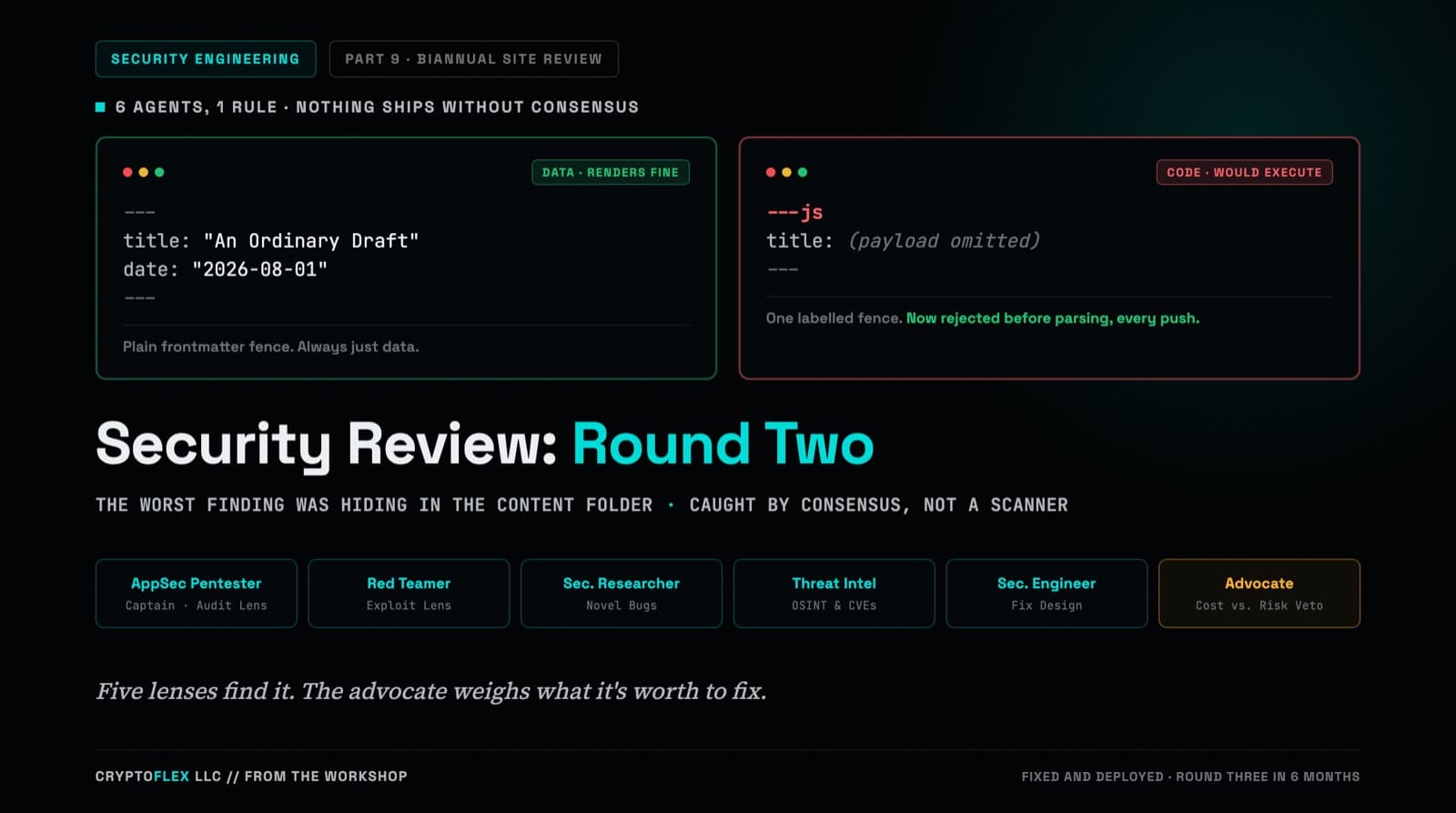
A team of six agents, five security specialists plus an advocate representing the site owner, ran a consensus-driven security review of cryptoflexllc.com. The standout finding: an ordinary-looking blog draft that could have been parsed as executable code instead of data.
Comments
Subscribers only — enter your subscriber email to comment