
Building a Blog Newsletter from Scratch: Subscriptions, HMAC Tokens, and a Weekly Digest
How I built a full newsletter system for this site with secure subscriptions, HMAC-verified unsubscribes, branded HTML emails, and a Vercel Cron that sends a weekly digest every Monday. Includes the WAF rule that broke everything and the firewall tightening that followed.
I write about what I build. But writing only matters if people read it. And the only way people read consistently is if you tell them when something new exists.
Social media algorithms are unreliable. RSS is great but niche. Email is the one channel that reaches almost everyone, directly, without an intermediary deciding whether your content is worth showing. So I built a newsletter. Not a Mailchimp newsletter. Not a Substack newsletter. A newsletter that runs entirely on infrastructure I already own: Next.js API routes, Vercel Cron, Neon Postgres, and Gmail SMTP.
Zero new services. Zero monthly fees. Full control over the data, the templates, and the delivery pipeline.
This post walks through every step of the build, including the security controls that protect subscriber data, the WAF rule that accidentally blocked the entire feature, and how I tightened the firewall once everything was working.
Why Build This?#
Three reasons.
1. Audience retention. Blog traffic is ephemeral. Someone reads a post, closes the tab, and forgets you exist. A weekly email brings them back. It turns a one-time visitor into a recurring reader.
2. Ownership. If I use a third-party newsletter service, they own the subscriber list. They control deliverability. They can change pricing, shut down, or alter terms. With a self-hosted system, the subscriber data lives in my Neon Postgres database. I control the sending pipeline. I control the unsubscribe flow. Nothing sits behind someone else's paywall.
3. Security practice. Collecting email addresses means collecting PII (personally identifiable information). That comes with obligations: secure storage, authenticated unsubscribes, protection against enumeration attacks, and proper email headers for spam compliance. Building this correctly is a practical exercise in the same security principles I write about.
The Architecture#
Here's the complete system:
Subscribe Flow:
  Blog page → SubscribeForm component → POST /api/subscribe → Neon Postgres

Unsubscribe Flow:
  Email footer link → GET /api/unsubscribe?email=...&token=... → Neon Postgres

Weekly Digest:
  Vercel Cron (Monday 9 AM ET) → GET /api/cron/weekly-digest
    → Query active subscribers from Postgres
    → Fetch posts from last 7 days
    → Build branded HTML email per subscriber
    → Send via Gmail SMTP (Nodemailer)
Six files make up the entire system:
| File | Purpose |
|---|---|
src/lib/subscribers.ts | HMAC token generation, email validation, URL builder |
src/components/subscribe-form.tsx | Client-side React form component |
src/app/api/subscribe/route.ts | POST endpoint to add subscribers |
src/app/api/unsubscribe/route.ts | GET endpoint with HMAC verification |
src/app/api/cron/weekly-digest/route.ts | Vercel Cron handler that sends emails |
src/app/api/analytics/setup/route.ts | Table creation (extended with subscribers table) |
Step 1: The Database Schema#
The subscriber data lives in the same Neon Postgres database as the analytics data. I extended the existing setup endpoint to create a subscribers table:
CREATE TABLE IF NOT EXISTS subscribers (
  id            SERIAL PRIMARY KEY,
  email         VARCHAR(320) NOT NULL UNIQUE,
  subscribed_at TIMESTAMPTZ NOT NULL DEFAULT NOW(),
  active        BOOLEAN NOT NULL DEFAULT TRUE
);

CREATE INDEX IF NOT EXISTS idx_subscribers_active
  ON subscribers (active) WHERE active = TRUE;
Design Decisions
VARCHAR(320) because RFC 5321 defines the maximum email address length as 320 characters (64-byte local part + @ + 255-byte domain). Most real addresses are shorter, but the schema should handle the spec.
Soft delete pattern. When someone unsubscribes, active gets set to FALSE. The row stays in the database. This allows re-subscription (just flip active back to TRUE) and preserves history without losing data.
Partial index. The index on active WHERE active = TRUE means the weekly digest query (SELECT email FROM subscribers WHERE active = TRUE) only scans the active rows, not the full table. On a small site this doesn't matter much. On a larger list it would.
The UNIQUE constraint on email is critical. It prevents duplicate rows at the database level, regardless of what the application code does. Combined with the upsert pattern in the subscribe endpoint, it means the same email can never appear twice.
Step 2: The Subscriber Library#
Before building the API endpoints, I created a shared library with the security primitives that multiple routes need:
// src/lib/subscribers.ts
import crypto from "crypto";

const BASE_URL = "https://cryptoflexllc.com";

export function makeUnsubscribeToken(email: string): string {
  const secret = process.env.SUBSCRIBER_SECRET;
  if (!secret) {
    throw new Error(
      "SUBSCRIBER_SECRET env var is not set."
    );
  }
  return crypto
    .createHmac("sha256", secret)
    .update(email.toLowerCase().trim())
    .digest("hex");
}

export function unsubscribeUrl(email: string): string {
  const token = makeUnsubscribeToken(email);
  return `${BASE_URL}/api/unsubscribe?email=${encodeURIComponent(
    email.toLowerCase().trim()
  )}&token=${token}`;
}

export function isValidEmail(email: string): boolean {
  return /^[^\s@]+@[^\s@]+\.[^\s@]+$/.test(email) && email.length <= 320;
}
Three functions. Each one serves a specific security purpose.
HMAC Unsubscribe Tokens
makeUnsubscribeToken() generates an HMAC-SHA256 hash of the email address using a server-side secret (SUBSCRIBER_SECRET). The token is deterministic: the same email always produces the same token. This means unsubscribe URLs are stable (no need to store per-subscriber tokens in the database), but they can only be generated by someone who knows the secret.
An attacker who wants to unsubscribe someone else's email would need to forge the HMAC token, which requires knowing the SUBSCRIBER_SECRET. Without the secret, the token is cryptographically unpredictable.
unsubscribeUrl() builds the full URL that gets embedded in every email. Each subscriber's unsubscribe link contains their email and their unique HMAC token. Clicking the link hits the unsubscribe endpoint, which verifies the token before deactivating the subscription.
isValidEmail() enforces basic format validation and the 320-character length limit. This runs on the subscribe endpoint before any database interaction. It's not an exhaustive RFC 5322 parser (those are notoriously complex), but it catches empty strings, missing @ signs, and oversized inputs.
Step 3: The Subscribe API Endpoint#
The subscribe endpoint is minimal by design. It does one thing: validate an email and insert it into the database.
// src/app/api/subscribe/route.ts
import { NextRequest, NextResponse } from "next/server";
import { getDb } from "@/lib/analytics";
import { isValidEmail } from "@/lib/subscribers";

export async function POST(request: NextRequest) {
  try {
    const body = await request.json();
    const email: string = (body.email ?? "").toLowerCase().trim();

    if (!email || !isValidEmail(email)) {
      return NextResponse.json(
        { error: "Please enter a valid email address." },
        { status: 400 }
      );
    }

    const sql = getDb();

    // Upsert: if they previously unsubscribed, reactivate
    await sql`
      INSERT INTO subscribers (email, active)
      VALUES (${email}, TRUE)
      ON CONFLICT (email)
      DO UPDATE SET active = TRUE, subscribed_at = NOW()
    `;

    return NextResponse.json({ ok: true });
  } catch (error) {
    console.error("Subscribe error:", error);
    return NextResponse.json(
      { error: "Something went wrong. Please try again." },
      { status: 500 }
    );
  }
}
The Upsert Pattern
The ON CONFLICT (email) DO UPDATE clause handles four scenarios in one query:
- New subscriber → inserts a new row with
active = TRUE - Already subscribed → updates
subscribed_atto the current time (harmless refresh) - Previously unsubscribed → sets
activeback toTRUEand resets the timestamp - Duplicate attempt → no error, no duplicate row, just a clean update
This eliminates the need for "check then insert" logic, which would be vulnerable to race conditions.
What the Endpoint Does NOT Do
Notice what's absent. The endpoint doesn't return whether the email already existed. It doesn't confirm whether the email was previously unsubscribed. It returns the same { ok: true } for all success cases. This is intentional. Returning different messages for "new subscription" vs. "already subscribed" would let an attacker enumerate which email addresses are in the database by trying different inputs and comparing responses.
The email is normalized (lowercase, trimmed) before any database interaction. This prevents User@Example.com and user@example.com from being treated as different subscribers.
Error messages sent to clients are generic. The detailed error goes to console.error() (server-side logs). The client sees "Something went wrong. Please try again." Nothing about database state, table names, or query structure leaves the server.
Step 4: The Subscribe Form Component#
The form is a "use client" React component that renders on every blog page:
// src/components/subscribe-form.tsx
"use client";

import { useState } from "react";
import { Mail, CheckCircle, Loader2 } from "lucide-react";

export function SubscribeForm() {
  const [email, setEmail] = useState("");
  const [status, setStatus] = useState<
    "idle" | "loading" | "success" | "error"
  >("idle");
  const [message, setMessage] = useState("");

  async function handleSubmit(e: React.FormEvent) {
    e.preventDefault();
    if (!email.trim()) return;

    setStatus("loading");
    try {
      const res = await fetch("/api/subscribe", {
        method: "POST",
        headers: { "Content-Type": "application/json" },
        body: JSON.stringify({ email }),
      });

      const data = await res.json();

      if (!res.ok) {
        setStatus("error");
        setMessage(data.error ?? "Something went wrong.");
        return;
      }

      setStatus("success");
      setMessage("You're subscribed! Check your inbox on Mondays.");
      setEmail("");
    } catch {
      setStatus("error");
      setMessage("Network error. Please try again.");
    }
  }

  return (
    <div className="rounded-xl border border-border/60 bg-card/50 p-6 sm:p-8">
      <div className="flex items-center gap-3 mb-3">
        <div className="flex h-10 w-10 items-center justify-center rounded-lg bg-primary/10">
          <Mail className="h-5 w-5 text-primary" />
        </div>
        <h3 className="text-lg font-semibold">Weekly Digest</h3>
      </div>

      <p className="text-sm text-muted-foreground mb-5">
        Get a weekly email with what I learned, summaries of new posts, and
        direct links. No spam, unsubscribe anytime.
      </p>

      {status === "success" ? (
        <div className="flex items-center gap-2 text-sm text-green-400">
          <CheckCircle className="h-4 w-4 flex-shrink-0" />
          <span>{message}</span>
        </div>
      ) : (
        <form onSubmit={handleSubmit}
              className="flex flex-col sm:flex-row gap-3">
          <input type="email" required value={email}
            onChange={(e) => {
              setEmail(e.target.value);
              if (status === "error") setStatus("idle");
            }}
            placeholder="you@example.com"
            className="flex-1 rounded-md border border-input bg-background
                       px-3 py-2 text-sm" />
          <button type="submit" disabled={status === "loading"}
            className="inline-flex items-center justify-center gap-2
                       rounded-md bg-primary px-5 py-2 text-sm font-medium
                       text-primary-foreground">
            {status === "loading" ? (
              <Loader2 className="h-4 w-4 animate-spin" />
            ) : null}
            Subscribe
          </button>
        </form>
      )}

      {status === "error" && (
        <p className="mt-2 text-sm text-red-400">{message}</p>
      )}
    </div>
  );
}
The component manages four states: idle, loading, success, and error. The UX flow:
- User types their email and clicks Subscribe
- A spinner appears (Loader2 icon from Lucide)
- On success: the form disappears and a green checkmark with "You're subscribed! Check your inbox on Mondays." replaces it
- On error: a red error message appears below the form, and typing clears it automatically
Responsive Layout
The form uses flex-col on mobile (input stacked above button) and switches to flex-row on larger screens (input and button side by side) using Tailwind's sm:flex-row. The card itself has the same border and background treatment as the callout components used throughout the blog, so it feels native to the design.
The component lives on both the blog listing page (/blog) and every individual post page (/blog/[slug]). Wherever someone reads content, the subscribe option is right there.
Step 5: The Unsubscribe Endpoint#
This is where the HMAC tokens from the subscriber library come into play. The unsubscribe endpoint must verify that the person clicking the link is the same person who received the email:
// src/app/api/unsubscribe/route.ts
import { NextRequest, NextResponse } from "next/server";
import { getDb } from "@/lib/analytics";
import { makeUnsubscribeToken } from "@/lib/subscribers";
import crypto from "crypto";

export async function GET(request: NextRequest) {
  const { searchParams } = new URL(request.url);
  const email = (searchParams.get("email") ?? "").toLowerCase().trim();
  const token = searchParams.get("token") ?? "";

  if (!email || !token) {
    return new NextResponse(
      htmlPage("Invalid link", "The unsubscribe link is invalid or expired."),
      { status: 400, headers: { "Content-Type": "text/html" } }
    );
  }

  // Verify HMAC token (timing-safe comparison)
  const expected = makeUnsubscribeToken(email);
  const valid = crypto.timingSafeEqual(
    Buffer.from(token, "hex"),
    Buffer.from(expected, "hex")
  );

  if (!valid) {
    return new NextResponse(
      htmlPage("Invalid link", "The unsubscribe link is invalid or expired."),
      { status: 403, headers: { "Content-Type": "text/html" } }
    );
  }

  try {
    const sql = getDb();
    await sql`
      UPDATE subscribers SET active = FALSE WHERE email = ${email}
    `;

    return new NextResponse(
      htmlPage("Unsubscribed",
        "You have been unsubscribed from the CryptoFlex weekly digest. Sorry to see you go!"),
      { status: 200, headers: { "Content-Type": "text/html" } }
    );
  } catch (error) {
    console.error("Unsubscribe error:", error);
    return new NextResponse(
      htmlPage("Error", "Something went wrong. Please try again later."),
      { status: 500, headers: { "Content-Type": "text/html" } }
    );
  }
}
Timing-Safe Comparison
The crypto.timingSafeEqual() call is critical. A regular === comparison short-circuits: it returns false as soon as it finds the first mismatched character. An attacker can measure the response time difference between "first character wrong" and "last character wrong" to gradually guess the correct token, one byte at a time. This is called a timing attack.
timingSafeEqual() compares every byte of both buffers regardless of where the first mismatch occurs. The comparison always takes the same amount of time, eliminating the timing signal entirely.
Why Return HTML Instead of JSON?
This endpoint is accessed by clicking a link in an email. The user expects to see a web page, not a JSON blob. The htmlPage() helper renders a simple branded confirmation page with the CryptoFlex logo, a message, and a link back to the blog. It uses inline styles (no external CSS) because email clients strip external stylesheets, and the unsubscribe link might be opened in an email client's built-in browser.
Both the "missing parameters" and "invalid token" cases return the same generic message: "The unsubscribe link is invalid or expired." This prevents an attacker from distinguishing between "email not found" and "wrong token," which would help them enumerate valid email addresses.
Step 6: The Weekly Digest Cron Job#
The heart of the system. Every Monday at 9 AM Eastern (14:00 UTC), Vercel Cron hits this endpoint:
// src/app/api/cron/weekly-digest/route.ts
import { NextRequest, NextResponse } from "next/server";
import nodemailer from "nodemailer";
import { getDb } from "@/lib/analytics";
import { getAllPosts } from "@/lib/blog";
import { unsubscribeUrl } from "@/lib/subscribers";

const BASE_URL = "https://cryptoflexllc.com";

export async function GET(request: NextRequest) {
  // Auth: Vercel Cron sends this header automatically
  const authHeader = request.headers.get("authorization");
  if (authHeader !== `Bearer ${process.env.CRON_SECRET}`) {
    return NextResponse.json({ error: "Unauthorized" }, { status: 401 });
  }

  try {
    // 1. Get posts from the last 7 days
    const allPosts = getAllPosts();
    const oneWeekAgo = new Date();
    oneWeekAgo.setDate(oneWeekAgo.getDate() - 7);

    const recentPosts = allPosts.filter(
      (p) => new Date(p.date) >= oneWeekAgo
    );

    const hasNewPosts = recentPosts.length > 0;

    // 2. Fetch active subscribers
    const sql = getDb();
    const rows = await sql`
      SELECT email FROM subscribers WHERE active = TRUE
    `;

    if (rows.length === 0) {
      return NextResponse.json({ ok: true, sent: 0, reason: "no subscribers" });
    }

    // 3. Configure Gmail SMTP transport
    const transporter = nodemailer.createTransport({
      host: "smtp.gmail.com",
      port: 465,
      secure: true,
      auth: {
        user: process.env.GMAIL_USER,
        pass: process.env.GMAIL_APP_PASSWORD,
      },
    });

    // 4. Send to each subscriber
    let sent = 0;
    for (const row of rows) {
      const email = row.email as string;
      const html = buildEmailHtml(recentPosts, hasNewPosts, email);

      await transporter.sendMail({
        from: `"CryptoFlex LLC" <${process.env.GMAIL_USER}>`,
        to: email,
        subject: hasNewPosts
          ? `This Week at CryptoFlex - ${recentPosts.length} New Post${recentPosts.length > 1 ? "s" : ""}!`
          : "This Week at CryptoFlex - Quick Update",
        html,
        headers: {
          "List-Unsubscribe": `<${unsubscribeUrl(email)}>`,
          "List-Unsubscribe-Post": "List-Unsubscribe=One-Click",
        },
      });
      sent++;
    }

    return NextResponse.json({ ok: true, sent, posts: recentPosts.length });
  } catch (error) {
    console.error("Weekly digest error:", error);
    return NextResponse.json(
      { error: "Failed to send weekly digest" },
      { status: 500 }
    );
  }
}
Let me break down each stage.
Stage 1: Authentication#
Cron Secret Verification
Vercel Cron automatically attaches an Authorization: Bearer <CRON_SECRET> header to every scheduled invocation. The endpoint verifies this header before doing anything. Without it, anyone who discovers the cron URL could trigger email sends by hitting the endpoint directly. The CRON_SECRET is configured as an environment variable in the Vercel dashboard.
Stage 2: Post Filtering#
The cron fetches all blog posts using the same getAllPosts() function that powers the blog listing page, then filters for posts published in the last 7 days. If there are no new posts that week, it still sends a short "catch you next week" message rather than going silent. Consistent delivery builds reader expectations.
Stage 3: Gmail SMTP#
const transporter = nodemailer.createTransport({
  host: "smtp.gmail.com",
  port: 465,
  secure: true,
  auth: {
    user: process.env.GMAIL_USER,
    pass: process.env.GMAIL_APP_PASSWORD,
  },
});
App Passwords, Not Regular Passwords
The GMAIL_APP_PASSWORD is a Google Workspace App Password, not the account's regular login password. Google requires App Passwords for programmatic SMTP access when 2FA is enabled. You generate one at myaccount.google.com > Security > 2-Step Verification > App passwords. It's a 16-character string that works only for SMTP, not for logging into Gmail.
Port 465 with secure: true uses implicit TLS. The connection is encrypted from the first byte. This is different from port 587 with STARTTLS, which starts unencrypted and upgrades. Both work, but 465 is simpler and avoids the STARTTLS downgrade vulnerability.
Stage 4: Personalized Emails with Secure Unsubscribe Links#
Each subscriber gets a unique email because each email contains a unique unsubscribe link generated from their address:
for (const row of rows) {
  const email = row.email as string;
  const html = buildEmailHtml(recentPosts, hasNewPosts, email);

  await transporter.sendMail({
    from: `"CryptoFlex LLC" <${process.env.GMAIL_USER}>`,
    to: email,
    subject: hasNewPosts
      ? `This Week at CryptoFlex - ${recentPosts.length} New Post${recentPosts.length > 1 ? "s" : ""}!`
      : "This Week at CryptoFlex - Quick Update",
    html,
    headers: {
      "List-Unsubscribe": `<${unsubscribeUrl(email)}>`,
      "List-Unsubscribe-Post": "List-Unsubscribe=One-Click",
    },
  });
  sent++;
}
RFC 8058: List-Unsubscribe Headers
The List-Unsubscribe and List-Unsubscribe-Post headers are not just nice to have. Gmail, Outlook, and Apple Mail use these headers to show a native "Unsubscribe" button at the top of the email. Without them, your emails look like they're trying to hide the unsubscribe option, which hurts deliverability and can trigger spam filters.
List-Unsubscribe provides the URL. List-Unsubscribe-Post tells the email client it can use a one-click POST mechanism to unsubscribe without the user needing to visit the link manually.
The Email Template#
The buildEmailHtml() function generates a branded, responsive HTML email using table-based layout (because email client CSS support is still in the dark ages):
function buildEmailHtml(
  posts: PostSummary[],
  hasNewPosts: boolean,
  recipientEmail: string
): string {
  const unsubLink = unsubscribeUrl(recipientEmail);

  const postRows = posts.map((p) => `
    <tr>
      <td style="padding:0 0 24px 0">
        <a href="${BASE_URL}/blog/${p.slug}"
           style="color:#4dd0e1;font-size:18px;font-weight:600;
                  text-decoration:none">
          ${escapeHtml(p.title)}
        </a>
        <p style="margin:6px 0 4px;color:#b0b0b0;font-size:13px">
          ${formatDate(p.date)}${p.readingTime ? ` · ${escapeHtml(p.readingTime)}` : ""}
        </p>
        <p style="margin:0;color:#d4d4d4;font-size:15px;line-height:1.5">
          ${escapeHtml(p.description)}
        </p>
        ${p.tags.length > 0
          ? `<p style="margin:8px 0 0;font-size:12px">${p.tags
              .map((t) =>
                `<span style="display:inline-block;background:#1e293b;
                  color:#94a3b8;padding:2px 8px;border-radius:4px;
                  margin-right:4px">${escapeHtml(t)}</span>`
              ).join("")}</p>`
          : ""}
      </td>
    </tr>`).join("");

  // ... wraps in branded HTML shell with logo, greeting, and footer
}
HTML Escaping in Email Templates
Every piece of dynamic content (post title, description, tags) goes through escapeHtml() before being injected into the HTML string:
function escapeHtml(str: string): string {
return str
.replace(/&/g, "&")
.replace(/</g, "<")
.replace(/>/g, ">")
.replace(/"/g, """);
}
This prevents cross-site scripting (XSS) in email clients. If a blog post title contained <script>alert('xss')</script>, the escaping converts it to harmless text. Some email clients strip scripts automatically, but relying on that is not a security strategy.
The email template uses a dark theme that matches the website's color scheme: #0a0a0f background, #141419 card, #4dd0e1 accent (the same cyan used throughout the site). The CryptoFlex logo sits at the top, followed by a greeting, post cards with titles/dates/tags, a call-to-action button, and a footer with unsubscribe link and copyright notice.
The Cron Schedule#
The schedule is configured in vercel.json:
{
  "crons": [
    {
      "path": "/api/cron/weekly-digest",
      "schedule": "0 14 * * 1"
    }
  ]
}
0 14 * * 1 translates to: minute 0, hour 14 (UTC), any day of month, any month, Monday. 14:00 UTC is 9:00 AM Eastern. Monday morning is when people check email after the weekend. The timing is deliberate.
Troubleshooting: The WAF Rule That Blocked Everything#
This is where the build turned into a debugging session.
After deploying the subscribe endpoint, I tested it. The form submitted. The response came back: 403 Forbidden.
Not a validation error. Not a database error. A 403. The request was being blocked before it ever reached my application code.
The Culprit: x-forwarded-host WAF Rule
In my previous WAF configuration, I had a rule that blocked any request to /api/* that contained an x-forwarded-host header. The rule was intended to prevent host header injection attacks:
{
  "src": "/api/(.*)",
  "has": [{ "type": "header", "key": "x-forwarded-host" }],
  "mitigate": { "action": "deny" }
}
The problem: Vercel adds the x-forwarded-host header to every request automatically. It's part of their edge infrastructure. Every single API request on Vercel has this header. The rule was blocking all API traffic, not just malicious requests.
The subscribe endpoint wasn't broken. The WAF was rejecting every request before it could reach any API route. The analytics tracking endpoint had the same problem, but I hadn't noticed because the tracking beacon (sendBeacon) fails silently by design.
Why I Didn't Catch This Sooner
The original WAF blog post included curl tests that verified the rule was blocking x-forwarded-host injection. Those tests worked because I was manually adding the header. What I didn't test was whether the rule would also block requests where Vercel adds the header automatically. Testing with curl -H "x-forwarded-host: evil.com" is different from testing what actually happens in production.
The Fix#
I removed the x-forwarded-host rule entirely. On Vercel, the platform handles host header normalization at the edge. Your application only receives the correct host value. Blocking the header was solving a problem that Vercel already solves, and it was breaking legitimate traffic in the process.
After removing the rule, the subscribe endpoint started working immediately. The form submitted, the database insert succeeded, and the response came back clean.
Tightening the Firewall: API Route Whitelisting#
Removing the problematic rule left a gap. The existing WAF rules blocked dotfiles, WordPress paths, and database admin panels. But they didn't restrict which /api/* paths were accessible. An attacker probing for common API endpoints (/api/admin, /api/config, /api/debug, /api/users) would get 404s from Next.js, which is fine, but I'd rather they hit a 403 at the edge and never touch the application layer.
The solution: a catch-all deny rule with a whitelist for known routes.
{
  "src": "/api/(?!analytics|subscribe|unsubscribe|cron/weekly-digest)(.*)",
  "mitigate": {
    "action": "deny"
  }
}
Negative Lookahead Whitelist
The (?!...) is a regex negative lookahead. It matches any /api/ path that does not start with one of the allowed prefixes. The result:
| Request Path | Result |
|---|---|
/api/analytics/* | ✅ Allowed |
/api/subscribe | ✅ Allowed |
/api/unsubscribe | ✅ Allowed |
/api/cron/weekly-digest | ✅ Allowed |
/api/admin | 🚫 Blocked (403) |
/api/config | 🚫 Blocked (403) |
/api/users | 🚫 Blocked (403) |
/api/anything-else | 🚫 Blocked (403) |
This is an allowlist approach to API security. Instead of trying to block known bad paths (which you can never fully enumerate), you allow known good paths and block everything else. If I add a new API route in the future, I add its prefix to the lookahead. Until then, it's invisible to the internet.
Here's the complete vercel.json with all four WAF rules and the cron configuration:
{
  "$schema": "https://openapi.vercel.sh/vercel.json",
  "crons": [
    {
      "path": "/api/cron/weekly-digest",
      "schedule": "0 14 * * 1"
    }
  ],
  "routes": [
    {
      "src": "/(\\.(env|git|svn|htaccess|htpasswd|DS_Store).*)",
      "mitigate": { "action": "deny" }
    },
    {
      "src": "/(wp-admin|wp-login\\.php|wp-content|xmlrpc\\.php|wp-includes)(.*)",
      "mitigate": { "action": "deny" }
    },
    {
      "src": "/(phpmyadmin|pma|adminer|mysqladmin)(.*)",
      "mitigate": { "action": "deny" }
    },
    {
      "src": "/api/(?!analytics|subscribe|unsubscribe|cron/weekly-digest)(.*)",
      "mitigate": { "action": "deny" }
    }
  ]
}
Environment Variables#
The complete subscription system requires these environment variables in Vercel:
| Variable | Purpose | Example |
|---|---|---|
DATABASE_URL | Neon Postgres connection string | postgresql://user:pass@host/db?sslmode=require |
SUBSCRIBER_SECRET | HMAC secret for unsubscribe tokens | openssl rand -hex 32 |
CRON_SECRET | Vercel cron authentication | Auto-generated by Vercel |
GMAIL_USER | Gmail/Workspace sender address | Chris.Johnson@cryptoflexllc.com |
GMAIL_APP_PASSWORD | Google App Password for SMTP | Generated at myaccount.google.com |
ANALYTICS_SETUP_ENABLED | Enable schema creation (temporary) | true (remove after setup) |
Generate Proper Secrets
Do not use short or guessable strings for SUBSCRIBER_SECRET. Run openssl rand -hex 32 to generate a 256-bit random hex string. This is the key that protects the unsubscribe token HMAC. A weak key means weak tokens.
Security Controls Summary#
Here's every security measure protecting subscriber data across the system:
| Layer | Control | Purpose |
|---|---|---|
| Input | Email format validation | Reject malformed input before database interaction |
| Input | 320-char length limit | Prevent storage abuse from oversized payloads |
| Input | Lowercase + trim normalization | Prevent duplicate entries from case variations |
| Database | UNIQUE constraint on email | Database-level duplicate prevention |
| Database | Parameterized queries (tagged templates) | SQL injection prevention |
| Database | Soft delete pattern | Preserve history, enable re-subscription |
| Unsubscribe | HMAC-SHA256 tokens | Prevent unauthorized unsubscriptions |
| Unsubscribe | timingSafeEqual() comparison | Prevent timing attacks on token verification |
| Unsubscribe | Identical error messages | Prevent email enumeration |
| Cron | Bearer token authentication | Prevent unauthorized email sends |
| HTML escaping on all dynamic content | Prevent XSS in email clients | |
List-Unsubscribe headers | RFC 8058 compliance, spam filter trust | |
| App Password (not account password) | Limit SMTP credential scope | |
| TLS on port 465 | Encrypted SMTP connection | |
| WAF | API route whitelist | Block probing of non-existent endpoints |
| API | Generic error responses | Prevent information leakage |
That's 16 distinct security controls across six layers. None of them required a paid service. None of them required a security library. They're all built with Node.js crypto, Postgres constraints, and defensive coding patterns.
Replicating This#
If you want to build the same system:
Step 1: Install dependencies#
npm install nodemailer
npm install -D @types/nodemailer
That's the only new dependency. Everything else (Neon driver, Next.js, React, Lucide icons) should already be in a project following this series.
Step 2: Create the subscriber library#
Add src/lib/subscribers.ts with the three functions: makeUnsubscribeToken(), unsubscribeUrl(), and isValidEmail().
Step 3: Create the API routes#
Add the three route files: src/app/api/subscribe/route.ts, src/app/api/unsubscribe/route.ts, and src/app/api/cron/weekly-digest/route.ts.
Step 4: Add the subscribers table#
Either extend your existing setup endpoint or run the CREATE TABLE SQL directly in the Neon console.
Step 5: Add the form component#
Create src/components/subscribe-form.tsx and import it wherever you want the subscription form to appear.
Step 6: Set environment variables#
Add all six environment variables to your Vercel project. Generate the SUBSCRIBER_SECRET with openssl rand -hex 32. Create a Google App Password for SMTP access.
Step 7: Update your WAF rules#
Add the cron schedule and the API whitelist rule to vercel.json. Make sure your new /api/subscribe and /api/unsubscribe routes are included in the negative lookahead.
Step 8: Deploy and test#
Push to Vercel, subscribe with your own email, verify the database entry, then manually trigger the cron endpoint (with the correct Bearer token) to confirm emails arrive.
Cost#
Everything in the subscription system is free:
- Neon Postgres: Subscriber data uses negligible storage (a few KB per subscriber)
- Vercel Cron: Free tier includes cron jobs
- Vercel Serverless Functions: The subscribe/unsubscribe endpoints are lightweight
- Gmail SMTP: Google Workspace allows up to 2,000 emails per day
- Nodemailer: Open source, no cost
For a blog newsletter that sends once a week to a growing subscriber list, this will be free for a very long time.
What's Next#
The newsletter system is live. Subscribers can sign up from any blog page. Every Monday, they get a branded email with that week's posts. The unsubscribe flow is cryptographically secured. The WAF blocks probing of non-existent API endpoints.
Future work includes:
- Welcome email on first subscription (immediate confirmation that the signup worked)
- Double opt-in for additional spam protection (send a confirmation link before activating)
- Subscriber analytics in the dashboard (growth over time, unsubscribe rates)
- Bounce handling to automatically deactivate invalid email addresses
The foundation is solid. Every piece of subscriber data is validated on input, stored securely, and transmitted over encrypted channels. The unsubscribe mechanism can't be forged. The cron job can't be triggered by unauthorized callers. And the WAF ensures that only real endpoints are reachable.
For a feature that took one session to build, that's a good security posture.
Written by Chris Johnson and edited by Claude Code (Opus 4.6). The full source code is at github.com/chris2ao/cryptoflexllc. This post is part of a series about AI-assisted development and security. Previous: SEO for Developers Who'd Rather Write Code Than Meta Tags.
Weekly Digest
Get a weekly email with what I learned, summaries of new posts, and direct links. No spam, unsubscribe anytime.

Related Posts
How I built a subscriber-gated comment system with thumbs up/down reactions, admin moderation, and a one-time welcome email blast, including the PowerShell quirks and Vercel WAF rules that nearly blocked everything.
How I built a custom analytics system with interactive visualizations, IP intelligence, and a Leaflet world map, using Next.js, Neon Postgres, and Claude Code. Includes the full Vercel Analytics integration and why custom tracking fills the gaps.
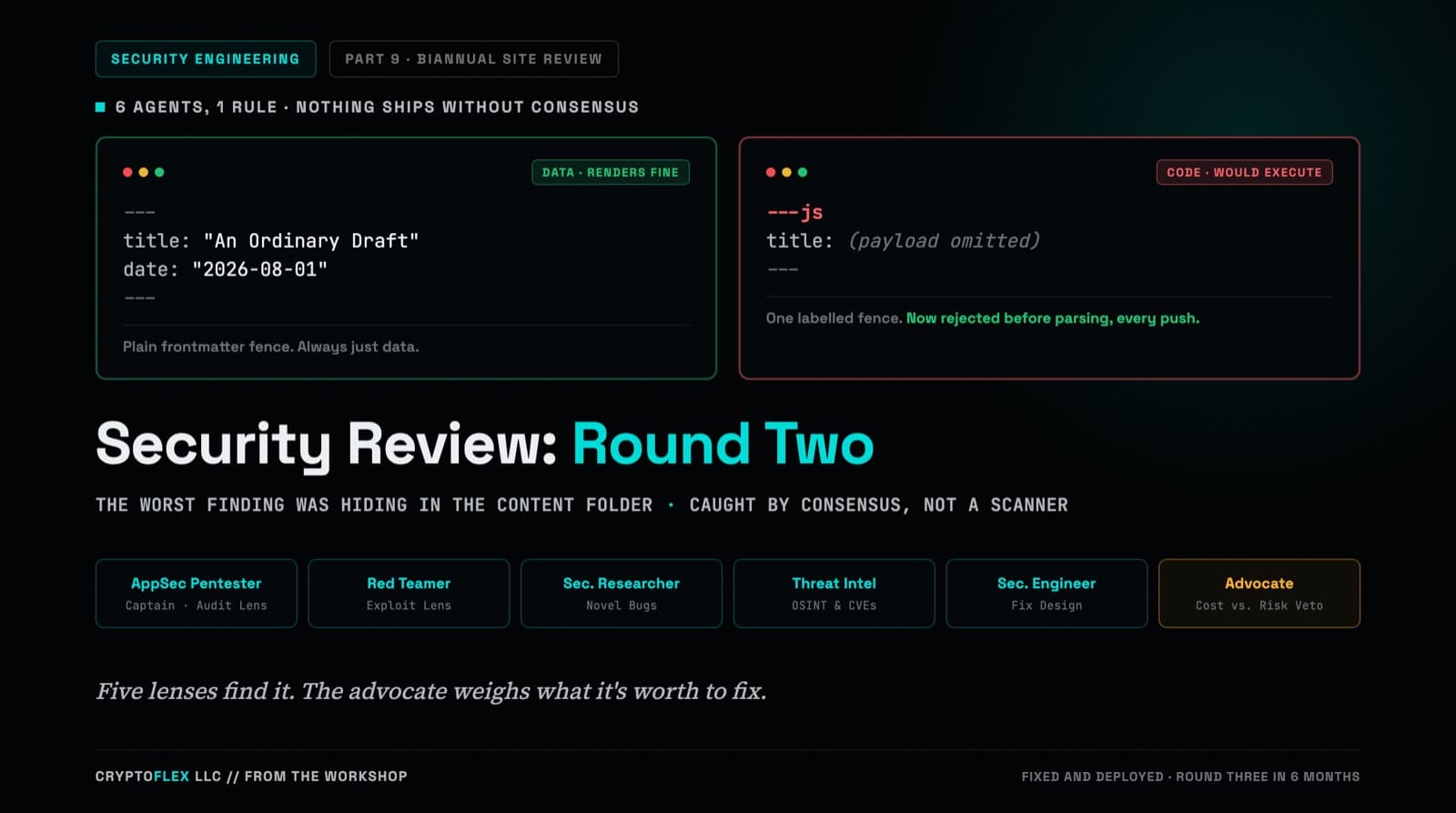
A team of six agents, five security specialists plus an advocate representing the site owner, ran a consensus-driven security review of cryptoflexllc.com. The standout finding: an ordinary-looking blog draft that could have been parsed as executable code instead of data.
Comments
Subscribers only — enter your subscriber email to comment