
Take Your Pi-hole With You: Ad Blocking on the Go With Tailscale
My two Pi-holes only filtered ads when I was home. Tailscale fixed that with a few DNS settings, two gotchas along the way, and one surprise from iCloud Private Relay.
My phone was on 5G with Wi-Fi off, and it was still getting its DNS answers from the two Raspberry Pis in my house. Here's how to set that up with Tailscale, without routing any web traffic through home.
The starting point is two Pi-hole v6 boxes, a Pi 5 (pihole-main) and a Pi 3B+ (pihole-backup), that home DHCP hands out. They only helped while a device was on my own network.
Why This Is Mostly a DNS Setting#
So what does Tailscale actually have to do here? Only tell your devices which DNS servers to ask. Those servers happen to be reachable over the tailnet, and no exit node is involved, so pages still load straight from the phone to the internet.
One thing already worked in my favor. Pi-hole's dns.listeningMode was set to ALL ("Permit all origins"), so it answered on the Tailscale interface with no config change. If yours is set to local-only, check that first.
Installing Tailscale on Both Pis#
Use Tailscale's official APT repo. The Pi 5 runs Debian 13 and the Pi 3B+ runs Raspbian 13, so the path differs: debian/trixie on one, raspbian/trixie on the other. Both URLs returned 200.
curl -fsSL https://pkgs.tailscale.com/stable/debian/trixie.noarmor.gpg | sudo tee /usr/share/keyrings/tailscale-archive-keyring.gpg >/dev/null
curl -fsSL https://pkgs.tailscale.com/stable/debian/trixie.tailscale-keyring.list | sudo tee /etc/apt/sources.list.d/tailscale.list >/dev/null
sudo apt-get update && sudo apt-get install -y tailscale
sudo tailscale up --accept-dns=false --hostname=pihole-main
On the 3B+, swap debian for raspbian in both URLs and use --hostname=pihole-backup. Then approve each machine from the login link and turn off key expiry in the Machines page, so neither Pi drops off the tailnet after 180 days.
Why accept-dns=false?
What goes wrong without it? Once the tailnet's DNS points at the Pi-holes, a Pi that accepted Tailscale's DNS would send its own lookups to itself and loop. With the flag off, each Pi keeps nameserver 127.0.0.1 in /etc/resolv.conf, and tailscale debug prefs shows CorpDNS: False.
Here's the mistake. I wanted the login URL, so I ran sudo timeout 20 tailscale up ... to grab it and move on. On the Pi 5 you approve fast enough and it joined. On the 3B+ the timeout killed the login before I'd finished approving.
The console showed the machine with an address but "last seen" instead of connected, while the Pi sat in NeedsLogin and said "Logged out." The retry started a brand new login, so the approved link was dead.
Never time out tailscale up
Run tailscale up under systemd-run so it keeps waiting, then approve the fresh link. A timeout can leave a ghost entry in the console that looks half-joined.
Test Before You Point Anything at It#
Query each Pi-hole at its Tailscale address from a machine already on the tailnet before changing a single setting in the admin console. I wanted to be sure my phone would never point at a DNS server that wasn't answering yet.
Both Pi-holes passed. The malware-domain row is the useful one. It only exists in the HaGeZi threat lists, which went onto both Pi-holes the same night (the whole set now blocks about 4.7 million domains), so a 0.0.0.0 there proves the new lists are live on the tailnet side too.
Telling Tailscale to Use Them#
This part happens in the admin console under DNS, and it has three moving pieces.
Swipe to see the full diagram · Tap to enlarge
Under global nameservers, add both Pi-holes' Tailscale addresses (100.101.1.10 and 100.101.1.20 in this post, not the real ones). Choose Add nameserver, then Custom, and set things like this:
| Setting | Value |
|---|---|
| Restrict to domain | Off |
| Use with exit node | Off (only matters if you route through an exit node) |
| Override DNS servers | On |
| MagicDNS | On |
Without Override DNS servers, devices keep using whatever network they happen to be on, which is exactly what I was trying to get away from. MagicDNS stays on, so 100.100.100.100 still resolves tailnet names.
The second gotcha was already sitting in the console: a Split DNS entry for my home domain pointing at a Pi-hole's LAN IP, something like 192.168.1.x inside 192.168.1.0/24. That address is unreachable from cellular, so every .home name would have failed the moment I left the house. Any Split DNS entry that points at a LAN address breaks away from home, so edit it to point at the two Tailscale addresses with "Restrict to domain: home".
On my second entry I typed .home with a leading dot, and the domain has to match the existing home entry, so the dot came off.
To verify, ask Tailscale's resolver from the Mac for a throwaway name, ts-test-<timestamp>.example.com. It shows up in both Pi-holes' query logs from the Mac's Tailscale address, because Tailscale sends each query to both nameservers. cryptoflix.home resolves through the Split DNS, and both logs show that too.
The Cellular Test#
With Wi-Fi off and Tailscale on, run the adblock.turtlecute.org Ad Blocker Test on the phone. It scored 94%, with 8 of 132 tests not blocked.
The ones I saw fail were "Cosmetic Filter" and "Ad Scripts Loading" (ads.js, pagead.js). Why do those slip through? Pi-hole is a DNS blocker. It filters by domain name, so it can't hide a banner-shaped element inside a page, and it can't block a script served from the same domain as the page. The site's suggested fixes are browser extension rules, which DNS blockers can't use.
Add a Safari content blocker
AdGuard for Safari or 1Blocker covers the page-level layer. DNS blocking still covers every app on the phone, including the ones with no browser anywhere near them.
The Private Relay Surprise#
The ad test wasn't the only thing that changed on the phone.
Then my phone told me my provider doesn't support iCloud Private Relay, which had never happened before. What had changed? I checked, and Pi-hole v6 ships dns.specialDomains.iCloudPrivateRelay = true. It answers mask.icloud.com and mask-h2.icloud.com with NXDOMAIN, and dig confirmed it: status: NXDOMAIN on both.
That's Apple's documented signal for a network to turn Private Relay off. On cellular the phone used to ask the carrier's DNS, so it never saw the signal. Now Tailscale hands those lookups to the Pi-hole, and the signal finally reaches the phone.
The Private Relay trade-off
With Private Relay on, Safari's DNS goes through Apple's relay and skips Pi-hole entirely, so Safari gets no filtering. Leaving the Pi-hole setting alone costs Private Relay's privacy for Safari while the Pi-holes answer, and keeps Safari's lookups filtered. I chose to leave it as is.
The Trade-Off and What's Left#
With Override DNS servers on, my phone and Mac use the Pi-holes whenever Tailscale is connected, at home or away. If both Pis were ever unreachable, websites wouldn't load on those devices until Tailscale is switched off. Two nameservers make that unlikely, though I haven't tested it. I haven't measured DNS latency over cellular.
A MacBook Pro joined later and picked up the same DNS settings with nothing extra to configure.
The tailnet is still on the default allow-all policy, so locking it down with ACLs is next. Getting CryptoFlix reachable over Tailscale is a separate job, and it isn't finished.
Weekly Digest
Get a weekly email with what I learned, summaries of new posts, and direct links. No spam, unsubscribe anytime.

Related Posts
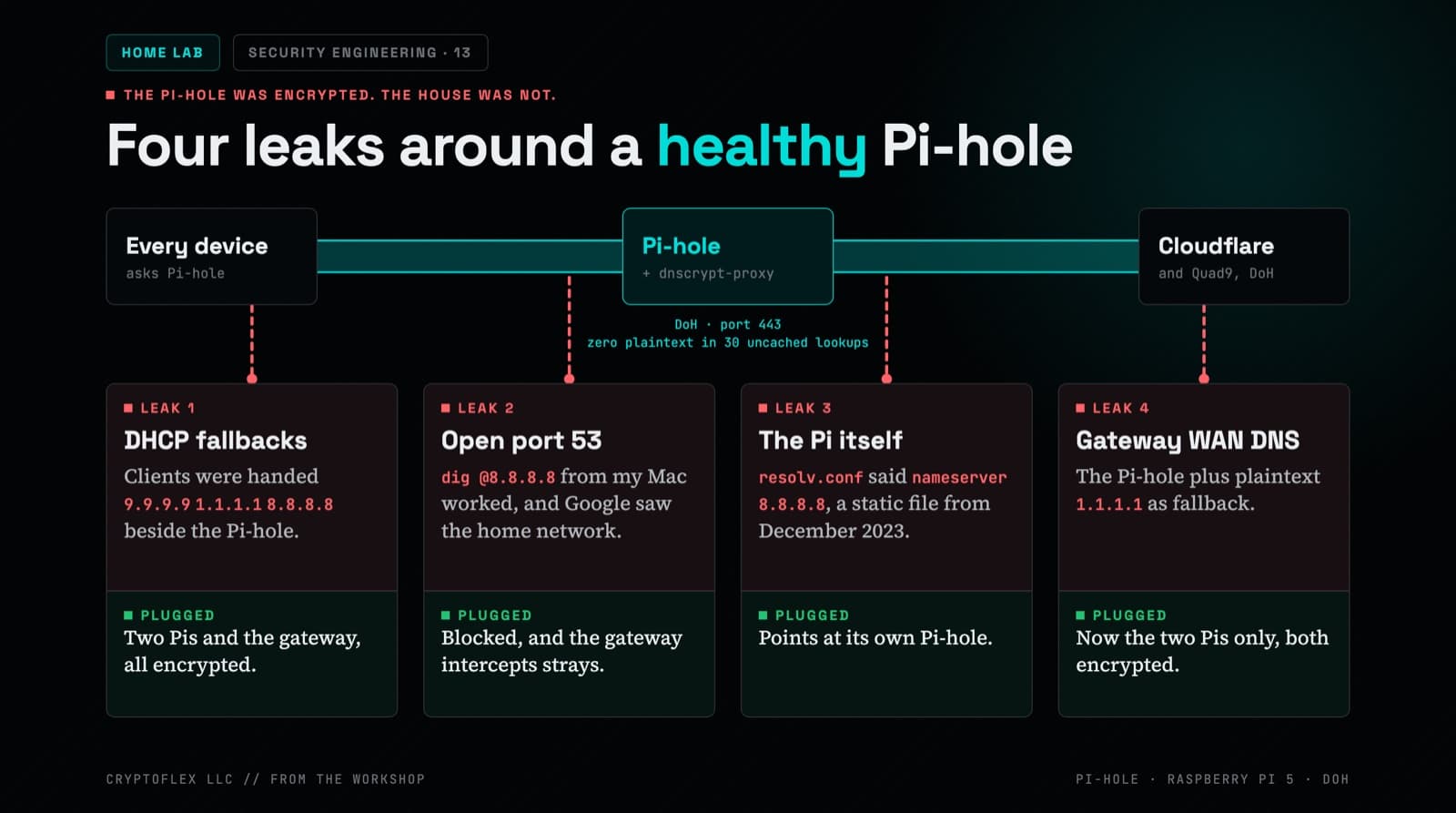
My Pi-hole already encrypted its upstream DNS, and an audit still found four places where plaintext queries left the house. Here's how a PoE Raspberry Pi 5 and an old Pi 3B+ closed them.
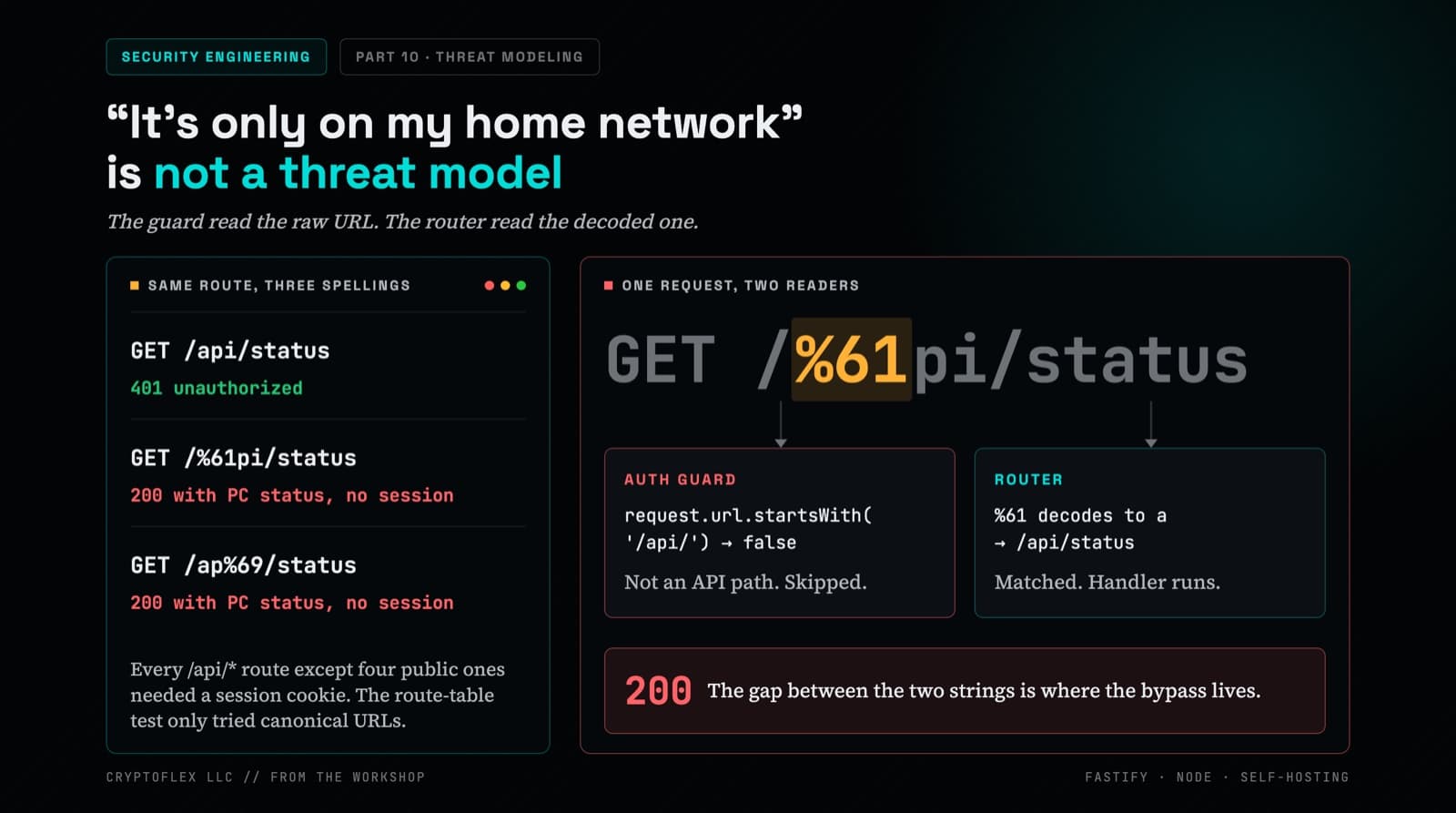
A single-user app on a home LAN still runs on a machine full of your files, behind the browser you use for everything, and parses input you didn't write. What security reviews of CryptoFlix found.
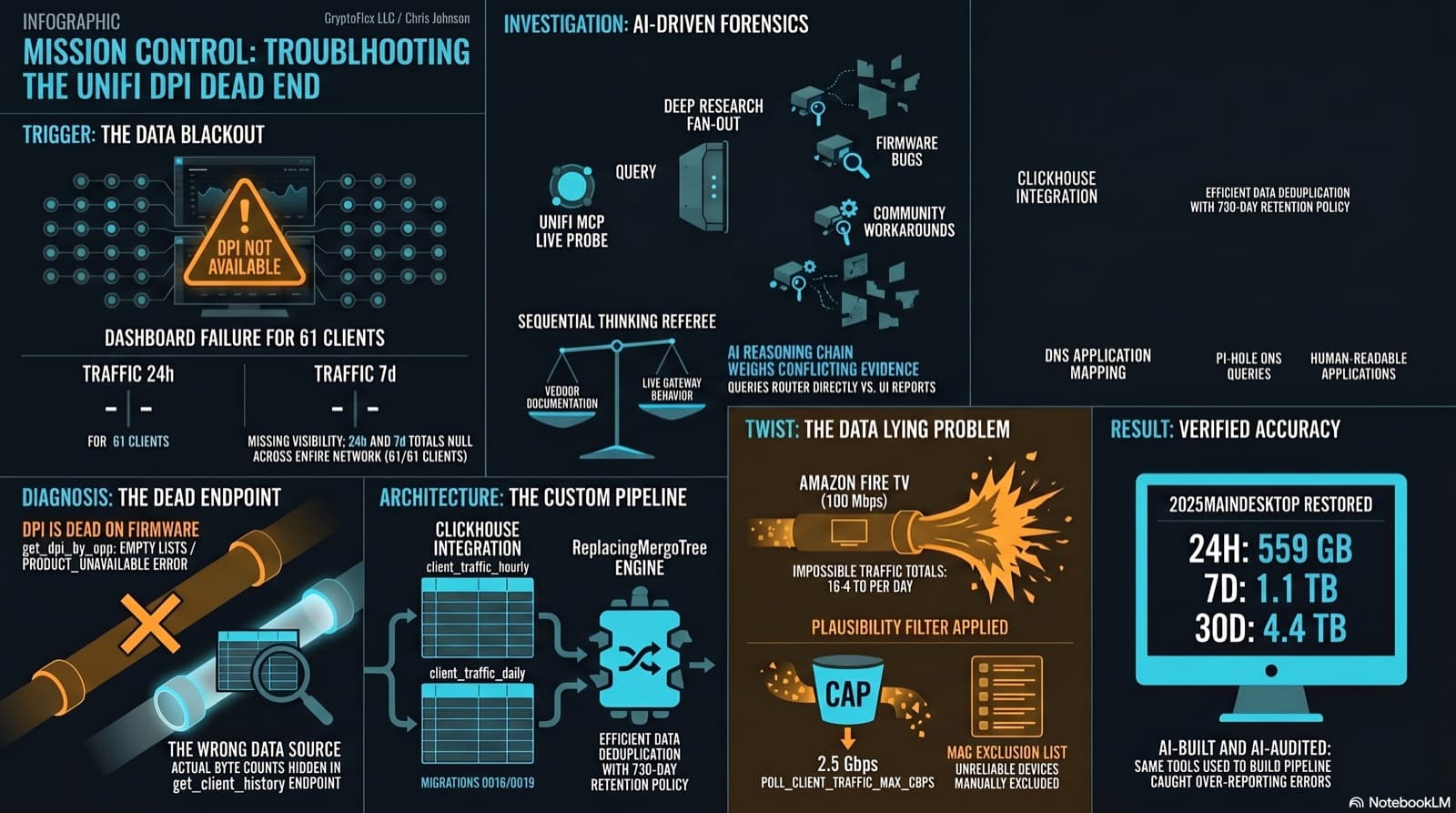
The Clients page showed "--" for traffic and "DPI not available for this device" for applications. The investigation found that per-app DPI is genuinely dead on this firmware, but per-client hourly byte buckets are alive and well in a different endpoint the dashboard was never reading. Fix the source, accumulate in ClickHouse, reconstruct Top Applications from Pi-hole DNS, and then discover that some clients are reporting physically impossible volumes. One afternoon, one commit (e07a8ac, 27 files), three confessional asides, and a plausibility cap that became load-bearing.
Comments
Subscribers only — enter your subscriber email to comment