
Building a Skills Showcase in One Session: 52 Items, Zero Dependencies
How I cataloged 13 custom agents, 23 learned skills, 10 rules, 8 bash scripts, and 2 MCP servers into a searchable, filterable showcase page for my blog. One session. One new route. One background research agent doing the heavy lifting.
I have 52 Claude Code artifacts spread across three GitHub repos. Custom agents, learned skills, bash scripts, rules, MCP servers, hooks, and a plugin configuration that ties them all together. The problem? Nobody could see any of it. Not even me, half the time.
Today I fixed that by building a /skills page that catalogs everything into a searchable, filterable showcase. One session. No new dependencies. And a background research agent that did the tedious inventory work while I built the UI.
The Problem: Invisible Infrastructure#
Over the past few weeks, I've built a pretty extensive Claude Code configuration. 13 custom agents. 23 learned skills. 10 rules across 3 subdirectories. 8 bash scripts for pre-computation. 2 MCP servers. A plugin ecosystem. PowerShell hooks.
All of it documented in scattered README files, YAML frontmatter, and my own memory (the biological kind, not the MCP kind).
When someone asks "what's in your Claude Code setup?" I either write a wall of text or say "it's complicated." Neither answer is satisfying. I wanted something I could point to. A single page that says: here's everything, search it, filter it, click into anything that interests you.
The Architecture: Data File + Client Component + Server Page#
The page follows a pattern I've used throughout this site: keep the data layer separate from the presentation.
src/
├── lib/
│   └── skills-data.ts          # 52 items, typed interfaces, helper functions
├── components/
│   └── skills-showcase.tsx      # Client component: search, filter, detail view
└── app/
    └── skills/
        └── page.tsx             # Server page: SEO metadata, layout wrapper
Three files. No API routes. No database. The entire catalog lives in a TypeScript file as a typed array, which means it gets full type checking, IDE autocomplete, and zero runtime overhead.
The Type System#
Every item in the catalog follows the same shape:
export type ItemCategory =
  | "skill"
  | "agent"
  | "hook"
  | "command"
  | "configuration"
  | "mcp";

export interface SkillItem {
  id: string;
  name: string;
  category: ItemCategory;
  description: string;
  summary: string;
  tags: string[];
  dependencies: string[];
  integrationSteps: string[];
  codeSnippet: string;
  author: string;
  repo: string;
}
This is intentionally flat. No nested objects. No optional fields. Every item has the same structure, which means the rendering code doesn't need any conditional logic. A skill, an agent, a rule, and an MCP server all render the same way, just with different category colors.
Why Not a Database?
52 items is small enough to live in a TypeScript file. The data changes infrequently (when I add new skills or agents), and having it in code means I get compile-time validation. If I mistype a category name, TypeScript catches it before the page renders.
The Research Agent: Background Inventory#
Here's where it gets interesting. I knew roughly what I had, but "roughly" isn't good enough for a catalog. I needed an exact inventory across three repos.
Instead of manually reading through every agent YAML file, every learned skill markdown, every rule, script, and config, I spawned a background research agent:
Task: Explore all 3 repos (cryptoflexllc, claude-code-config,
ClonedFabric). Catalog every agent, skill, learned skill, rule,
MCP server, command, script, and hook. Return structured data.
The agent ran for about 10 minutes in the background while I built the UI. It made 110 tool calls, read files across all three repos, and came back with a comprehensive report. The report caught 9 items I'd missed in my initial manual pass:
- The
/syncskill (config synchronization) - 5 learned skills I'd forgotten about (context compaction, interactive freeze recovery, settings validation debugging, blog pipeline, parallel agent decomposition)
- 2 PowerShell hooks (save-session, log-activity)
- The everything-claude-code plugin as a standalone configuration item
That's the power of the parallel agent pattern. While I was writing JSX, an agent was doing inventory work that would have taken me 30 minutes of manual file reading.
The UI: Search, Filter, Detail#
The showcase component has three interaction modes:
1. Category Tabs#
Six tabs across the top, each with an icon and count badge:
| Tab | Icon | Count | Color |
|---|---|---|---|
| Skills | Sparkles | 28 | Cyan |
| Agents | Bot | 13 | Violet |
| Hooks | GitBranch | 10 | Amber |
| Commands | Terminal | 2 | Green |
| Configuration | Settings | 11 | Blue |
| MCP Servers | Plug | 2 | Rose |
2. Search + Tag Filter#
A search bar that matches against names, descriptions, and tags. Below it, a tag cloud auto-generated from all items. Selecting a tag filters the current category view. Search and tag filters compose together (AND logic).
3. Detail View#
Click any card and the right side (or a slide-up on mobile) shows:
- Full summary (the one-paragraph version of what this thing does)
- Dependencies list
- Numbered integration steps
- Copyable code snippet with syntax highlighting
- Link to the source repo
The detail view is the real value. The card grid gives you the overview; the detail view gives you everything you need to actually use the item.
What I Learned#
Background agents are underrated for data collection#
I could have built this page with just the items I remembered. It would have been incomplete. The background agent found 17% more items than my manual pass. For any task where you need a comprehensive inventory, spawn an agent and let it do the tedious reading.
Flat data beats nested data for catalogs#
My first instinct was to nest items: skills containing sub-skills, agents containing their tool lists, rules grouped by directory. I'm glad I went flat instead. Every item is a peer. The category tabs and tag filters provide all the grouping you need, and the rendering code stays trivially simple.
TypeScript files are underrated as data stores#
For small, infrequently changing datasets (under 1000 items), a typed TypeScript array is better than a JSON file, a YAML file, or a database table. You get:
- Compile-time validation
- IDE autocomplete
- Template literals for code snippets (no escaping nightmares)
- Import/export with zero parsing overhead
- Helper functions co-located with the data
When to Graduate to a Database
If your catalog grows past a few hundred items, or if you need user-generated content (ratings, comments), or if multiple people are editing concurrently, then move to a database. For a personal config catalog? A TypeScript file is perfect.
The 52-item catalog is a living document#
Every time I create a new agent, learn a new skill, or add a rule, I need to add an entry to skills-data.ts. This is a feature, not a bug. It forces me to write a summary, list dependencies, and document integration steps for everything I build. The catalog is both the showcase and the documentation.
The Numbers#
- Items cataloged: 52
- Source repos scanned: 3
- Background agent tool calls: 110
- New files created: 3 (data, component, page)
- Existing files modified: 2 (nav, footer)
- New dependencies added: 0
- Lines of TypeScript: ~1,800
The page is live at /skills. Go browse around. And if you're building your own Claude Code configuration, maybe it'll give you ideas for what to build next.
Weekly Digest
Get a weekly email with what I learned, summaries of new posts, and direct links. No spam, unsubscribe anytime.

Related Posts
Three features that turned a static blog into something closer to a content platform: draft staging via GitHub API, threaded comment replies, and a swipeable LinkedIn carousel built in React.
A technical walkthrough of 16 site improvements shipped in a single Claude Code session: reading progress bars, dark mode, fuzzy search, a contact form, code playgrounds, a guestbook, achievement badges, and more.
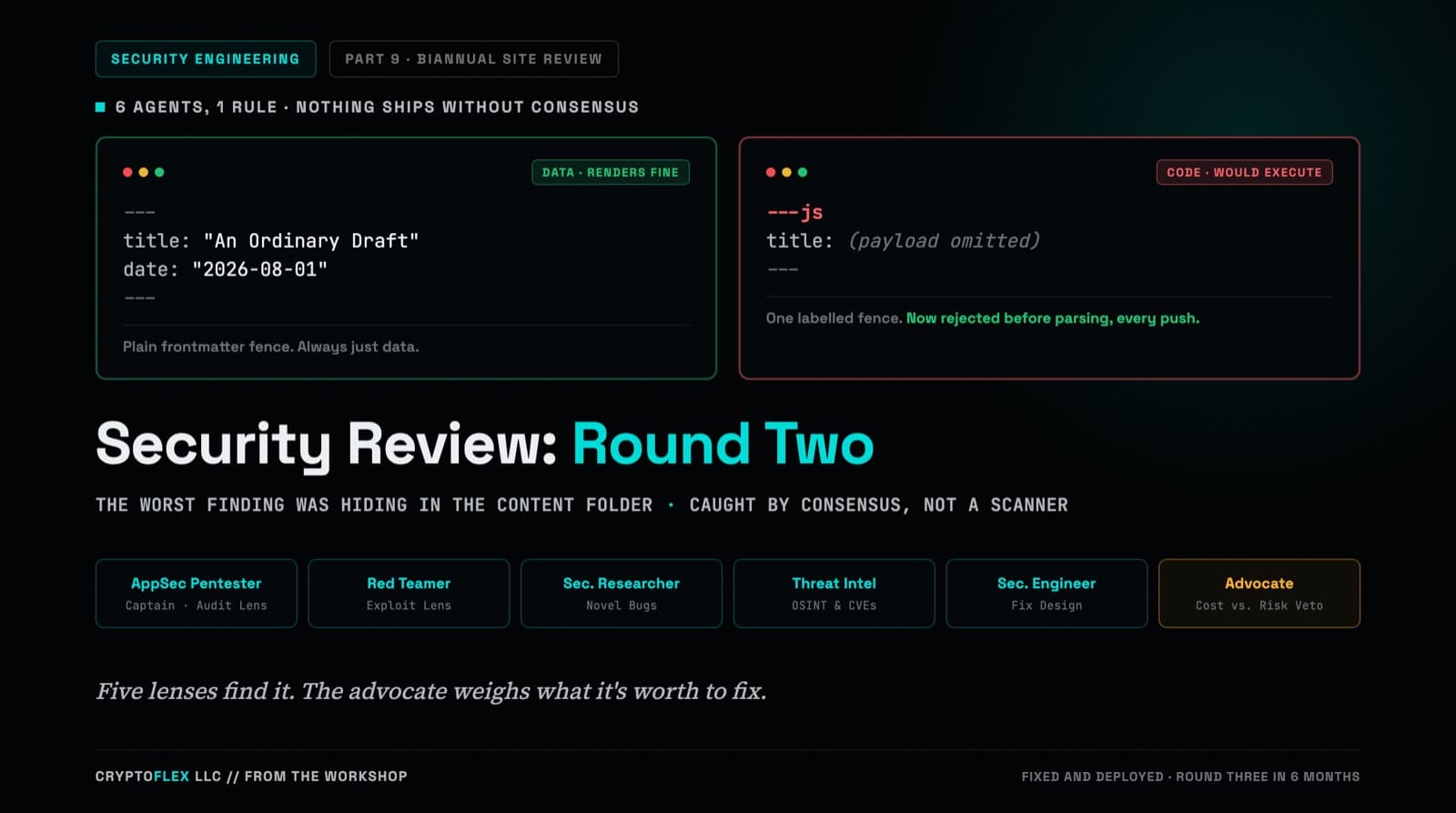
A team of six agents, five security specialists plus an advocate representing the site owner, ran a consensus-driven security review of cryptoflexllc.com. The standout finding: an ordinary-looking blog draft that could have been parsed as executable code instead of data.
Comments
Subscribers only — enter your subscriber email to comment