
Site Improvements: A Backlog System, Comment Threading, and an Interactive Carousel
Three features that turned a static blog into something closer to a content platform: draft staging via GitHub API, threaded comment replies, and a swipeable LinkedIn carousel built in React.
You know how home improvement shows always have that moment where the host says, "We're just going to replace the backsplash," and then two hours later they're ripping out a load-bearing wall? Building a website is like that, except the load-bearing wall is your own code from last week.
This post covers three features I shipped over the last two days. None of them were planned. All of them started as "this should take 20 minutes." Spoiler: none of them took 20 minutes.
Feature 1: The Backlog Staging System#
The Problem#
I had 20 blog posts and a shiny new /blog-post skill that could generate drafts in 90 seconds. But every post went straight to src/content/blog/, which meant it was live the moment I pushed to main. No review step. No staging. No "let me sleep on it before publishing."
I needed a holding pen for drafts.
The Solution#
A full backlog staging system with three components:
- A backlog directory (
src/content/backlog/) for draft MDX files - An admin UI at
/backlogwith search, filtering, and publish/delete controls - GitHub API integration that moves files from backlog to blog without touching local git
The GitHub API part is the interesting bit. When you click "Publish," the system:
- Reads the draft MDX content from the backlog directory
- Parses the frontmatter with
gray-matter - Updates the date to today (so posts publish with the current date, not the draft date)
- Checks for slug collisions with existing blog posts (returns 409 if one exists)
- Creates the file in
src/content/blog/via the GitHub Contents API - Deletes the backlog copy
- Vercel detects the commit, triggers a build, and the post is live
No local git commands. No manual file moves. Click a button, wait 30 seconds, and the post is on the internet.
Why GitHub API Instead of Local Git?
The site runs on Vercel, which auto-deploys from the main branch. By using the GitHub API to create files directly in the repo, the publish action triggers a Vercel build automatically. This means I can publish from any device with a browser, not just my development machine.
The MDX Server-to-Client Pattern#
One technical challenge worth mentioning: MDXRemote (the library that renders MDX) is async and server-only. But I needed client-side interactivity for the publish and delete buttons.
The solution was a server/client split:
// Server component renders the MDX
export default async function BacklogPage() {
  const posts = getBacklogPosts();

  return posts.map(post => (
    <article key={post.slug}>
      <MDXRemote source={post.content} />
      <PostActionBar slug={post.slug} /> {/* Client component */}
    </article>
  ));
}
The server component renders the MDX content statically. The PostActionBar is a "use client" component that handles the publish/delete buttons with its own state machine (idle, confirming, loading, success, error). Clean separation, no async-in-client-component issues.
Security Layers#
Even though I'm the only user, the system has defense-in-depth:
- Authentication: Same HMAC-SHA256 cookie auth as the analytics dashboard
- Rate limiting: 10 publish requests per hour per IP
- Path validation: Slugs are validated to prevent directory traversal
- Slug collision check: Can't overwrite an existing blog post
- Graceful degradation: If the backlog deletion fails after a successful publish, the post still goes live (the backlog copy just sticks around)
The Result#
The /backlog page now has search (across titles, descriptions, and tags), tag filtering, and a responsive card grid. Each card shows the full rendered MDX preview with publish and delete buttons. It's a proper content management interface, and it took about 833 lines across 11 files.
Feature 2: Comment Threading#
The Problem#
The site already had blog comments (added in a previous post). But they were flat. Every comment was a top-level entry, which meant conversations looked like a bulletin board, not a discussion. If someone asked a question and I answered, the answer would just appear as a separate comment with no visible connection to the question.
That's not a conversation. That's two people shouting into the void.
The Solution#
Single-level threaded replies. The emphasis on "single-level" is intentional. I deliberately chose NOT to implement infinite nesting (Reddit-style) for three reasons:
- Visual clarity: Deeply nested threads on mobile become unreadable
- Implementation simplicity: One level of nesting means one
parent_idcolumn, not a recursive tree - Content type: Blog comments aren't forum discussions. One reply deep is enough for "great post" and "thanks, fixed that typo."
The Database Change#
The comments table got a new parent_id column with a foreign key back to itself:
parent_id INTEGER REFERENCES comments(id) ON DELETE CASCADE
The API enforces single-level threading at validation time. If you try to reply to a reply (a comment that already has a parent_id), the API returns a 400 error. This constraint lives in both the API validation and the UI (reply buttons only appear on top-level comments).
Email Privacy#
Comments require a valid subscriber email, but I didn't want to expose full email addresses in the public API. The solution: mask at the SQL layer.
SELECT
  id, slug, comment, reaction, created_at, parent_id,
  CONCAT(LEFT(email, 1), '***@', SPLIT_PART(email, '@', 2)) AS email
FROM comments
WHERE slug = $1
ORDER BY created_at DESC
This returns c***@example.com instead of chris@example.com. The raw email stays in the database for subscriber verification, but the public API never exposes it.
The UI#
Reply buttons appear inline on top-level comments. Clicking "Reply" opens a form directly below the comment (not a modal, not a separate page). Replies render indented with a left border and a reply icon, creating a clear visual hierarchy without deep nesting.
The threading logic on the client side is straightforward:
// Group comments into threads
const topLevel = comments.filter(c => !c.parent_id);
const replyMap = new Map<number, Comment[]>();

for (const comment of comments) {
  if (comment.parent_id) {
    const replies = replyMap.get(comment.parent_id) ?? [];
    replies.push(comment);
    replyMap.set(comment.parent_id, replies);
  }
}
Top-level comments are sorted newest-first. Replies within a thread maintain chronological order so the conversation flows naturally.
The Admin Side#
The analytics dashboard got a comments management panel at the same time. It's a searchable table showing all comments across all posts with:
- Post slug (which post it's on)
- Email (for moderation)
- Comment text (truncated)
- Reaction counts
- Delete button with confirmation
Each comment text is a clickable link that opens the production blog post and scrolls directly to that comment using anchor fragments (/blog/{slug}#comment-{id}). This "deep-link admin to public" pattern turned out to be one of those small decisions that saves minutes every time you use it.
Feature 3: The Resources Section and Interactive Carousel#
The Problem#
I had a polished 10-slide LinkedIn carousel (static HTML) summarizing the "7 Days, 117 Commits" journey. It looked great as a standalone HTML file, but it was just sitting on my desktop. Nobody could see it.
I also didn't have a place for non-blog content. The site had blog posts, a portfolio, and services, but no home for slide decks, reference material, or visual recaps.
The Solution#
A new Resources section with the carousel as its first entry. This required:
- A resource data layer (
src/lib/resources.ts) modeled after the blog data layer - An interactive carousel component with keyboard, touch, and button navigation
- 10 slides of content translated from HTML to React JSX
- A scoped dark theme that doesn't bleed into the rest of the site
- Resource listing and detail pages at
/resourcesand/resources/[slug]
The Carousel Engine#
The carousel component (slide-carousel.tsx) handles three input methods:
Button navigation: Prev/Next buttons using shadcn's Button component. Disabled at the edges (can't go before slide 1 or after slide 10).
Keyboard navigation: ArrowLeft and ArrowRight keys, captured via onKeyDown on the carousel container. The container has tabIndex={0} so it can receive focus.
Touch/swipe: touchstart records the X position, touchend calculates the delta. If the delta exceeds 50px, it triggers navigation. This threshold prevents accidental swipes from triggering slide changes.
The slide transition is a CSS translateX transform with a 300ms ease-in-out. Each slide is a flex child at flex-shrink: 0 with full width, so translateX(-${currentSlide * 100}%) moves the viewport to the correct slide.
<div
  className="flex h-full transition-transform duration-300 ease-in-out"
  style={{ transform: `translateX(-${currentSlide * 100}%)` }}
>
  {slides.map(slide => (
    <div key={slide.id} className="w-full h-full flex-shrink-0">
      {slide.content}
    </div>
  ))}
</div>
The Scoped Theme Problem#
The carousel has a dark cyber aesthetic (deep navy backgrounds, cyan/green/amber accents, grid overlays, radial glows). The site uses Tailwind's theme system with light/dark mode. These two design languages needed to coexist without interfering.
The solution: CSS custom properties scoped under a .slide-carousel-theme class.
.slide-carousel-theme {
  --bg-deep: #06090f;
  --bg-card: #0c1120;
  --cyan: #22d3ee;
  --blue-bright: #60a5fa;
  --green: #34d399;
  /* ... */
}
All carousel styles reference these variables instead of Tailwind utilities. The carousel also loads three Google Fonts (Syne for headings, JetBrains Mono for labels, Outfit for body text) via next/font/google, scoped to the carousel through CSS variables. The fonts only load when the carousel page renders, not site-wide.
Translating HTML to React#
The original carousel was 1,200 lines of static HTML. Translating it to React meant:
- Extracting repeated patterns: The slide footer (company name, swipe indicator, page number) became a
SlideShellwrapper component - Data-driving the content: Stats, timeline entries, and agent findings became arrays mapped to JSX
- Responsive scaling: Replaced fixed pixel sizes with
clamp()functions so text scales between mobile and desktop - Proper encoding: HTML entities like
–and'replaced with their JSX equivalents
Each slide is a self-contained function component (TitleSlide, StatsSlide, Days1to3Slide, etc.) that returns JSX using the scoped theme classes. The slides are assembled into an array and passed to the carousel engine:
export const weekOneSlides: SlideData[] = [
  { id: "title", content: <TitleSlide /> },
  { id: "stats", content: <StatsSlide /> },
  // ... 8 more slides
];
This separation means the carousel engine is reusable. Drop in a different slides array and you have a different carousel. The engine doesn't know or care about the content.
The Resource Type System#
The data layer supports three resource types: carousel, document, and download. Right now only carousel is used, but the infrastructure is ready for future content like PDF guides or downloadable templates.
export interface Resource {
  slug: string;
  title: string;
  description: string;
  type: "carousel" | "document" | "download";
  tags: string[];
  date: string;
}
The detail page uses a slideMap to route slugs to their slide arrays:
const slideMap: Record<string, SlideData[]> = {
  "week-one-carousel": weekOneSlides,
};
Adding a new carousel means: create the slides, add the entry to slideMap, add the metadata to the resources array. Three touch points, all obvious.
Integration Points#
The carousel didn't just get its own section. It was woven into the existing site:
- Homepage: A "Resources" teaser section between About and Services
- Navigation: "Resources" link in both the nav bar and footer
- Blog post: An Info callout at the top of the "7 Days, 117 Commits" post linking to the visual version
- Sitemap:
/resourcesentry for SEO - Static generation:
generateStaticParamspre-renders all resource pages at build time
The Numbers#
| Feature | Files | Lines | Tests |
|---|---|---|---|
| Backlog staging | 11 | 833 | Existing coverage |
| Comment replies | 4 | ~200 | Existing coverage |
| Resources + carousel | 11 | 1,755 | 25 new tests |
Total: 26 files, ~2,800 lines, 25 new tests.
All shipped in about 48 hours, all built with Claude Code.
What I Learned#
GitHub API as a deployment trigger. Instead of running local git commands, you can use the GitHub Contents API to create/delete files directly in the repo. If your hosting platform auto-deploys from git, this turns any admin UI into a deployment tool.
Single-level threading is enough. The temptation to build Reddit-style infinite nesting is strong. Resist it. For blog comments, one reply deep handles 95% of conversations and keeps the UI clean on mobile.
Scoped themes via CSS custom properties. When you need a completely different visual identity inside one component, scope it under a class and use CSS variables. Don't fight the site's design system; just opt out of it locally.
clamp() is the responsive MVP. Instead of writing breakpoint-specific font sizes for 10 slides, clamp(min, preferred, max) handles every screen size in one declaration. The carousel looks good from 320px phones to 1440px desktops with zero media queries.
Separation of engine and content. The carousel engine doesn't know what's on the slides. The slides don't know they're in a carousel. This means either piece can evolve independently: new navigation patterns, new slide content, even a different rendering context.
Building Resources for Your Own Site?
Start with the data layer. Define your resource types and metadata schema before building any UI. It's tempting to jump straight to the carousel component, but having the data structure right means the listing page, detail page, SEO metadata, and sitemap generation all fall into place naturally.
What's Next#
The backlog system opens up scheduled publishing (currently manual, but a cron job could auto-publish posts with future dates). Comment threading could eventually support email notifications when someone replies to your comment. And the Resources section is ready for new content types whenever I have something worth sharing.
But for now, the site has a content pipeline, conversations, and a visual showcase. Not bad for a Tuesday.
Weekly Digest
Get a weekly email with what I learned, summaries of new posts, and direct links. No spam, unsubscribe anytime.

Related Posts
A technical walkthrough of 16 site improvements shipped in a single Claude Code session: reading progress bars, dark mode, fuzzy search, a contact form, code playgrounds, a guestbook, achievement badges, and more.
How I cataloged 13 custom agents, 23 learned skills, 10 rules, 8 bash scripts, and 2 MCP servers into a searchable, filterable showcase page for my blog. One session. One new route. One background research agent doing the heavy lifting.
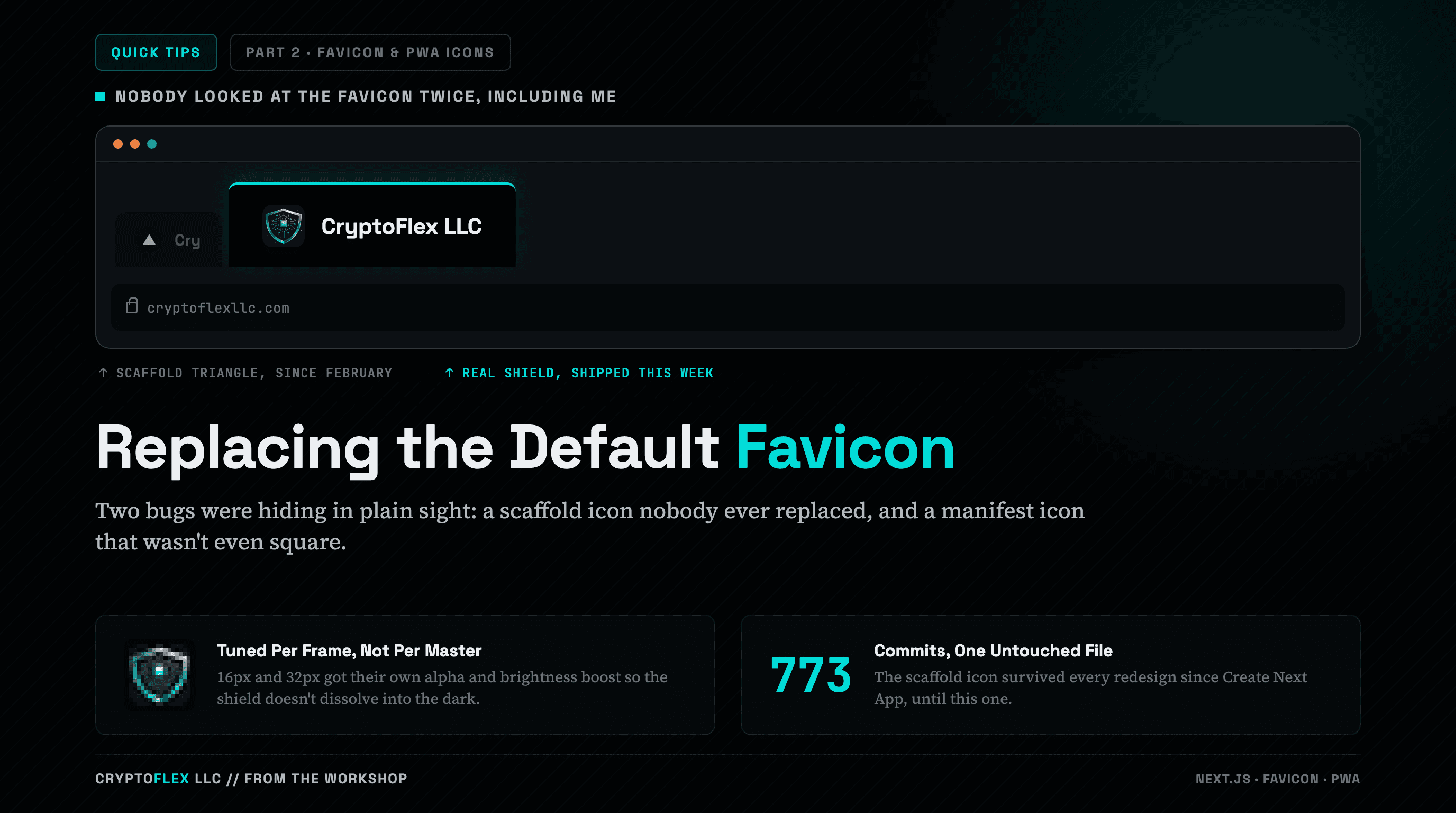
My tab strip still showed the stock Next.js triangle because nobody had replaced the scaffold favicon.ico, and my web manifest pointed at a logo that wasn't even square. Fixing both took a Pillow crop, per-frame tuning at 16 pixels, and a maskable safe zone.
Comments
Subscribers only — enter your subscriber email to comment