
Homelab Wazuh, Part 2: The Nine-Wave Deploy and First Contact With the Live Server
How a captain-orchestrated, nine-wave Ansible build went from clean repo to bootstrap-applied on a live HUNSN, including a sudo-rs surprise, a vault leak that demanded an immediate panic-rotate, a group_vars file shadowed by a directory of the same name, and a Multipass dry-run that caught two real playbook bugs before they could touch production.
28 ok. 20 changed. 0 failed. To get there I rewrote group_vars, swapped sudo, bumped ansible-lint, and panic-rotated the entire vault.
That is the actual scoreboard from the first clean bootstrap on the real HUNSN. None of those hyphenated supporting-cast items existed in the plan. They surfaced exactly where the plan handed off to a real piece of hardware running a real distro.
This is post 2 of three. Last post: why I picked Wazuh and the 29-task plan, plus the five plan patches that landed before any code ran. This post: actually building the thing. Authoring waves 0 through 3, the Multipass end-to-end gate at Wave 4, and first contact with the live box at the start of Wave 5. The story stops the moment the bootstrap returns clean. Standing the Wazuh stack up, agent enrollment, and UDM Pro syslog all wait for post 3.
Series Context
This is the second post in the Homelab Wazuh Deployment series. Post 1 walked through the picking-Wazuh decision and the 29-task plan. Post 3 will cover the live Wazuh stack stand-up, agent enrollment for the Pi-hole and Mac, the UDM Pro syslog wiring, and the day-2 rule tuning that follows.
The Captain Pattern, In One Picture#
Before the waves, the orchestration model. The main Claude Code session runs as captain, posing as a senior Linux sysadmin with accountability for safety gates. Sub-agents do the work. The captain never lets a worker touch the live server without sign-off, and never parallelizes workers whose outputs would collide on the same file.
Swipe to see the full diagram · Tap to enlarge
Routing followed ~/.claude/rules/core/agentic-workflow.md: Explore on haiku for read-only recon, general-purpose on sonnet for code authoring, Plan on inherit for pre-wave validation, code-reviewer plus security-reviewer in parallel after every authoring wave. Up to three concurrent workers per wave. After each wave, a vector-memory write tagged wazuh, homelab, wave-N so the captain could query it back when something familiar broke.
The captain rule that saved me twice
The captain is the only thing allowed to edit bootstrap.yml and group_vars/all/main.yml during authoring waves. Workers produce role directories; the captain wires them in. That single rule meant I never had to merge two parallel diffs of the same file.
Wave 0: The Pre-Flight Nobody Tweets About#
Wave 0 was unsexy and security-critical. Two things had to happen before any worker ran.
First, the Ansible vault password had to live somewhere I could not accidentally check it in. The original plan said "store the password at ansible/vault-password, gitignored." Gitignored-plaintext is the kind of thing that ends up checked in by the next contributor (or by me at 11 PM in six months). Off to the macOS Keychain it went:
security add-generic-password -s ansible-vault-wazuh -a "$USER" \
  -w "$(openssl rand -base64 48 | tr -d '/+=\n' | cut -c1-32)"
Then a one-line wrapper at ~/.ansible/vault-pass.sh:
#!/usr/bin/env bash
security find-generic-password -s ansible-vault-wazuh -a "$USER" -w
chmod 700 it, point ansible.cfg's vault_password_file at it, done. No plaintext password file on disk anywhere.
Second, the plan needed five concrete patches before code landed. Post 1 has the full reasoning; here is the table for self-containment.
| Patch | What was wrong | What it prevented |
|---|---|---|
| Vault via Keychain wrapper | Plan stored vault password as gitignored plaintext | Plaintext vault on disk; future accidental commit |
| Leave SSH password auth on | Hardening role would have flipped to key-only on a LAN-only box | Accidental lockout; threat model is fail2ban, not internet brute force |
| Move authd artifacts from Task 14 to Task 11 | Manager-side enrollment files arrived after first deploy | A required re-run of deploy-wazuh.yml after Wave 6 |
| Multipass E2E uses ephemeral vault | Dry-run originally loaded the production vault | Prod secrets reaching a throwaway VM |
| Task 7 dashboard jail enabled=false until Task 11 | fail2ban referenced a filter that did not exist yet | Circular dep between hardening and Wazuh deploy |
Wave 1: Repo Hygiene and the First Lint Cascade#
Three parallel general-purpose workers fanned out: one did pre-commit plus gitleaks plus yamllint plus ansible-lint, one wrote the GitHub Actions CI skeleton, one wrote a Makefile with eighteen targets. After they merged, the captain authored the Ansible scaffold and encrypted the vault.
The vault holds four secrets, all generated from the same one-liner:
openssl rand -base64 48 | tr -d '/+=\n' | cut -c1-32
Thirty-two characters, mixed case, digits. They satisfy the Wazuh manager's complexity policy (upper, lower, digit, special) by happy accident in most runs and by re-running the one-liner in the rest. Encrypted into ansible/group_vars/all/vault.yml.
Then the linters ran. And the linters fell over. Several times in several ways.
The Lint Cascade#
In the order they bit:
- gitleaks 8.30 changed allowlist syntax from
[[allowlist]](array of tables) to[allowlist](single table) somewhere around v8.18. My old-form config silently ignored the entire allowlist. Fix: rewrite as a single[allowlist]block. ansible-lint v25.1plusansible-core 2.19threwModuleNotFoundError: No module named 'ansible.parsing.yaml.constructor'. Import path moved in 2.19. Fix: bump the pre-commit pin toansible-lint v26.4.0.role-namerule failed on hyphenated roles.rsyslog-udmandwazuh-managerboth got rejected. Fix: underscores only.rsyslog_udm,wazuh_manager.var-naming[no-role-prefix]flagged every registered variable. The rule wants<role_name>_<var_name>.swap_checkbecamecommon_swap_check,admin_hashbecamewazuh_manager_admin_hash. Fix: prefix all of them.key-order[task]complained aboutblock:tasks without an explicitnameandwhenbefore the block. Fix: add thename:, movewhen:aboveblock:.- A long
apt_repositoryURL flunkedyaml[line-length]. Fix: break the line with a>-folded scalar. - The sandboxed pre-commit venv could not resolve
community.general,ansible.posix, orcommunity.docker. Fix: addadditional_dependencies: ["ansible>=10.0.0"]to the hook so the venv gets the meta-package and the collections come along.
The pre-commit / ansible-lint trap
Pre-commit creates a hermetic venv per hook. ansible-lint inside it does not see your system collections. If roles use anything outside ansible.builtin, declare additional_dependencies on the hook. The error message does not hint at this. I lost an hour to it.
After the cascade settled, make lint was clean. Wave 1 closed.
Wave 2: Five Roles, Three Workers, One Captain Synthesizing#
Wave 2 produced five Ansible roles: common, hardening, docker, apcupsd, rsyslog_udm. Three parallel workers per batch, two batches, captain doing the wiring.
The roles are small and boring on purpose. common does apt update, base packages, timezone, unattended-upgrades, and a 4 GiB swap file. hardening does UFW, sshd, and fail2ban (jail enabled=false on the dashboard until Task 11 ships the filter). docker installs Docker CE plus the compose plugin. apcupsd configures the UPS daemon for graceful shutdown at 5% battery. rsyslog_udm listens on UDP 514 and writes to /var/log/udm-pro.log with mode 0644 so the Wazuh agent can read it.
The Docker codename trick on Ubuntu 26.04
Ubuntu 26.04's codename is resolute. As of this writing, Docker upstream's apt repo has no resolute Release file. The role uses an explicit docker_apt_codename: noble (the 24.04 codename) override so the apt repo serves the same binaries that work on 26.04 today. When upstream catches up, drop the override.
After the workers finished, the captain serially wrote ansible/playbooks/bootstrap.yml and ansible/group_vars/all/main.yml. File-collision rule in practice: parallel workers cannot edit the playbook entrypoint or the global vars at the same time, so the captain owns both. ansible-lint on the production profile, clean. Wave 2 closed.
Wave 3: Compose, Manager, Certs, ILM#
Wave 3 was the heaviest authoring wave: docker-compose.yml for the three Wazuh containers, an OpenSearch ISM policy for 30-day rolling deletion of wazuh-alerts-*, and the wazuh_manager role with cert generation plus the authd-password mount that Patch 3 had moved forward from Task 14.
Three parallel workers for the independent files (compose manifest, config overrides, ILM JSON). One serial worker for the manager role. Code-reviewer and security-reviewer in parallel after each commit, with security paying particular attention to the OpenSearch admin password rotation using internal_users.yml rather than literal-string substitution.
The manager role includes a small dance: download wazuh-certs-tool.sh, render a config.yml from a Jinja template, run the tool to mint per-component certs, stage them into the compose stack's bind mount. Multipass will kick the legs out from under that dance shortly.
docker compose config validated against the vault in a scratch directory. Wave 3 closed.
Wave 4: The Multipass Gate, Where Real Bugs Surface#
Wave 4 was the safety net. Before any playbook touched the real HUNSN, an entire bootstrap-through-deploy chain had to work end to end against a throwaway Ubuntu 26.04 Multipass VM. With an ephemeral vault. With a sentinel check that refused to run if the loaded vault contained a known production marker.
Four attempts. Four real findings. Three real bugs. One arm64 wall.
Attempt 1: group_vars Goes Missing#
Bootstrap fired, ran for about ninety seconds, then failed because lan_cidr was undefined. The variable was demonstrably in ansible/group_vars/all/main.yml.
The clue: I had set the inventory path to /tmp/inventory for the E2E run while the playbook stayed under the repo. Ansible's group_vars/ discovery only looks adjacent to the inventory file or the playbook file. With the inventory at /tmp/, my repo-rooted group_vars was invisible to the loader. Fix: pass -e "@$REPO_ROOT/ansible/group_vars/all/main.yml" explicitly in the E2E script.
Attempt 2: The Cert Tool Wants a Specific Filename#
Round two. Bootstrap finished. Hardening finished. Docker finished. Cert generation step in wazuh_manager failed with:
[ERROR] No configuration file found.
The role had downloaded the cert config template to /tmp/certs.yml. The wazuh-certs-tool.sh script expects exactly ./config.yml in the working directory. Not --config, not -c, just ./config.yml. Fix: change the role's template destination from /tmp/certs.yml to /tmp/config.yml.
This was a real bug. The plan, the role, and the upstream README all looked self-consistent until the tool actually ran. Without Multipass it would have surfaced for the first time on the live HUNSN.
Attempt 3: Java Is Missing From an Image That Ships Java#
Round three. Cert generation now passed. Next step in the manager role: hash the OpenSearch admin password using the bundled hash.sh tool from the indexer image:
docker run --rm --entrypoint bash wazuh/wazuh-indexer:4.12.0 \
  /usr/share/wazuh-indexer/plugins/opensearch-security/tools/hash.sh \
  -p "$PASSWORD"
Result:
/usr/share/wazuh-indexer/plugins/opensearch-security/tools/hash.sh:
  line 41: java: command not found
The image ships Java. The image's normal entrypoint sets up the JVM environment. By overriding the entrypoint with bash, I had bypassed the setup. Fix: pass OPENSEARCH_JAVA_HOME=/usr/share/wazuh-indexer/jdk explicitly:
docker run --rm --entrypoint bash \
  -e OPENSEARCH_JAVA_HOME=/usr/share/wazuh-indexer/jdk \
  wazuh/wazuh-indexer:4.12.0 \
  /usr/share/wazuh-indexer/plugins/opensearch-security/tools/hash.sh \
  -p "$PASSWORD"
Hash returns. Manager role proceeds.
Attempt 4: The arm64 Wall#
Round four. The compose stack started bringing up containers and immediately fell over:
exec /usr/bin/bash: exec format error
Apple Silicon Multipass runs arm64 VMs. The Wazuh OCI images are amd64-only. There is a path forward (qemu-user-static plus binfmt registration) but I was not going to build amd64 emulation into a one-shot E2E script for a CI lane I do not yet have. The real siem-host is amd64. This failure mode cannot recur in production.
I declared the gate clear with the arm64 caveat documented in docs/runbook.md and a monthly-e2e CI stub for future amd64 runner coverage.
What the Multipass gate actually bought
Sixty-eight Ansible tasks executed cleanly on Ubuntu 26.04 in a throwaway VM. Two real playbook bugs caught (cert filename, docker entrypoint env) that would have surfaced on the production server otherwise. The arm64 OCI mismatch was a valid limit, not a real bug. Net: I went into Wave 5 with the bootstrap path empirically validated. The first time siem-host saw any of my playbooks was after siem-host-equivalent had already run them.
Wave 5: First Contact#
Wave 5 was the live apply on the real HUNSN. The plan said "run bootstrap, skip hardening per the deferred-hardening decision, watch for fireworks." I had a second SSH session open in another tab, because hardening playbooks have a way of locking you out even when you have explicitly skipped them. The first three things that happened were not in the plan.
sudo-rs Is Not Compatible With Ansible's Prompt Regex#
The first run of bootstrap failed with Timeout (12s) waiting for privilege escalation prompt. Which is the Ansible error you get when become: yes cannot find the password prompt it expects. Strange, because the ansible_become_password was right there in the vault.
Ubuntu 26.04 ships sudo-rs by default. It is the Rust rewrite of sudo. Mostly drop-in. Not entirely.
When Ansible elevates with become_method: sudo, it invokes sudo with a custom prompt format and matches the prompt with a regex:
sudo -H -S -p "[sudo via ansible, key=abc123def...]" -u root /bin/sh -c '...'
Traditional sudo emits exactly that prompt. sudo-rs does not. sudo-rs wraps the prompt inside its own format:
[sudo: [sudo via ansible, key=abc123def...]] Password:
Ansible's regex was looking for the original brackets. sudo-rs gave it brackets-inside-brackets. The regex never matched, the password never got piped, and twelve seconds later Ansible gave up.
The fix is unceremonious. Install the traditional sudo binary alongside sudo-rs and switch the alternative:
sudo apt install -y sudo
sudo update-alternatives --config sudo
# pick option 1: /usr/bin/sudo.ws (traditional sudo)
sudo --version
# Sudo version 1.9.17 (was: sudo-rs 0.2.13)
Re-ran bootstrap. The prompt-timeout error vanished. Authentication succeeded.
sudo-rs is going to bite a lot of automation in 2026
Ubuntu 26.04 default. Ansible, ManageIQ, Salt, and any other privilege-escalation framework that pattern-matches on the sudo prompt will hit some flavor of this. The fix is fine. The discoverability is awful: the only signal you get is a 12-second timeout, and the documentation does not tell you which sudo is on your fresh VM.
The Vault Leak#
While I was diagnosing the sudo-rs prompt, I ran:
ansible-inventory --list -i ansible/inventory.yml
The output included every group_var. Including every entry in the encrypted vault. All four Wazuh passwords. In plaintext. In my terminal scrollback.
That command decrypts the vault to render the inventory, and --list prints the rendered inventory. Of course it did. Of course I should have known. I did not, in that moment, want to know.
Nothing was deployed yet. Blast radius was zero. The right move was to rotate every password before the box ever saw the bad ones, not after. Within five minutes I had:
- Cleared the terminal scrollback.
- Generated four new 32-char secrets with the same
opensslone-liner. - Edited the vault:
cd ansible && ansible-vault edit group_vars/all/vault.yml. - Replaced all four entries.
- Saved and committed:
chore(vault): rotate all four Wazuh passwords.
Watch every command that decrypts and prints
ansible-inventory --list, ansible-vault view, ansible -m debug -a "var=hostvars[inventory_hostname]", even ansible-playbook --check -v against a play that uses a vault var, can dump decrypted values to stdout. If you are working on a vault and you cannot 100% predict what a command will print, redirect to /dev/null first or work in a non-vaulted scratch tree. I was lucky on the timing here. The same mistake on a deployed system is a real incident.
The group_vars Shadow#
Bootstrap re-ran. Got further. Then died with:
'unattended_reboot_time' is undefined
Which was, again, demonstrably right there. ansible/group_vars/all.yml had it set. I could cat the file. I could see the variable on line 6 of 12. The error said it was undefined.
The diagnostic was ansible-inventory --list -i ansible/inventory.yml (this time with the vault already rotated, and piped through head to limit blast radius). The output showed the host with exactly one variable from group_vars/all: timezone. The very last entry in the file. None of the other eleven entries were loaded.
Then I noticed it. Both of these existed in the repo:
ansible/group_vars/all.yml          # the file with 12 entries
ansible/group_vars/all/main.yml     # an empty stub from the scaffold
Ansible's group_vars precedence: a directory named <group> shadows a file named <group>.yml. The newer ansible-core 2.20 behavior strictly prefers the directory and ignores the sibling file entirely. The empty all/ directory was winning. Then a separate vault.yml inside all/ was being read because of vault discovery, but all.yml was just dead.
The timezone variable ended up in hostvars only because the bootstrap playbook itself had it as a host var fallback. Pure coincidence that one var resolved.
Fix:
git mv ansible/group_vars/all.yml ansible/group_vars/all/main.yml
Single command. Twelve variables suddenly loaded. Bootstrap kept going.
Bootstrap Applies Clean#
Third run of the day:
PLAY RECAP **********************************************************
siem-host : ok=28  changed=20  unreachable=0  failed=0  skipped=4
Twenty-eight tasks ran. Twenty changed something. Zero failed. Four were skipped because hardening was tagged out (more on that). The roles that landed: common, docker, apcupsd, rsyslog_udm. The role authored but explicitly tagged-out: hardening.
That deliberate skip deserves its own paragraph.
Why Hardening Got Deferred (On Purpose)#
The hardening role is written. UFW rules are templated. sshd is locked down. fail2ban is wired. So why skip it?
Because debugging a SIEM that is also firewalling itself adds confusion. The goal of Wave 5 was "get a Wazuh stack on real hardware, talking to real log sources, in a working state." Conflating that with "every change has to survive a hardening pass" gives every weird symptom two possible causes: did the playbook do something wrong, or did UFW just block the port? Drop one variable, debugging gets faster.
The risk acceptance lives in docs/plans/hardening-deferred.md, with the explicit re-tighten steps: rotate the dashboard admin password, enable UFW with a curated allow-list, flip the dashboard fail2ban jail to enabled=true, and re-run the hardening role with wazuh_manager_installed set to true so the handlers fire correctly. Not a "we'll get to it"; a "we will get to it under controlled conditions in a focused session." There is a difference.
What Did Not Happen In This Post#
A whole lot. The Wazuh stack itself has not come up yet. No agent has enrolled. UDM Pro is still pumping syslog into a sad lonely socket somewhere else, oblivious. No alerts are firing. That is the next post: the stack comes up, agents enroll, UDM Pro starts forwarding, and reality tests every assumption from posts 1 and 2.
Lessons Learned (Wave 0-5 Edition)#
Distilled to the things I will pin to the wall for the next deploy.
The captain pattern is worth more than the agents
Sub-agents are a multiplier. The captain pattern is the structure that keeps the multiplier from turning into a multiplied disaster. Parallelize when files are independent, serialize when they collide, never let a worker touch the live server without a gate, and write a wave-end memory before moving on.
An end-to-end gate before the live server pays for itself
The Multipass dry-run took maybe an hour to wire up. It surfaced two real playbook bugs that would have hit the production server otherwise. Each one would have been at least thirty minutes of diagnose-rollback-patch-retry on the live box.
Ansible's group_vars discovery is a directory-vs-file landmine
If you have both group_vars/all.yml and group_vars/all/, the directory wins and the file is silently ignored. No warning. Pick one form and never have the other.
Treat decrypt-and-print commands like radioactive
ansible-inventory --list, ansible-vault view, verbose-debug on a vaulted variable: run them deliberately, with redirects when you can. If something prints decrypted secrets to your terminal unintentionally, rotate before you investigate.
sudo-rs will be a 2026 story all year
Fix is apt install sudo and update-alternatives --config sudo. Discoverability is awful. On any fresh Ubuntu 26.04 box, a 12-second Timeout waiting for privilege escalation prompt is sudo-rs until proven otherwise.
What's Next#
Wave 5 ended with bootstrap green and hardening explicitly deferred. The next logical thing is the Wazuh stack itself: bring up the manager, the indexer, the dashboard, mint the certs, rotate the OpenSearch admin password, drop in the ISM policy, enroll agents on the Pi-hole and the Mac mini, point the UDM Pro at UDP 514 on the HUNSN, and watch real events land.
That is post 3. Reality, as always, has plans of its own. The next post is where the wazuh stack actually comes up and reality tests every assumption from posts 1 and 2.
The repo is homelab-wazuh. Still private for the same reasons as last time: LAN IPs, port maps, and decoder fixtures can leak network topology even without secrets. When the redaction pass is done, it goes public.
See you there.
Weekly Digest
Get a weekly email with what I learned, summaries of new posts, and direct links. No spam, unsubscribe anytime.

Related Posts
The climax of the Wazuh homelab series. deploy-wazuh.yml meets reality, eight bugs cascade across two evenings, the UDM Pro starts forwarding live syslog, three agents enroll across Linux, Pi, and Apple Silicon, and the captain pattern that orchestrated all of it gets an honest retrospective.
Why a security engineer running a small home network picked Wazuh over Splunk, Elastic, and Graylog, what hardware caught the job, and the 29-task implementation plan that went through 5 patches before a single playbook ran against the target server.
Home Network Mission Control: The LOG LAKE Panel, Five Deploy Bugs, and a Vetoed Bytes-Codec Rewrite
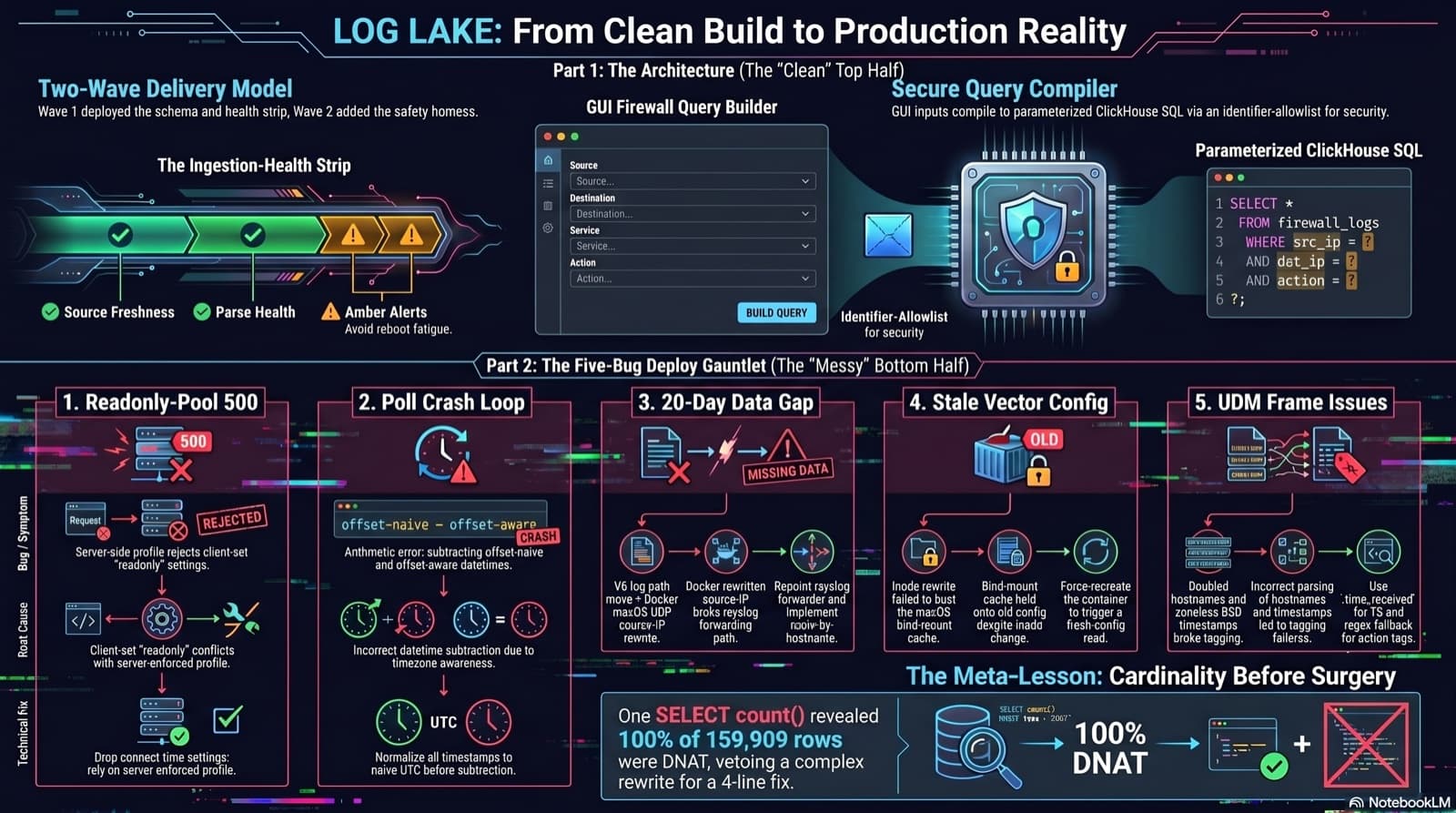
Part 6 of the home network dashboard build. The LOG LAKE panel ships a SIEM ingestion-health strip and a GUI firewall query builder that compiles to parameterized ClickHouse under the hood. One PR, two waves, 1193 backend tests at merge. Then deploy day on the live Mac mini produced five production-only bugs in a single afternoon: a readonly-pool 500, a timezone-mixed poll crash that had been firing every five minutes for hours, a 20-day-silent Pi-hole pipeline (two layers stacked), a Vector container reading a stale bind-mounted config, and a UDM doubled-hostname frame that silently broke action derivation for 159,909 rows. The meta-lesson is that the proposed fix for the last one was an invasive Vector source rewrite that the persona team vetoed in favor of an operator toggle and a four-line MV recreation.
Comments
Subscribers only — enter your subscriber email to comment