
Build Your Family a Wikipedia: A Blueprint for Self-Hosted Biography Pages
I wanted a living document for my family, something like a private Wikipedia where we could record accomplishments, life stories, and milestones. Here is the complete blueprint: gathering source material, multi-agent orchestration, a 5-phase pipeline, PII protection, and a one-prompt quick start.
One blueprint, three parallel agents, zero external dependencies. That is what it takes to turn a folder of documents into a Wikipedia-style biography page for anyone in your family.
The idea was simple: I wanted an internally hosted wiki page for my family. A living document we can keep updated with accomplishments, career milestones, education, and our life stories. Not a social media profile. Not a genealogy tree. A proper, encyclopedic page for each person, styled like a Wikipedia article, with citations linking every claim to a source document.
This post walks through the complete blueprint so you can do the same thing. We will cover gathering source material, structuring it for Claude Code's multi-agent pipeline, running the build, and hosting the result. Everything from start to finish.
What You'll Build
A fully self-contained HTML page styled like a Wikipedia article, complete with an infobox sidebar, table of contents, numbered citations, and category tags. It works offline, requires no CDN, and can be opened in any browser or hosted anywhere you serve static files.
Why a Family Wiki?#
Social media profiles are curated highlight reels. LinkedIn is a professional marketing tool. Genealogy sites focus on dates and lineage, not stories.
None of those are what I wanted. I wanted a place to document the full picture of a person's life: where they grew up, what they studied, where they served, what they built, who they married, what they are proud of. Written in neutral, factual prose with sources, not in first-person bragging. Something the family can reference, update, and pass along.
Wikipedia's article format is perfect for this. It is structured, citation-heavy, and designed for factual content. The challenge is building one without spending weeks writing and formatting by hand.
That is where Claude Code and multi-agent orchestration come in.
The Blueprint at a Glance#
Here is the full workflow in one view before we dig into each piece:
- Gather source material (documents, narratives, or both)
- Create a facts file (the source of truth that overrides everything)
- Organize into clusters (group documents by life domain)
- Run the pipeline (captain agent orchestrates parallel researchers)
- Review and publish (check the output, host it anywhere)
The pipeline itself has five phases, which we will walk through in detail. But the key insight is this: you do not write the biography. You gather the raw material, tell Claude Code how it is organized, and the multi-agent pipeline produces the page. Your job is editorial review at the end.
Step 1: Gather Your Source Material#
The quality of the biography depends entirely on the quality of what you feed in. More sources means a richer, more accurate page. But you do not need a filing cabinet full of official documents. Even three to five good text files produce an excellent result.
What to Collect#
Here is a quick reference for the types of documents that work well, organized by life domain.
| Domain | High Priority | Medium Priority |
|---|---|---|
| Professional | Current resume, LinkedIn export | Older resumes, certifications, press mentions |
| Education | Transcripts, diplomas | Honors, published papers, thesis |
| Military/Service | DD214, service records | Deployment orders, award citations |
| Personal | Interviews, feature articles | Social media profiles, blog posts |
| Creative | Portfolio, patents, publications | Speaking engagements, media appearances |
Don't Have Official Documents? Write Your Own
You do not need formal paperwork. Self-written narratives work just as well as source material. The key is including specific dates, names, and facts. A 200-word paragraph about your career trajectory is just as useful as a scanned resume.
The "Write Your Own" Option#
This is the part that makes the blueprint accessible to everyone, not just people with a folder of HR documents. Create simple text files covering different aspects of your life.
Professional narrative example:
I started my career in 2008 as a junior developer at Acme Corp in Denver.
Over four years I progressed from junior to senior developer, primarily
working on the inventory management system. In 2012, I moved to TechStart
Inc as a team lead, managing a team of 5 developers building mobile apps...
Education narrative example:
I graduated from State University in 2007 with a BS in Computer Science.
During my time there, I was on the Dean's List for 3 semesters and completed
a senior capstone project on distributed systems. I later earned a Master's
in Information Security from Online University in 2015...
Personal narrative example:
I married Sarah in 2010. We have two children: Emma (born 2012) and James
(born 2015). Outside of work, I coach youth soccer and volunteer at the
local food bank. I'm an avid hiker and have completed 12 of Colorado's
14ers...
The critical thing: include specific dates, names, locations, and facts. The pipeline can work with narrative prose, but it cannot invent dates you did not provide.
Step 2: Create Your Facts File#
Before running anything, create a JSON file that represents your ground truth. This file is the highest-authority source in the entire pipeline. It overrides anything found in documents.
{
  "full_name": "YOUR FULL NAME",
  "date_of_birth": "Month Day, Year",
  "place_of_birth": "City, State/Country",
  "current_residence": "City, State (optional)",
  "education": [
    {
      "institution": "University Name",
      "degree": "Degree Title",
      "field": "Field of Study",
      "graduation_year": "YYYY"
    }
  ],
  "career_highlights": [
    {
      "employer": "Company Name",
      "title": "Job Title",
      "start_year": "YYYY",
      "end_year": "YYYY or present",
      "note": "Any important context"
    }
  ],
  "military_service": [
    {
      "branch": "Branch Name",
      "start_year": "YYYY",
      "end_year": "YYYY",
      "rank_at_separation": "Rank",
      "note": "e.g., concurrent with civilian career"
    }
  ],
  "family": [
    {
      "relationship": "Spouse/Child/etc.",
      "name": "Name",
      "date": "Relevant date"
    }
  ],
  "other_facts": [
    "Any other facts you want to be definitive"
  ],
  "privacy_exclusions": [
    "List anything you do NOT want in the biography"
  ]
}
Delete sections that don't apply. Add sections that do. The structure is flexible.
The privacy_exclusions Field Matters
This is not optional decoration. If there are topics, names, or facts you want explicitly left out of the final biography, list them here. The pipeline respects this field at every stage. Researchers will skip excluded topics, the captain will verify they are absent, and you get a final review before publishing.
Save this file as biography/data/user-provided-facts.json.
Step 3: Organize Into Clusters#
Group your source documents into two to four clusters based on life domain. Each cluster gets assigned to a dedicated researcher agent that will analyze those documents in parallel.
Four Cluster Patterns#
Choose the pattern that best fits the biography subject:
| Pattern | Cluster 1 | Cluster 2 | Cluster 3 |
|---|---|---|---|
| Professional Focus | Career + Professional | Education + Credentials | Personal + Public Life |
| Military Background | Military/Government | Civilian Career | Education + Personal |
| Academic Focus | Academic Career | Industry + Applied | Education + Personal |
| Creative/Public Figure | Creative Works | Professional Career | Personal + Background |
Most people fit Pattern A (Professional Focus) or Pattern B (Military Background). The exact cluster boundaries are not critical. What matters is that each cluster contains documents about a coherent life domain, so the researcher agent has enough context to produce structured findings.
The Source Manifest#
Create a simple JSON file listing which documents belong to which cluster:
{
  "clusters": [
    {
      "name": "career",
      "researcher_name": "Career Researcher",
      "sources": [
        {"filename": "resume-2024.txt", "type": "resume", "description": "Current resume"},
        {"filename": "linkedin-export.txt", "type": "profile", "description": "LinkedIn data"}
      ]
    },
    {
      "name": "education",
      "researcher_name": "Education Researcher",
      "sources": [
        {"filename": "transcript.txt", "type": "transcript", "description": "University transcript"}
      ]
    },
    {
      "name": "personal",
      "researcher_name": "Personal Life Researcher",
      "sources": [
        {"filename": "personal-narrative.txt", "type": "narrative", "description": "Self-written life story"}
      ]
    }
  ]
}
Save this as biography/data/source-manifest.json. The pipeline reads this file to know which researcher gets which documents.
The Two-Path Approach: NotebookLM vs. Local Files#
Here is where things get interesting. The pipeline supports two paths for getting source material into the system, and they converge into the same researcher pipeline.
Swipe to see the full diagram · Tap to enlarge
Path A: NotebookLM MCP Integration#
If you have the NotebookLM MCP server configured in Claude Code, you get a powerful document extraction layer. The captain agent connects to NotebookLM, uploads your source documents, and uses AI-powered extraction to pull structured content out of PDFs, images, scanned forms, and dense official documents.
What NotebookLM adds that plain text files cannot:
-
PDF and image understanding. NotebookLM reads scanned documents, certificates, infographics, and handwritten notes. If your DD214 is a scanned PDF or your career timeline is an infographic, NotebookLM extracts the facts.
-
Dense form parsing. Official forms (military discharge papers, transcripts, tax documents) are highly structured and hard to read as raw text. NotebookLM's AI summaries extract the key facts in plain language.
-
Cross-document queries. You can ask "What year did the subject start working at Company X?" and NotebookLM searches across all uploaded sources simultaneously.
-
Image-based sources. Career journey infographics, organizational charts, certificates with seals. These cannot be read as text files, but NotebookLM can answer questions about them.
The extraction workflow looks like this:
For text-based sources:
  source_get_content -> save to ./biography/data/raw/{source-name}.txt

For dense/complex sources (official forms, transcripts):
  source_describe -> save AI summary to ./biography/data/raw/{source-name}-summary.txt

For image-based sources:
  notebook_query with targeted questions -> save to ./biography/data/raw/{source-name}-query.txt
NotebookLM Rate Limits
The free tier allows roughly 50 AI queries per day. A typical biography with 10 to 15 sources uses about 20 to 25 queries. Well within the limit for a single biography build.
Path B: Local Text Files Only#
You can skip NotebookLM entirely. If all your sources are already in text format (or you can copy-paste the content), just place your .txt files in the source directory and go. No MCP server, no Google account, no external dependencies.
The researcher agents read local text files regardless of how those files were created. Whether the captain extracted them from NotebookLM or you typed them yourself, the downstream pipeline is identical.
When to skip NotebookLM:
- All your sources are already text (or easily copy-pasteable)
- You don't have image-based sources
- You prefer writing narratives yourself
- You want zero external dependencies
Start with Path B
If you are trying this for the first time, start with Path B. Write two or three narrative text files, run the pipeline, and see the output. You can always upgrade to NotebookLM later if you have sources that need AI extraction.
The Captain-Coordinator Architecture#
This is the engine that makes the whole thing work. The pipeline uses a captain-coordinator pattern where one main agent orchestrates everything and spawns specialized sub-agents for parallel analysis.
Swipe to see the full diagram · Tap to enlarge
Why This Architecture Exists#
The captain pattern exists because of a practical constraint in Claude Code: background agents cannot access MCP tools. This is a known limitation (issue #21560). If you spawn a background agent and ask it to call NotebookLM, it fails silently.
The solution is elegant:
- The captain (your main Claude Code session) handles all MCP interactions and orchestration
- The captain saves extracted content to local text files
- Researcher agents are spawned in parallel, each reading only local files
- Researchers return structured findings to the captain
- The captain synthesizes everything into the final biography
Even if you are not using NotebookLM, this architecture pays for itself in speed. Three researchers analyzing documents simultaneously is significantly faster than one agent reading everything sequentially.
The MCP Limitation Is Real
This is not a theoretical concern. If you try to give a background agent MCP tool access, the tools simply do not appear in its context. The captain-coordinator pattern is the standard workaround for any Claude Code workflow that needs both MCP tools and parallel execution.
Team Roles#
| Role | Model | Responsibility |
|---|---|---|
| Captain (main session) | Opus or Sonnet | Orchestrates pipeline, extracts content (if using MCP), cross-references facts, resolves conflicts, writes prose, coordinates HTML build |
| Researcher 1 | Sonnet | Analyzes Cluster 1 documents, produces structured findings |
| Researcher 2 | Sonnet | Analyzes Cluster 2 documents, produces structured findings |
| Researcher 3 | Sonnet | Analyzes Cluster 3 documents, produces structured findings |
| HTML Builder | Sonnet | Converts finalized biography markdown into Wikipedia-styled HTML/CSS |
What Each Researcher Produces#
Every researcher agent receives the same core instructions, adapted for their cluster. They read their assigned source files, read the user-provided facts file, and produce a structured findings JSON:
{
  "researcher": "career-researcher",
  "sources_processed": [
    {
      "source_title": "Resume 2024",
      "facts": [
        {
          "category": "employment",
          "fact": "Served as Senior Developer at TechCorp from 2018 to present",
          "confidence": "high",
          "verbatim_quote": "Senior Developer, TechCorp (2018-present)"
        }
      ]
    }
  ],
  "timeline_events": [
    {
      "date": "2018",
      "date_precision": "year",
      "event": "Joined TechCorp as Senior Developer",
      "source": "Resume 2024",
      "concurrent_with": null
    }
  ],
  "people_mentioned": [],
  "organizations_mentioned": ["TechCorp"],
  "locations_mentioned": ["Denver, CO"],
  "awards_honors": [],
  "certifications": [],
  "unresolved_questions": [],
  "contradicts_user_facts": []
}
Critical rules every researcher follows:
- Strip all PII. No SSNs, addresses, phone numbers, student IDs, service numbers, account numbers, or email addresses.
- Convert resume language to neutral facts. "Spearheaded" becomes "led." "Revolutionized" becomes "redesigned."
- Note timeline overlaps. Concurrent military and civilian service is expected, not a conflict.
- Flag contradictions. If a document contradicts the user-provided facts, flag it. The captain resolves it.
The 5-Phase Execution Pipeline#
Here is the full pipeline from source documents to finished biography page.
Swipe to see the full diagram · Tap to enlarge
Phase 1a: Content Extraction (Captain)#
If you are using NotebookLM, the captain extracts content from each source via MCP tools and saves the results to local text files. If you are using local files, skip this phase entirely. Your .txt files are already in place.
Phase 1b: Parallel Research (Researcher Agents)#
The captain spawns two to four researcher agents simultaneously (one per cluster). Each reads their assigned files plus the user-provided facts file, then produces a structured findings JSON.
The prompt template the captain uses to spawn each researcher:
You are the [Cluster Name] Researcher for a biography project.

Your job is to analyze the following source documents and extract
structured biographical facts. Read each file carefully and produce
a findings JSON file.

Source files to analyze:
- [list of file paths]

Also read the user-provided facts file at [path].
These facts are the HIGHEST AUTHORITY source. If any document
contradicts these facts, flag the contradiction but defer to
the user-provided facts.

CRITICAL RULES:
1. Strip ALL personally identifiable information
2. Convert promotional resume language to neutral facts
3. Note timeline overlaps (they may be intentional)
4. Include verbatim quotes where they add value
5. Flag anything uncertain with confidence: "low"

Save your findings to [output path].
Phase 2: Research Synthesis (Captain)#
The captain reads all researcher findings and merges them:
- Builds a unified, chronological timeline
- Marks concurrent periods (e.g., Guard service overlapping civilian career)
- Cross-references facts across clusters (two or more source corroboration = high confidence)
- Identifies gaps, overlaps, and contradictions
- Builds a deduplicated registry of people, organizations, and locations
Phase 3: Conflict Resolution and Gap Filling (Captain)#
The captain resolves conflicts using a strict source authority hierarchy:
| Authority Level | Source Type |
|---|---|
| 1 (highest) | User-provided facts |
| 2 | Official government/military documents |
| 3 | Official academic records |
| 4 | Most recent professional documents |
| 5 | Promotion or award documentation |
| 6 | Older professional documents |
| 7 | Feature articles, interviews |
| 8 | Social media profiles |
| 9 (lowest) | Image-based sources |
For critical conflicts (different employers for the same period, conflicting dates that change the narrative), the captain asks you directly. Minor conflicts like spelling variations or title abbreviations get resolved automatically.
After resolving conflicts, the captain identifies sections where no source material exists and asks you for clarification. Common gaps: birthplace, early life, community involvement, hobbies.
Phase 4: Content Writing (Captain)#
The captain writes the full biography in Wikipedia-style prose:
- Third person throughout. "Johnson served..." not "I served..."
- Past tense for completed events, present for current roles
- No superlatives unless directly quoted
- Neutral, encyclopedic tone (Wikipedia's Neutral Point of View policy)
- Every factual claim gets a citation marker
[1],[2], etc. - Citation list at the bottom mapping numbers to source documents
The suggested page sections (adapt to fit the subject's life):
- Lead Section (no heading): 2 to 3 paragraph summary
- Infobox (right sidebar): key facts at a glance
- Table of Contents (auto-generated)
- Early Life and Education
- Career (with chronological subsections)
- Military Service (if applicable)
- Certifications and Skills (if substantial)
- Personal Life (only what the subject approves)
- Awards and Honors (if enough to warrant a section)
- Community Involvement (if applicable)
- References (numbered footnotes)
- Categories (Wikipedia-style tags)
Phase 5: HTML/CSS Build (HTML Builder Agent)#
The captain spawns an HTML builder agent that converts the finalized biography markdown into a self-contained HTML page. The CSS specifications produce a page that looks and feels like a Wikipedia article:
- Body font: Georgia, serif
- Content width: max 960px, centered
- Color scheme: light gray body (#f6f6f6), white content (#fff), blue links (#0645ad)
- Infobox: right-floated, light blue/gray header (#b0c4de)
- TOC: bordered box with #f8f9fa background
- Citations: superscript numbered links
- Responsive: infobox stacks above content on mobile
- Fully offline: no external fonts or CDNs
The output is styled as a personal encyclopedia page, not a Wikipedia impersonation. Your name in the title bar, not "Wikipedia."
PII and Privacy Protection#
This is the part you cannot skip. Biography source documents often contain sensitive personal information that must never appear in the final output. Military discharge papers have SSNs. Transcripts have student IDs. Resumes sometimes include home addresses.
Swipe to see the full diagram · Tap to enlarge
What Gets Stripped#
| Category | Examples | Action |
|---|---|---|
| Government IDs | SSN, passport, driver's license | Strip completely |
| Financial | Bank accounts, tax IDs, salary | Strip completely |
| Contact info | Phone, home address, personal email | Strip completely |
| Student IDs | University student numbers | Strip completely |
| Service numbers | Military service numbers, employee IDs | Strip completely |
| Medical | Health info, disability ratings | Strip completely |
| Credentials | Passwords, tokens, auth data | Strip completely |
The Five Safeguards#
-
Raw data is git-ignored. Add your
biography/data/raw/directory to.gitignore. Source files should never be committed. -
Researchers strip PII. Every researcher agent has explicit instructions to remove all PII from their findings JSON. The instructions are in the prompt, not optional.
-
Captain verifies. Before writing prose, the captain scans the merged findings for any PII that leaked through the researcher layer.
-
Privacy exclusions. The
privacy_exclusionsfield in your facts file tells the pipeline to avoid specific topics entirely. -
Human review. You review the final biography before sharing or publishing. This is the last line of defense and the most important one.
What to Include vs. Exclude
Generally safe to include: job titles, employer names, education institutions, military branch and general service dates, published awards. These are already public-record information. Ask before including: children's names and birth dates, spouse's full name, specific home locations, health information, financial details. When in doubt, leave it out and add it later after the subject reviews.
The Output#
When the pipeline finishes, you get a clean directory structure:
biography/
  index.html                          # The final Wikipedia-style page
  css/
    wikipedia.css                     # MediaWiki-inspired stylesheet
  images/
    placeholder.svg                   # Silhouette (or replace with your photo)
  data/
    raw/                              # Raw extracted content (git-ignored)
    user-provided-facts.json          # Your source of truth
    source-manifest.json              # Cluster assignments
    career-findings.json              # Researcher outputs (PII stripped)
    education-findings.json
    personal-findings.json
    consensus-record.json             # Conflict resolutions
    biography-content.md              # Final prose before HTML conversion
The index.html is self-contained. Double-click it to open in your browser. Email it to a family member. Drop it on any web server. It just works.
Quick Start: The One-Prompt Version#
If you want to skip the explanation and just run it, here is the complete setup:
1. Create the directory structure:
mkdir -p biography/data/raw
2. Add your source documents (text files or narratives) to biography/data/raw/
3. Create biography/data/user-provided-facts.json using the template from Step 2 above
4. Create biography/data/source-manifest.json using the template from Step 3 above
5. Open Claude Code and give it this prompt:
I want to build a Wikipedia-style biography page. My source documents
are in biography/data/raw/, my facts file is at
biography/data/user-provided-facts.json, and my source manifest is at
biography/data/source-manifest.json.

Please execute the full pipeline: extract and analyze sources using
parallel researcher agents (one per cluster), synthesize findings,
resolve conflicts (ask me about any critical ones), write the biography
in Wikipedia-style prose, and build the final HTML page.
That is the entire quick start. Claude Code reads the manifest, spawns the researcher agents, synthesizes the findings, writes the prose, and builds the HTML. You review the output and make corrections.
How Long Does It Take?
A typical biography with 5 to 10 source documents takes 3 to 8 minutes, depending on the model and the amount of source material. The parallel researcher phase is the fastest part. The content writing and HTML build phases take the most time because they are sequential (the captain does them itself).
Customization#
Adjusting the Number of Researchers#
Three researchers is the default, matching the three most common life domains (professional, education, personal). For a simpler biography, use two. For someone with a very diverse background (military plus civilian plus academic plus creative), use four. Match the researcher count to the number of distinct life domains you want to cover.
Choosing Page Sections#
Not every biography needs every section. A quick guide:
| Section | Include when... |
|---|---|
| Early Life and Education | Almost always |
| Military Service | Subject served in the military |
| Career | Almost always |
| Certifications and Skills | Notable professional credentials |
| Personal Life | Subject wants personal details included |
| Awards and Honors | 3+ notable awards |
| Community Involvement | Significant volunteer or civic work |
| Creative Works | Artist, writer, or creator |
| Publications | Published research or books |
Adding a Photo#
Replace images/placeholder.svg with your own photo. Update the <img> tag in index.html to point to your image file. Portrait orientation, roughly 200x250 pixels, works best in the infobox.
Hosting Options#
The output is static HTML. You can:
- Open locally: Double-click
index.htmlin your browser - GitHub Pages: Push to a repo, enable Pages in settings
- Vercel or Netlify: Drop the folder and deploy
- Personal server: Copy to any web server's public directory
- Share directly: Email or message the HTML file (it is self-contained)
- Family NAS: Put it on a shared network drive everyone can access
For the "family wiki" use case, a shared NAS or a simple internal web server is probably the right call. Everyone on the local network can access it, and anyone can submit updates by providing new source material.
Iterative Updates (The "Living Document" Part)#
This is what makes it a living document rather than a one-time project. After the first build:
- Add new source documents and re-run specific researcher agents to update a section
- Ask Claude Code to expand a thin section with more detail from new material
- Provide additional clarifications to fill gaps you noticed in the first draft
- Adjust the tone or add/remove sections based on the subject's feedback
Each family member's page can evolve independently. A child graduates? Add the diploma to their sources and re-run. Someone gets a new job? Update the career narrative. The pipeline is designed for incremental updates, not just one-shot generation.
Troubleshooting#
"My researcher agents aren't finding anything"
Make sure your source files are plain text (.txt). If they are PDFs or images, you need NotebookLM to extract the content first, or manually copy the text content into .txt files.
"The timeline has conflicts" This is normal. The captain resolves minor conflicts using the source authority hierarchy. For critical conflicts (different employers for the same period, conflicting dates), it asks you directly.
"I don't have many documents" Write your own narratives. Even two or three well-written text files covering professional life, education, and personal background produce a good biography. Documents provide context for Claude, not a minimum count requirement.
"The HTML doesn't look right" Ask Claude Code to fix specific issues. Common requests: "make the infobox narrower," "increase the font size," "fix the mobile layout." The CSS is in a separate file and easy to adjust.
"I want to add a section later" Ask Claude Code: "Add a 'Publications' section to my biography page with the following information..." It updates both the markdown content and the HTML.
Lessons Learned#
Start Simple, Add Complexity Later
Your first biography page should use Path B (local text files, no MCP) with two or three self-written narratives. Get comfortable with the output before investing in NotebookLM integration or collecting official documents. The pipeline works just as well with simple text files.
The Facts File Is Your Safety Net
If you put nothing else in the facts file, put the privacy_exclusions field. This is your explicit contract with the pipeline about what should never appear in the output. Do not rely on the researcher agents to figure out what is sensitive on their own.
Three Researchers Is the Sweet Spot
Two researchers can leave gaps between life domains. Four researchers can produce redundant findings that the synthesis phase has to deduplicate. Three (one per major life domain) consistently produces the most coherent output with minimal conflict resolution.
The Captain Pattern Is Reusable
The captain-coordinator architecture from this blueprint works for any Claude Code project that needs both MCP tool access and parallel agent execution. It is not biography-specific. The pattern: captain extracts via MCP, saves to local files, spawns parallel agents that read local files only, captain synthesizes results.
The Bigger Picture#
This started as a personal project: build a Wikipedia page for myself, then for my family members. It turned into a reusable blueprint because the architecture is general-purpose. Swap in your own documents, adjust the clusters, and the pipeline produces a Wikipedia-quality biography for anyone.
The full blueprint (with all the JSON templates, cluster patterns, CSS specifications, and acceptance criteria) lives at docs/plans/shareable-biography-blueprint.md in the CJClaude_1 project. This post covers the concepts and workflow. The blueprint has every implementation detail you need to run it yourself.
For anyone who has wanted to document their family's stories in something more structured than a photo album and more personal than a genealogy site, this is the approach. Static HTML pages, version-controlled source material, and an AI pipeline that does the heavy lifting of synthesis and formatting. A living, updatable family wiki.
Written by Chris Johnson and edited by Claude Code (Opus 4.6). The shareable biography blueprint is available for anyone to use. No specific setup, directory paths, or accounts are assumed beyond Claude Code itself.
Weekly Digest
Get a weekly email with what I learned, summaries of new posts, and direct links. No spam, unsubscribe anytime.

Related Posts
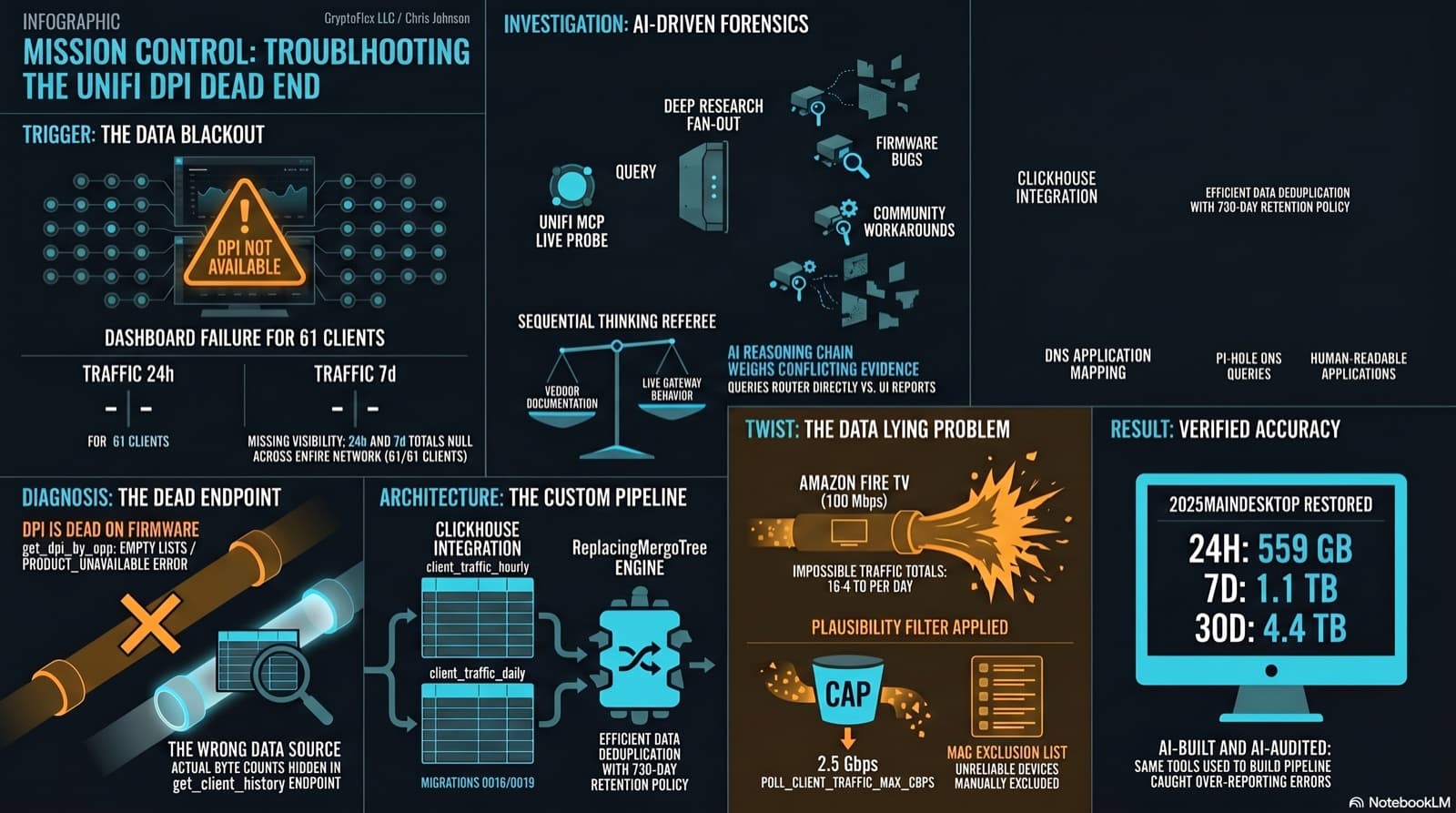
The Clients page showed "--" for traffic and "DPI not available for this device" for applications. The investigation found that per-app DPI is genuinely dead on this firmware, but per-client hourly byte buckets are alive and well in a different endpoint the dashboard was never reading. Fix the source, accumulate in ClickHouse, reconstruct Top Applications from Pi-hole DNS, and then discover that some clients are reporting physically impossible volumes. One afternoon, one commit (e07a8ac, 27 files), three confessional asides, and a plausibility cap that became load-bearing.
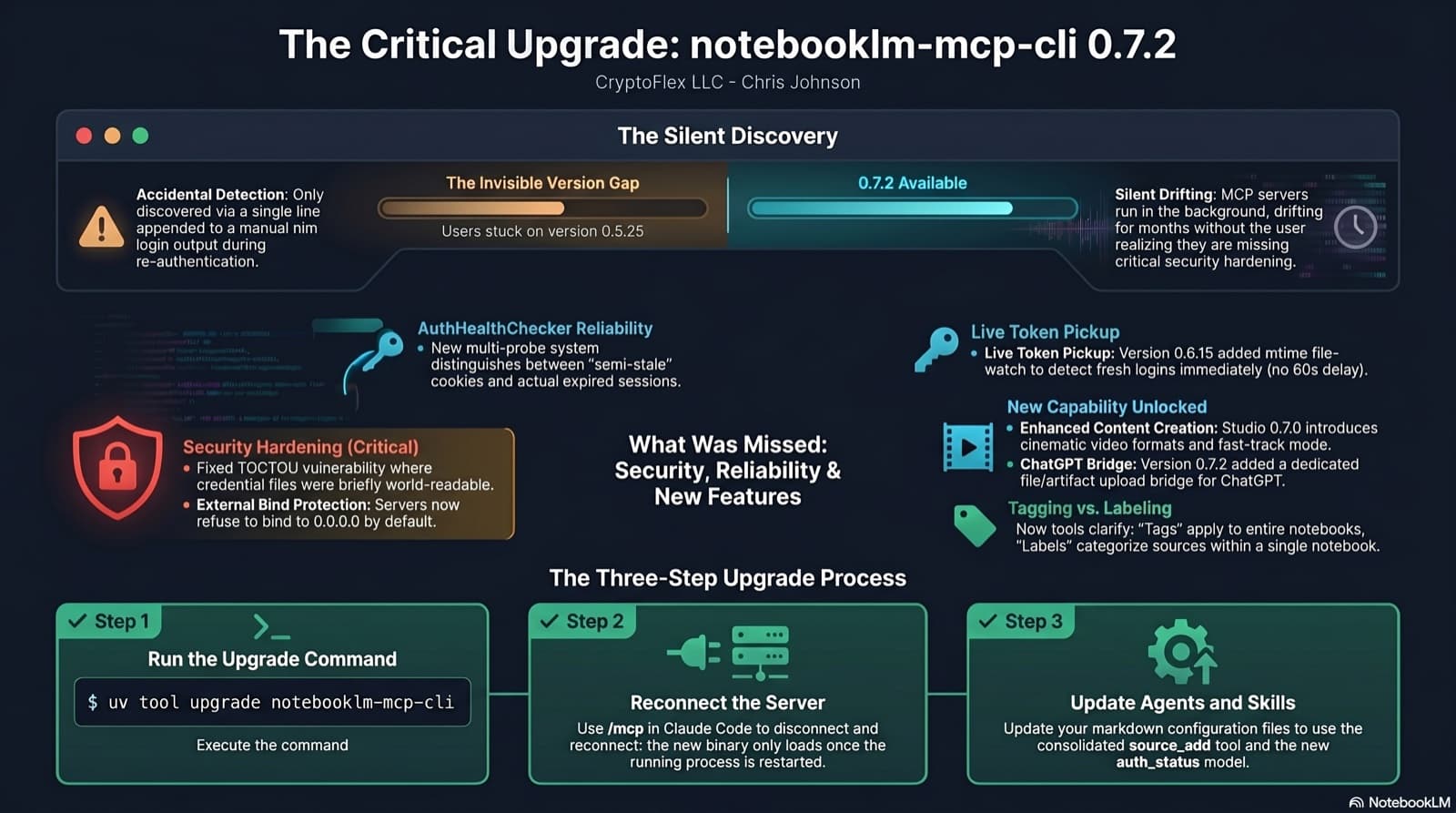
I was two minor versions behind on notebooklm-mcp-cli and had no idea until a re-auth banner interrupted a session. The gap was 0.5.25 to 0.7.2. Security fixes, auth reliability improvements, and new features I was missing the whole time. Here is the three-part upgrade that most people stop after step one.
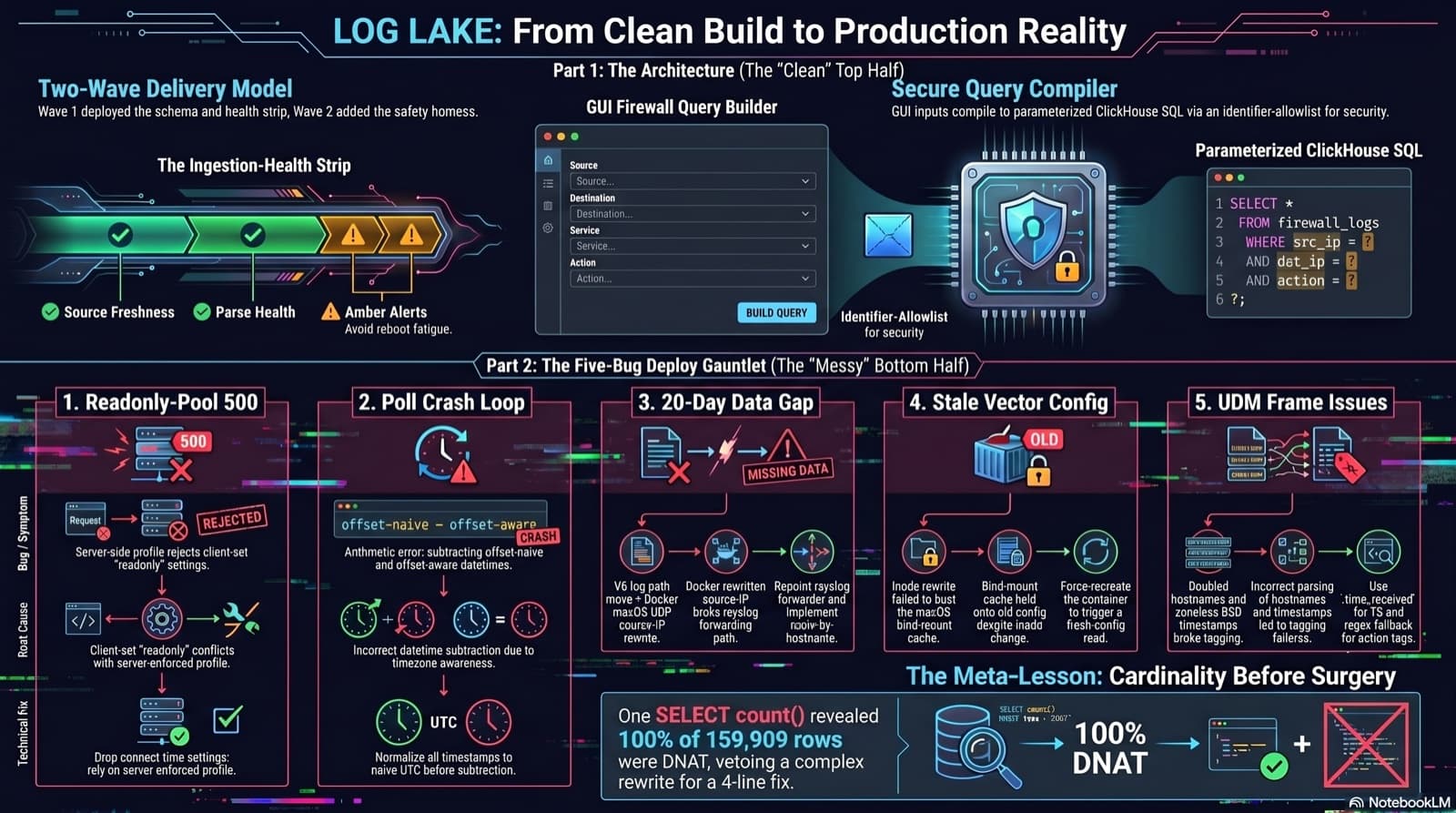
Home Network Mission Control: The LOG LAKE Panel, Five Deploy Bugs, and a Vetoed Bytes-Codec Rewrite
Part 6 of the home network dashboard build. The LOG LAKE panel ships a SIEM ingestion-health strip and a GUI firewall query builder that compiles to parameterized ClickHouse under the hood. One PR, two waves, 1193 backend tests at merge. Then deploy day on the live Mac mini produced five production-only bugs in a single afternoon: a readonly-pool 500, a timezone-mixed poll crash that had been firing every five minutes for hours, a 20-day-silent Pi-hole pipeline (two layers stacked), a Vector container reading a stale bind-mounted config, and a UDM doubled-hostname frame that silently broke action derivation for 159,909 rows. The meta-lesson is that the proposed fix for the last one was an invasive Vector source rewrite that the persona team vetoed in favor of an operator toggle and a four-line MV recreation.
Comments
Subscribers only — enter your subscriber email to comment