
My Claude Code Harness Grew Up Ad Hoc. So I Built It a Doctor.
Eight months of one-session-at-a-time skills, hooks and agents had never been checked. Part 1 of the Claude Harness Modernization series: the plan, and the audit tool that found a hook that could run for 83 minutes and a Windows guard that never blocked anything.
One of my hooks had a timeout of 5000. I meant five seconds. Claude Code reads that number as seconds, so on a bad day the hook could have run for 83 minutes before anything stopped it.
Nothing had ever told me. That's the whole problem with a harness you build one session at a time: it grows, it mostly works, and nobody checks.
What Eight Months Left Behind#
The harness is everything in the ~/.claude folder: skills, commands, agents, workflows, hooks, rules, scripts, MCP servers and memory. It was never designed. Each piece showed up because a session needed it that afternoon, and then the session ended and the piece stayed.
What is a harness?
In this series, the harness is the pile of configuration and glue that sits around Claude Code: instructions, tools, automation and memory. It's the part of a setup that belongs to you, as opposed to the part that comes with Claude Code.
When I finally counted, this is what was there.
| Component | Count at the start |
|---|---|
| Skills | 18 (plus 3 loose .md files and 44 duplicated learned/ notes) |
| Legacy commands | 9 |
| Agents | 26 |
| Workflows | 2 |
| Hook registrations | 11 (bash scripts with PowerShell twins, dispatched through hooks/dispatch.sh) |
| Scripts | 47 |
| MCP servers | 10 |
| Plugins | 5 |
| Mods | 1 |
| Global rule files | 15 |
| Memory systems | 4 |
The four memory systems nagged at me most. There was Claude Code's built-in auto memory, a vector memory MCP server, the homunculus observation and instinct system, and a session archive. Four ways to remember things, built at four different times, with no rule for which one wins.
All of it also lives on two machines, a Mac and a Windows PC, kept in sync with Syncthing (a LAN-only folder that's send-only from the Mac). Why "send-only" matters comes up later, when the PC enters the story.
Swipe to see the full diagram · Tap to enlarge
The Request That Started It#
I opened a session with this, typos included:
"I want to conduct a claude code harness modernization project. Essentially over the last 8 months I have matured as a AI dev engineering along with the capabilities of Claude code. During that time I created so many skill that just were good skills, my .claude files aren't orgainized, I'm not really taking advantage of the built in features like auto memory and where that might conflict with some of my bespoke memory systems. I really just want to evaluate if all of my skills, commands, hooks are working properly, can their be consolidation and even improvements to my agents, skills, and slash commands."
The last sentence is the real ask. I wanted to know whether any of it still worked, and I had no way to find out.
Claude Code changed underneath the harness in the meantime, and I hadn't been reading the changelog closely enough. Built-in auto memory arrived. Commands were merged into skills, and when a skill and a command share a name, the skill wins. Unknown frontmatter keys are silently ignored, so a typo in a key doesn't error, it just does nothing. The hook docs now spell out exactly when plain stdout reaches the model, and my hooks were written before I knew that.
The models changed too. Nothing in the setup verified that any of it still worked.
Brainstorm First, Then Plan Mode#
I asked for a brainstorm with clarifying questions before anything else, then planning in plan mode with sequential thinking. The Superpowers plugin handled the brainstorming only. I also told the session to "fan out agent and run as much in parallel as possible" and "Use as many agents as you need for this session." If I'm going to ask a harness to audit itself, I may as well use the harness.
The brainstorm answers were short. The primary goal was "Everything verifiably works." Unused components could be archived, but only after I approved each one. The PC stayed in scope. On memory I picked "Let evidence decide," which meant no ruling on the four systems until there was data to rule with.
The last question was about the deliverable, and "Repeatable health check" was the option that bent the project. My request had been phrased as an evaluation, which sounds like something you do once and file away. A repeatable check turns the audit tool into the product and the cleanup into its first run.
Plan mode asked a second round:
- Check depth: "Static + sandboxed live," meaning read the files, and also run the hooks for real in a safe place.
- Research: runs in parallel with the audit.
- Usage window: 90 days, plus all history.
- Trivial fixes: happen in the audit sub-project. Everything else gets routed to the sub-project that owns it.
- The git question: whether
~/.claudeshould be a proper git clone waits for the last sub-project. - Findings: delivered as markdown plus a private review page, so they can be clicked through instead of read out of a terminal.
Approach A: Build the Doctor First#
The plan calls the chosen route Approach A: build a repeatable /harness-doctor first, and use it as the audit. Once the audit is a tool, any later change can be checked by running it again.
After the doctor (SP0), the project splits into four sub-projects, SP1 to SP4, each with its own spec, plan and build cycle and each gated on the doctor passing on both the Mac and the PC.
Swipe to see the full diagram · Tap to enlarge
| Sub-project | Scope | Status when this was written |
|---|---|---|
| SP0 | The audit and /harness-doctor | Merged |
| SP1 | Memory | Live, with checks and cleanup left |
| SP2 | Consolidation of skills, commands, agents and workflows | Not started |
| SP3 | Hooks, settings and rules | Not started |
| SP4 | Hygiene and distribution (sync, git, public repo, installer) | Not started |
The gate is what keeps the whole thing honest. Every later change has to leave the doctor green on both machines, so the tool being used to verify the harness can't be quietly broken along the way. The doctor also doesn't fix anything beyond the trivial. Each result carries a route (sp0 through sp4) naming who owns the fix, and that's how a finding about hook timeouts ends up split between SP1 and SP3.
There was one standing rule: no git operations inside ~/.claude until SP4. That folder is a stale clone of the public claude-code-config repo, and committing into it mid-audit was asking for trouble. So every fix got a snapshot of the original, an entry in a fix log, and a commit only in the private project repo, CJClaudin_Mac.
What /harness-doctor Actually Is#
The doctor is one cross-platform Python package, standard library only, targeting Python 3.9 and up. That floor comes from the Mac, whose system Python is 3.9 (the PC has 3.13). It's tested with pytest on 3.9 and 3.11, installs by copying into ~/.claude/scripts/harness_doctor, and a /harness-doctor skill wraps it.
Every check returns the same structured result: an id, a severity (critical, high, medium, low or info), a status (pass, warn, fail or skip), evidence with secrets redacted, a fix hint in plain language, and a route. The shared shape is what lets one report, and one review page, hold everything.
The check modules cover each kind of component (skills, commands, agents, workflows, hooks, settings, plugins and mods, MCP, rules, scripts, launchd), plus platform parity, distribution, memory evidence, and the doctor itself. That last one sounds like a joke, but a tool that audits everything except itself is how you get a green dashboard on a broken tool.
Swipe to see the full diagram · Tap to enlarge
The checks come in two flavors. Static checks read files and compare them with what Claude Code currently accepts. Live checks run things.
"What Claude Code currently accepts" needed a source of truth that wasn't my memory. While the doctor was being built, seven research tracks ran in parallel and wrote reports on how Claude Code behaves now: hooks, skills and commands, agents, memory, plugins, settings and workflows. Those reports fed a known_schema.json that the checks validate against. Without them, the checks would have encoded what I believed about Claude Code, which was exactly what had gone out of date.
The tests have one odd constraint. A pre-commit secret scanner blocks commits containing literal key prefixes, and a redaction feature needs fake secrets to redact. So the tests assemble those strings at runtime, from pieces. No fake secret is ever written as a literal in the repo, the scanner never fires, and the redaction code still gets exercised against realistic input.
Running Hooks Without Letting Them Touch Anything#
A hook is a script Claude Code runs on an event, like before a tool call or at session start. To know whether one works, it has to run. But these hooks write to real places: an activity log, observation files, a session archive, a vector database. So how do you run a hook for real without letting it touch live state?
The sandbox runs each hook exactly the way settings.json invokes it, with four differences:
- It runs inside a throwaway home folder.
- The environment is an allowlist, not a copy of the real one.
- Notification and network commands are replaced with no-op shims.
- A sentinel session id is planted for the run.
Afterward the doctor scans the real activity log, the homunculus observations, the session archive index and the vector database for that sentinel. If it finds the sentinel anywhere real, the sandbox leaked into live state, and that's a critical fail.
The design doesn't trust itself. The sandbox could be perfect or it could have a hole, and the sentinel scan says which without anyone having to reason about every path a hook might write to.
Plant a Canary
When you sandbox something that writes to shared state, don't just promise it's isolated. Give it a unique marker, run it, then search the real locations for the marker. A hit is proof of a leak, and no hits is evidence (not proof) that you're clean.
Probing MCP Servers#
The MCP probe spawns each server, performs the handshake, and asks for the tool listing. It never calls a tool, because some of these servers do real things when called.
The vector memory server needed the most care. Its probe was enabled only after it had been proven to write to a temp store. Until then the check was skipped, which is what the skip status is for.
Counting What I Actually Use#
Is this skill dead, or just quiet? The usage counter exists to answer that. It parses every transcript available: the session archive, the project transcripts, and the transcripts of subagents and workflow-spawned agents. It counts uses of skills, agents, MCP tools, slash commands and hooks over 30 days, 90 days and all time, and keeps an incremental cache so a rerun doesn't reparse eight months of transcripts.
A counter has to be trusted before its verdicts are, so it was checked against things that could be counted independently. firecrawl_search showed 365 calls. The code-reviewer agent showed 93. The /wrap-up command showed 117, and a hand count gave 116. An off-by-one on 117 isn't going to flip a keep or archive decision, so I let it stand.
The counter produced the list of unused candidates. It also taught a lesson that should have been obvious, and it comes up a few sections down.
What the Doctor Found#
So what was actually wrong? The first item is the one from the opening.
Hook timeouts in the wrong unit. Claude Code reads a hook's timeout in seconds, with a default of 600. The settings had 3000, 5000 and 10000, clearly meant as milliseconds. The 5000 one could run for 83 minutes. This got routed to SP1 and SP3, since the affected hooks belong to memory and to the broader hook cleanup.
The output channel was next. The docs say plain stdout on exit 0 reaches Claude for only four events: SessionStart, UserPromptSubmit, UserPromptExpansion and PostModelSwitch. The memory "nudge" hook (PostToolUse) and the "checkpoint" hook (Stop) printed plain text, so their reminders were most likely never seen by the model. That one went to SP1.
Then there was the skill Claude couldn't see. The blog-post skill's manifest was named skill.md, and it has to be SKILL.md. The fix is a rename, except the Mac's filesystem is case-insensitive, and a rename that only changes case can quietly fail to stick in some tools (and in sync software watching the folder). So it went through a temporary name in two steps.
The rest were smaller, and all got fixed in SP0. The frontmatter key user_invocable (with an underscore) should be user-invocable, and because unknown keys are silently ignored, the skill just never got the behavior. One agent file had no name, so it never loaded at all. Some commands had no frontmatter or no description. Seven scripts pointed at things that no longer existed, like a ~/.claude/todos lookup. An old memory maintenance job was still installed in launchd, and with my approval it was unloaded and archived.
None of these is dramatic alone. What stands out is how long each had been wrong without a single error message.
The Windows Exit Code Bug#
On the PC, the file-guard PreToolUse hook printed its "blocked" message when it should. It also exited 1 instead of 2. Claude Code only blocks a tool call on exit code 2.
So .env writes on the PC were never blocked. The guard said "blocked" and then the write went through anyway.
How does that happen? The harness runs its hooks as bash scripts with PowerShell twins, dispatched through hooks/dispatch.sh. The twin did the right thing and exited 2. Then Windows PowerShell 5.1, run with -Command, collapsed that exit 2 into exit 1 on the way out, and Claude Code never saw the code it blocks on. The script was correct. The shell swallowed the evidence.
The doctor's live sandbox found it because the sandbox checks the exit code, not just the output. A text-only check would have seen the correct message and passed it.
The fix is in dispatch.sh, which now runs the script like this:
powershell -Command ". '<script>'; exit $LASTEXITCODE"
The script runs by dot-sourcing, and the trailing exit $LASTEXITCODE hands its real exit code back to whatever called PowerShell. A hand test on the PC confirmed the fix.
From the outside, this bug looked like nothing. The hook ran. It printed the right words. Nothing in the session looked wrong. The only way to see it was to run the hook on the PC and read the exit code.
Test Both Halves of a Guard
A security hook has two outputs: a message and an exit code. Only the exit code is enforced. Run the guard on every platform it's installed on, and assert on the code, not the text.
The Doctor Cried Wolf Once#
The first live run also reported file-guard as critically broken on the Mac. That was alarming, because the Mac was supposed to be the good machine.
It wasn't broken. The sandbox was sending pretty-printed JSON, with newlines and indentation, and Claude Code sends compact JSON. So the doctor's fake input didn't look like the real thing, and the "failure" was the sandbox's own mistake. The sandbox got corrected to send compact JSON, and a payload-robustness check was added.
The lesson is about the checker, not the hook: a live check has to mimic the real input exactly, or it measures its own mistakes. I nearly dismissed it once I knew it wasn't a Mac bug, and I'm glad I didn't.
When "Zero Uses" Wasn't "Unused"#
The counter flagged the PPSK Wi-Fi key rotation skills as having zero transcript usage. I approved archiving them. Another session then needed them, and I restored them.
These skills run rarely and matter a lot when they run. Zero uses in 90 days, or in all of recorded history, just means no key was rotated in that window. A lesson went into memory for future sessions: security and network-ops tools get used rarely, so ask before archiving them.
The counter has blind spots by design, and the doctor now says so. Workflow-spawned agents, launchd scripts and silent hooks are hard or impossible to see in transcripts. Each unused candidate gets a tag:
| Tag | Meaning |
|---|---|
indirect | probably used through something else, like a workflow |
too_new | hasn't existed long enough to judge |
unobservable | the counter couldn't see it either way |
Those tags are why most "unused" candidates stayed put.
Taking It to the PC#
The PC steps were run one at a time, by me, pasting prompts into the PC's own Claude Code session. The Windows exit code bug came out of this run.
Here's where send-only bit. Because the Mac's Syncthing folder only sends, results from the PC couldn't come back through file sync. They came back through the review page's database instead. It's an odd path, but it worked.
Running on a second OS shook out a different class of bug:
- Windows path handling in several checks;
- plugin directory lists split on
:, which breaks drive letters likeC:; - Git Bash discovery, since the hooks need a bash on Windows;
- cp1252 decode errors, which are why every subprocess call now uses UTF-8 with replacement;
- one hook that had no PowerShell twin at all.
The cp1252 one is a classic. Python on Windows can decode subprocess output with the local code page, so a stray byte becomes an error. UTF-8 with replacement turns that byte into a placeholder instead of a stack trace.
The test suite passed on Python 3.9 and 3.11 the whole time, and none of these bugs showed up there. They appeared when the doctor ran on the PC for real.
Reviewing 56 Findings on a Page#
The markdown report is the record. The review page is where the actual work happened. It was published as a private artifact, with keep, archive and decide-later controls on every finding, and I went through all of them while Claude read my decisions back.
My first reaction to the page was a complaint, and I typed it as one: "I'm looking at the Harness audit review, you need to have descriptions of what each component is." After eight months I'd forgotten what half of these things did, so a finding like "agent X has no name" meant nothing without a line saying what agent X was for. Descriptions got added to the page.
All 56 open findings got "Fix it." Eight unused components were archived, the PPSK skills among them, and 20 other candidates stayed because they fell under one of the tags above.
Fifteen fixes landed in SP0 itself, each with a snapshot of the original and a re-verify run. The rest were routed. This is where the final two-host run stood:
| Host | Pass | Warn | Fail | Skip |
|---|---|---|---|---|
| Mac | 394 | 43 | 10 | 4 |
| PC | 362 | 40 | 11 | 7 |
The open fails are 0 critical, 2 high and 9 medium. Open items by route:
| Route | Open items |
|---|---|
| sp0 | 2 |
| sp1 | 20 |
| sp2 | 7 |
| sp3 | 19 |
| sp4 | 7 |
SP1 and SP3 own most of the work, which tracks with what the findings looked like: memory and hooks were where the harness was rottenest.
Lessons Learned#
The 5000 timeout, the hook that printed to the wrong channel and the exit code on Windows all had reasonable explanations for why they were fine, and every one of them was wrong. Rereading the config never would have caught them. Running the thing did.
Building the checker before the cleanup was the right order. Fixing by hand first would have meant fixing without knowing whether the fix worked. And "zero uses" is a question, not a verdict. The Wi-Fi key skills made that point for me, with a restore I'd rather not have needed.
The doctor is still young. Its first live run misread a hook because of how it formatted JSON, and it can't see into workflow-spawned agents. Both limits are written into its output now, next to the 15 fixes in the log.
What's Next#
SP0 was merged to main on 2026-10-10 and pushed, so the next post can start from a working doctor. Part 2 covers SP1, the memory modernization: four memory systems, two hooks whose reminders were probably never seen, and the question of what Claude Code's built-in auto memory should replace. It's already live, with checks and cleanup left to finish.
The 83-minute hook, for the record, is routed to SP1 and SP3. The fix is to divide the number by a thousand.
Weekly Digest
Get a weekly email with what I learned, summaries of new posts, and direct links. No spam, unsubscribe anytime.

Related Posts
A technical deep dive into notification hooks, terminal bell protocols, and why playing a simple sound required understanding BEL characters, OSC sequences, and Windows API calls.
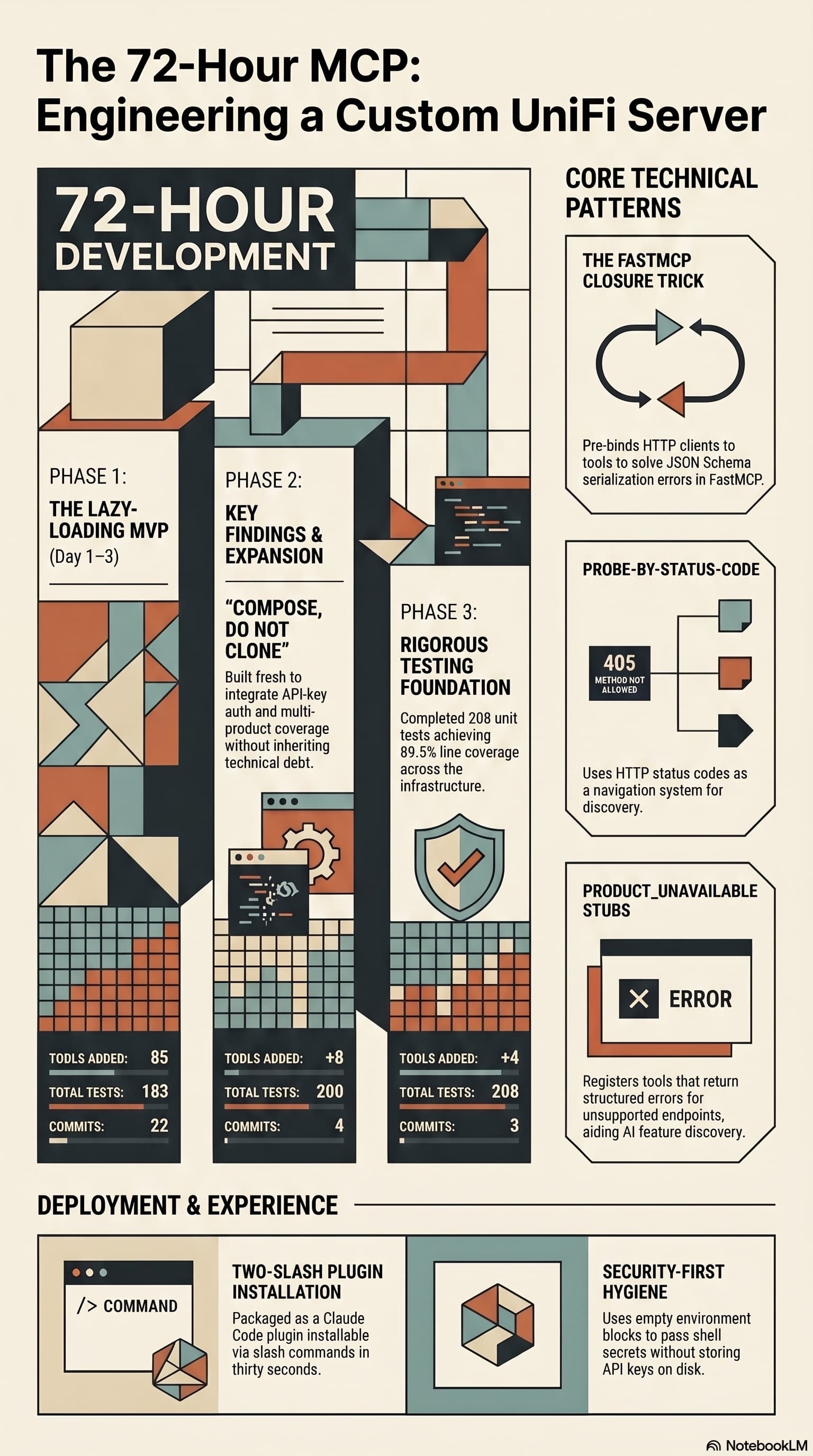
Two open-source UniFi MCP servers existed. Neither did what I wanted. So I built a third that combines their strengths, lazy-loads per product, and ships as a Claude Code plugin you can install with two slash commands.
35 MCP tools, 7 implementation tasks, 2 platforms, 1 session. How I used the superpowers brainstorming, writing-plans, and subagent-driven-development pipeline to integrate NotebookLM into Claude Code as a first-class MCP server.
Comments
Subscribers only — enter your subscriber email to comment