
Building Cann Cann: Recreating a 1990 Artillery Game for the Modern Web
A technical deep-dive into rebuilding a 1990 Windows 3.1 artillery game as a modern web app with Next.js 15, Canvas 2D, Web Audio synthesis, 6 weapons, 4 terrain biomes, AI personality, and a tri-specialist security audit. From empty repo to 20-feature modernization in two sessions.
Building Cann Cann: Recreating a 1990 Artillery Game for the Modern Web#
In 1990, a developer named David B. Lutton II released a Windows 3.1 shareware game called Bang Bang. Two cannons sit on opposite sides of a hilly landscape. You pick an angle. You pick a velocity. You fire. Wind pushes the shell sideways. First player to hit the opponent's cannon wins.
That's the whole game. No story, no upgrades, no microtransactions. Just physics, terrain, and turn-based anxiety.
I found it on the Internet Archive, downloaded a zip file containing the original 16-bit EXE, and spent about 20 minutes clicking through screenshots and reading the help file. Then I opened Claude Code and started building a modern remake.
The result is Cann Cann, deployed and playable. This post covers the architecture decisions, the interesting implementation details, and what AI-assisted game development actually looks like from the inside.
Why Recreate a 33-Year-Old Shareware Game?#
A few reasons, in order of importance:
-
It's a great canvas for practicing clean architecture. Artillery games have a tight, well-defined problem domain: terrain, physics, collision detection, turn management, scoring. Every piece is separable.
-
I wanted to test the three-layer architecture I used for my other game project (Second Conflict) on a smaller, faster problem.
-
Honestly, it looked fun. Turn-based local multiplayer with wind physics is the kind of game you can play with one hand while holding coffee.
The Three-Layer Architecture#
The most important decision I made before writing a single line of code was to separate the game into three completely distinct layers.
src/
├── engine/          # Pure functions, no side effects
├── store/           # Zustand state management
├── rendering/       # Canvas drawing
├── components/      # React UI (controls, HUD)
└── hooks/           # useGameLoop, useCanvas
Why this matters: Each layer has a clear job and talks to the adjacent layer through a defined interface. The engine doesn't know about Canvas. The rendering layer doesn't know about Zustand. React doesn't touch physics.
This isn't just good hygiene. It's what made parallel development possible. I could write all 10 engine modules as pure functions, test them independently, then wire in the rendering layer, then connect the store. Each step was verifiable before the next one started.
Separate Pure Logic from Side Effects
If your game engine functions take state and return new state with no side effects, you can test them without a browser, without a Canvas, and without a real game loop. Artillery game physics is deterministic: same inputs, same outputs, every time.
The Engine Layer: 10 Pure Modules#
Every file in src/engine/ exports only pure functions. No useState, no DOM access, no randomness from Math.random(). Here's the full module breakdown:
| Module | Responsibility |
|---|---|
types.ts | All TypeScript interfaces (GameState, Cannon, Projectile, Wind, etc.) |
constants.ts | Physics, visual, and balance constants |
terrain.ts | Procedural generation + crater mutation |
physics.ts | Projectile simulation, collision detection |
wind.ts | Random wind generation per turn |
cannon.ts | Placement on terrain, barrel geometry |
game-init.ts | Build initial GameState from settings |
turn.ts | Turn management, shot resolution, round cycling |
scoring.ts | Score tracking, match completion |
ai.ts | Simulation-based opponent AI |
Each module has one job. terrain.ts doesn't touch cannons. scoring.ts doesn't simulate physics. The dependency graph is a tree, not a web.
Terrain Generation#
The original Bang Bang had hilly terrain with a prominent central mountain. I replicated this with layered sine waves plus a gaussian bump:
// terrain.ts (simplified)
export function generateTerrain(rng: RngState, width: number = GAME_WIDTH) {
  // 4 sine wave layers with random frequency, amplitude, phase
  const layers = [...]; // generated from rng

  // Central mountain: gaussian curve
  const peakX = width * (0.35 + peakR.value * 0.3);
  const peakWidth = width * (0.15 + peakWidthR.value * 0.15);
  const peakHeight = 80 + peakHeightR.value * 120;

  const heights = Array.from({ length: width }, (_, x) => {
    let y = baseY;
    for (const layer of layers) {
      y -= layer.amp * Math.sin(layer.freq * x + layer.phase);
    }
    // Gaussian mountain
    const dx = x - peakX;
    y -= peakHeight * Math.exp(-(dx * dx) / (2 * peakWidth * peakWidth));
    return clamp(y, MIN_TERRAIN_HEIGHT, MAX_TERRAIN_HEIGHT);
  });

  return { terrain: heights as readonly number[], rng: currentRng };
}
What's happening: Sine waves create organic rolling hills. The gaussian bump adds the dramatic central mountain you see in every artillery game. Four overlapping sine waves at different frequencies produce the irregular, natural-looking ridge lines.
Why pure functions matter here: The same seed produces the same terrain, every time. This means you can reproduce any game state for debugging, testing, or replays. It also means the AI uses the same terrain the player sees.
Destructible Terrain#
When a shot lands, it carves a crater. The terrain array is immutable, so creating a crater means producing a new array:
export function applyCreator(
  terrain: readonly number[],
  x: number,
  y: number,
  radius: number = CRATER_RADIUS,
): readonly number[] {
  return terrain.map((height, i) => {
    const dx = i - x;
    if (Math.abs(dx) > radius) return height;
    const depth = Math.sqrt(radius * radius - dx * dx);
    return Math.max(height, y + depth);
  });
}
The terrain gets "lowered" (crater carved upward from impact point). The next shot has to navigate around existing craters.
Immutable State in Games
Mutating the terrain array in place would work, but it makes debugging painful and testing nearly impossible. When every state transformation produces a new object, you can compare before and after states, log the full history, and replay any sequence of moves.
Seeded PRNG#
One of the first things I copied from my other game project was the seeded pseudo-random number generator (xoshiro128**). This is the same algorithm used in Second Conflict.
// lib/random.ts
export function nextFloat(state: RngState): RngResult<number> {
  // xoshiro128** algorithm: 4 uint32s → deterministic float
  const [s0, s1, s2, s3] = state.s;
  const result = Math.imul(rotl(Math.imul(s0 * 5, 7), 7), 9);
  // ... state advance
  return { value: result / 0x100000000, rng: nextState };
}
Every random decision in the engine (terrain shape, wind strength, AI noise) flows through this PRNG. You pass in the current state, you get back a new state and a float. No global state, no side effects.
Why this matters for AI: The AI uses the same PRNG as the rest of the game. When the AI generates its 25 candidate shots, those random samples are deterministic given the same seed. Same game, same AI behavior, every time.
Collision Detection: Order Matters#
This was the one bug I hit during development that took some thought to untangle.
The original code checked terrain collision first, then cannon collision. The problem: both the cannon and the terrain surface occupy approximately the same y-coordinate at the cannon's position. A shot that should hit the enemy cannon was instead terminating on terrain.
The fix was straightforward: check cannon hits before terrain hits.
export function checkCollision(
  proj: Projectile,
  terrain: readonly number[],
  cannons: readonly [Cannon, Cannon],
  activePlayer: number,
): ShotResult | null {
  // Cannon check FIRST (priority over terrain at same position)
  const enemyIdx = 1 - activePlayer;
  const enemy = cannons[enemyIdx];
  const dist = Math.sqrt((proj.x - enemy.x) ** 2 + (proj.y - enemy.y) ** 2);
  if (dist <= CANNON_HIT_RADIUS) {
    return { outcome: "hit_cannon", impactX: enemy.x, impactY: enemy.y };
  }

  // Terrain check second
  if (proj.x >= 0 && proj.x < terrain.length) {
    const terrainY = getTerrainHeightAt(terrain, proj.x);
    if (proj.y >= terrainY) {
      return { outcome: "hit_terrain", impactX: proj.x, impactY: terrainY };
    }
  }

  // Off-screen
  if (proj.x < 0 || proj.x >= GAME_WIDTH || proj.y > GAME_HEIGHT) {
    return { outcome: "off_screen", impactX: proj.x, impactY: proj.y };
  }

  return null; // still in flight
}
Collision Priority Is a Design Decision
When multiple collision types can trigger at the same pixel, the order you check them is a game design choice, not just a bug to fix. In an artillery game, a shot that grazes the terrain at the cannon's base should register as a cannon hit. That's more satisfying and more fair. Check the most specific (or most desirable) collision first.
The AI: Simulation Over Heuristics#
The AI in Cann Cann doesn't use angle calculations or trajectory formulas. It uses the same physics engine as real gameplay, run 25 times per turn with different inputs.
export function calculateAiShot(
  state: GameState,
  difficulty: Difficulty,
  rng: RngState,
): { angle: number; velocity: number; rng: RngState } {
  // Direct angle to target as a starting point
  const directAngle = Math.atan2(dy, Math.abs(dx)) * (180 / Math.PI);

  // Sample 25 candidates with random variation around direct angle
  const candidates = [];
  for (let i = 0; i < 25; i++) {
    const candidateAngle = clamp(directAngle + (rng.float - 0.5) * 50, 5, 175);
    const candidateVelocity = 30 + rng.float * 65;

    // Simulate the full trajectory using the real physics engine
    const result = simulateFullTrajectory(
      barrelTip.x, barrelTip.y,
      candidateAngle, candidateVelocity,
      state.wind, state.terrain,
      state.cannons, state.activePlayer,
    );

    candidates.push({
      angle: candidateAngle,
      velocity: candidateVelocity,
      distance: distanceToTarget(result.impactX, enemyCannon),
    });
  }

  // Pick the candidate closest to the enemy, add difficulty-based noise
  const best = candidates.sort((a, b) => a.distance - b.distance)[0];
  return addDifficultyNoise(best, difficulty, rng);
}
What's happening: The AI runs 25 complete physics simulations, measures how close each one gets to the enemy cannon, picks the best, then adds noise scaled to difficulty. Easy = lots of noise (wild shots). Hard = very little noise (nearly perfect aim).
Why simulation over formulas: The real physics includes wind, terrain shape, and barrel position offset. Deriving a closed-form solution for all of that is possible but fragile. Using the actual engine means the AI automatically benefits from any physics changes, and it's impossible for the AI to "cheat" with physics the player doesn't have access to.
Simulation-Based AI Is Easier to Tune Than Formula AI
When your AI uses the same physics as the game, you only need to tune the noise level per difficulty setting. You don't need to re-derive formulas every time physics constants change. The AI samples from the same possibility space as the player, which keeps it feeling fair.
The Rendering Layer#
The Canvas rendering is split into 8 modules, each responsible for one visual element:
| Module | What It Draws |
|---|---|
draw-sky.ts | Gradient sky, animated sun with rotating rays, drifting clouds, flapping birds |
draw-terrain.ts | Green gradient terrain polygon |
draw-cannons.ts | Diamond body, rotating barrel, colored flags, active player glow |
draw-projectile.ts | Projectile dot + fading trail |
draw-effects.ts | Expanding explosion rings, screen shake |
draw-hud.ts | Wind arrow indicator, turn display |
particles.ts | Explosion particles with physics |
game-renderer.ts | Orchestrator that calls all the above |
Each drawing function takes a CanvasRenderingContext2D and the relevant state slice. Nothing in the rendering layer mutates game state or has side effects beyond drawing to the canvas.
Device Pixel Ratio Handling#
High-DPI screens (retina displays) render canvas at double resolution by default, but the canvas logical size doesn't change. The result is blurry graphics.
The fix: scale the canvas buffer to the physical pixel size, then apply a CSS transform to display it at the logical size.
// hooks/useCanvas.ts
useEffect(() => {
  const canvas = canvasRef.current;
  const dpr = window.devicePixelRatio || 1;

  canvas.width = GAME_WIDTH * dpr;
  canvas.height = GAME_HEIGHT * dpr;
  canvas.style.width = `${GAME_WIDTH}px`;
  canvas.style.height = `${GAME_HEIGHT}px`;

  const ctx = canvas.getContext("2d")!;
  ctx.scale(dpr, dpr);
}, []);
This lives in the hook layer, not the rendering layer. The render functions work entirely in logical coordinates (0 to GAME_WIDTH, 0 to GAME_HEIGHT) and never need to know about device pixels.
Handle DPR in the Hook, Not the Renderer
If your rendering functions need to know about device pixel ratio, you've mixed concerns. Scale the canvas once in setup code, then let your draw functions use logical coordinates as if DPR doesn't exist. This makes the rendering code simpler and makes it trivially easy to swap canvas implementations.
The Zustand Store: 3 Slices#
State management lives in src/store/ with three Zustand slices:
- game slice: GameState (terrain, cannons, projectile, wind, scores, round)
- UI slice: Menu state, settings panel visibility, active screen
- settings slice: Player names, round count, difficulty, persisted to localStorage
The store is the bridge between the pure engine and the React components. Actions in the store call engine functions and replace state:
// store/game-slice.ts (simplified)
fire: (angle: number, velocity: number) => {
  const state = get().game;
  const result = resolveShot(state, angle, velocity); // pure engine call
  set({ game: result.newState });
  // trigger animation, schedule next turn, etc.
}
The engine never touches the store. The store calls the engine. React calls the store. Data flows in one direction.
Development Flow: How the Session Actually Went#
The whole project was built in a single Claude Code session. Here's the actual sequence:
-
Examined the original game from the Internet Archive zip: screenshots, help file, readme.
-
Created the repo via MCP GitHub tool (private,
Cann-Cann). -
Architecture planning with a plan-mode agent. This produced the module breakdown and the decision to use the same three-layer pattern as Second Conflict.
-
Engine modules in parallel batches. All pure functions, no dependencies on React or Canvas. Claude wrote
types.ts,constants.ts,terrain.ts,physics.ts,wind.ts,cannon.tsin the first batch.game-init.ts,turn.ts,scoring.ts,ai.tsin the second batch. -
Tests. 25 engine tests covering terrain generation, physics simulation, collision detection, AI shot generation, and scoring. All pure functions, all testable without a browser.
-
Rendering layer. Eight Canvas drawing modules, game renderer orchestrator.
-
Store + hooks. Three Zustand slices,
useCanvashook for DPR handling,useGameLoophook for the animation frame. -
React components. Game canvas, HUD overlay, controls panel, settings menu, main menu.
-
Bug fix. Collision detection was checking terrain before cannon. Shot that should hit the cannon was hitting terrain. Flipped the check order.
-
Deploy.
npx vercel --prodfrom the project directory.
Total time from empty repo to deployed game: one session.
Parallel Agent Execution
Steps 4 and 8 each used multiple parallel agents writing independent files simultaneously. The engine modules have no dependencies on each other (they share only types.ts), so all 10 could be written in parallel. React components similarly don't depend on each other. Parallel execution is what makes a single-session deploy viable for a project of this scope.
What the Original Game Got Right#
After rebuilding Bang Bang from scratch, the design clarity of the original is striking.
Every mechanic is legible: angle affects direction, velocity affects distance, wind affects lateral drift. There's no hidden information. You can see the terrain, you can see the wind indicator, you know what your opponent shot last turn. Every loss is instructive.
The constraint of Windows 3.1 hardware forced the designers to make each mechanic count. There's no room for filler. Cann Cann tries to preserve that clarity while adding the visual polish available on modern hardware: smooth gradient sky, animated sun, explosion particles, screen shake.
The Four-Phase Modernization#
After the initial build, the game was functional but felt like a tech demo. Silent, visually flat, single weapon, one-hit kills. Four expert reviews (game design, platform engineering, game direction, art direction) produced a 20-feature modernization plan organized in four phases.
Phase 1: Make It Feel Like a Game#
The highest-impact changes were all about feel, not mechanics.
Procedural Sound System (Web Audio API): The single biggest upgrade. Every sound is synthesized at runtime using oscillators and noise buffers. Zero audio files, zero hosting cost. The SoundEngine class generates:
| Sound | Technique | Duration |
|---|---|---|
| Cannon fire | Low sine (80Hz) + filtered noise burst | 210ms |
| Projectile whistle | Sine oscillator, pitch mapped to velocity | Continuous |
| Terrain impact | Sine thud (60Hz) + bandpass noise crunch | 300ms |
| Tank destruction | Layered: 40Hz rumble + 400Hz crackle + 2kHz sizzle | 800ms |
| UI click | Square wave at 600Hz | 50ms |
| Victory fanfare | Three ascending sine tones (A4, C#5, E5) | 600ms |
// Cannon fire: noise burst through lowpass + sine thump
playFire(): void {
  const filter = ctx.createBiquadFilter();
  filter.type = "lowpass";
  filter.frequency.value = 800;

  // Noise envelope: 10ms attack, 50ms hold, 150ms decay
  noiseGain.gain.linearRampToValueAtTime(1, now + 0.01);
  noiseGain.gain.linearRampToValueAtTime(0, now + 0.21);

  // Simultaneous 80Hz sine "thump"
  osc.frequency.value = 80;
}
The whistle uses setTargetAtTime for smooth pitch transitions as projectile speed changes during flight. The init() method must be called from a user gesture to satisfy browser autoplay policy.
Visual Effects: Muzzle flash at barrel tip (radial gradient, 150ms fade), shockwave ring on explosions (expanding stroke circle), screen flash on cannon hits (alpha 0.3, 100ms decay), debris particles on terrain impacts, glowing cannonball with shadowBlur, and smoke trail that fades from orange to gray.
Ghost Trajectory: Previous shot's path rendered as a faded dotted line on the next turn, stored in lastTrajectory state. This is the core artillery skill loop: adjust and retry.
Close Miss Feedback: When a shot lands within 2x CANNON_HIT_RADIUS of the enemy, a "CLOSE!" floating text appears with the distance in pixels.
Phase 2: Make It Strategic#
Weapon Arsenal (6 types): Each weapon is a pure data object with speedMult, gravityMult, blastRadius, damage, and a special behavior flag. Ammo is tracked per match, not per round.
| Weapon | Damage | Blast | Speed | Special | Ammo |
|---|---|---|---|---|---|
| Standard Shell | 35 | 25px | 1.0x | none | Unlimited |
| Heavy Bomb | 50 | 45px | 0.7x | none | 2/match |
| Cluster Bomb | 20 ea | 15px | 1.0x | Splits into 3 at apex | 1/match |
| Bouncer | 30 | 20px | 1.0x | Bounces off terrain | 2/match |
| Dirt Bomb | 0 | 40px | 0.8x | Creates terrain mound | 2/match |
| Sniper Shot | 55 | 10px | 1.8x | Low gravity (0.6x) | 1/match |
The weapon system is entirely immutable. useAmmo() returns a new inventory array. getAvailableWeapons() filters by remaining ammo. The AI selects weapons strategically based on distance, terrain obstruction, and remaining ammo.
Health System: 100 HP per tank, distance-attenuated splash damage, floating damage numbers, visual damage states (cracks at under 50 HP, smoke wisps at under 25 HP), health bars above tanks.
Terrain Themes (4 biomes): Selected per round via seeded RNG. Each theme defines 11 color parameters plus optional ambient particles:
- Grasslands: Green hills, blue sky, no ambient particles
- Desert: Tan dunes, orange sky, no ambient particles
- Arctic: Ice terrain, cool blue tones, 30 falling snowflakes
- Volcanic: Dark red landscape, fiery sky, 20 rising embers
export interface TerrainTheme {
  readonly terrainTop: string;
  readonly terrainBottom: string;
  readonly skyTop: string;
  readonly skyBottom: string;
  readonly sunColor: string;
  readonly cloudColor: string;
  readonly grassColors: readonly string[];
  readonly soilColors: readonly string[];
  readonly mountainColor: string;
  readonly ambientParticles: AmbientParticleConfig | null;
}
Phase 3: Polish and Retention#
AI Personality: Speech bubbles above the AI tank reacting to game events. Personality varies by difficulty: Easy is encouraging ("Nice try!"), Medium is competitive ("Getting close..."), Hard is taunting ("Is that all you've got?"). Emotes triggered on hits, misses, near-misses, kills, and AI's own shots.
Camera Follow: During projectile flight, the camera smoothly tracks at 1.5x zoom using lerp interpolation. Holds on impact for 500ms, then eases back to overview. Clamped to battlefield bounds.
Victory Ceremonies: Round wins get a freeze frame, victory particle burst in winner's color, and elastic-scale banner animation. Match wins trigger canvas fireworks (multi-burst particles).
Statistics Tracking: Lifetime stats persisted to localStorage: matches played/won, total shots/hits, accuracy percentage, best streak, longest hit distance. Stats screen accessible from the main menu.
Phase 4: Platform and Infrastructure#
Static Export: output: 'export' in Next.js config eliminates serverless cold starts and conserves Vercel free tier budget. The game is 100% client-side.
PWA/Offline: Web app manifest + service worker enables "Add to Home Screen" and offline play. Network-first strategy for navigation (fresh security patches), stale-while-revalidate for static assets.
Touch Support: Drag-to-aim on the canvas (angle from turret to touch point, power from drag distance). Larger touch targets on sliders.
Accessibility: Colorblind mode adds pattern overlays (stripes for P1, dots for P2). Reduced motion disables screen shake, particles, and ambient animations. Respects prefers-reduced-motion system setting.
Security Hardening#
After the modernization, a tri-specialist security assessment identified 20+ findings across critical, high, medium, and low severities. All were fixed:
Critical/High (all resolved):
setTimeout/requestAnimationFramelifecycle leaks causing orphaned animation loops and stale state writes after component unmount. Fixed withcancelledRefguards andsafeTimeoutwrappers that track timer IDs.- No security headers. Fixed with
vercel.jsonproviding CSP, HSTS (2-year max-age + preload), X-Frame-Options: DENY, X-Content-Type-Options: nosniff, Referrer-Policy, Permissions-Policy. - Module-level
deferredPromptsingleton unsafe under React Strict Mode. Moved touseRef. - localStorage deserialization without validation. Added schema validation with type-checked
bool()andnum()helpers in the Zustandmergefunction. - Unbounded
scorchMarksanddamageNumbersarrays. Capped at 50 and 10 entries.
Medium (all resolved):
- Service worker
skipWaiting+ unbounded caching. Hardened with URL allowlist filtering, network-first for navigation, offline 503 fallback. prefersReducedMotion()called per frame. Cached viaMediaQueryListlistener.- Canvas render loop lacked error boundary. Wrapped in try/catch.
- Dev dependency vulnerabilities (minimatch ReDoS). Resolved with npm overrides.
The Animated Title Screen#
The final touch was replacing the ASCII art cannon on the main menu with a full-screen animated canvas battlefield.
The TitleBackground component renders a dramatic sunset scene: gradient sky, glowing sun with rotating rays, three layers of mountain silhouettes, procedural hilly terrain with grass blades, and two tanks that take turns firing projectiles at each other every 4 seconds.
Key design decisions:
-
Immutable scene state:
updateScene()returns a newSceneobject, never mutates in place. All interfaces usereadonlymodifiers. -
Deterministic debris: Explosion debris particle radii are pre-computed at creation time and stored on the
SceneExplosionobject, avoidingMath.random()in the per-frame draw path. -
Gradient caching: Sky, overlay, and terrain fill gradients are created once and invalidated only on window resize, eliminating hundreds of short-lived GC objects per second.
-
Module-level constants: Cloud positions, mountain layers, grass colors, soil colors are all allocated once as
constarrays outside the component.
// Scene update returns new state, no mutation
function updateScene(prev: Scene, time: number): Scene {
  let projectile = prev.projectile;
  // ... physics calculations ...
  return {
    terrain: prev.terrain,
    projectile: { ...projectile, x: newX, y: newY, vy: newVy, trail: newTrail },
    explosions: activeExplosions,
    lastFireTime,
    firingTank,
  };
}
Lessons Learned#
-
Three-layer architecture scales down. Clear separation between engine, store, and rendering made debugging faster and parallel development straightforward, even for a small game.
-
Pure functions first, effects later. Writing all engine modules before touching Canvas meant testing core logic in isolation. The tests caught the collision detection bug before a single rendering function existed.
-
Procedural audio is viable. Web Audio oscillators and noise buffers produce convincing game sounds with zero hosting cost. Layer multiple simple sounds (sine thump + filtered noise burst) rather than trying to synthesize one complex sound.
-
Immutable state pays for itself. Every state transformation produces a new object. This made the weapon system, health system, and terrain themes trivial to add because existing state was never accidentally corrupted.
-
Security assessments should happen before deployment. The
setTimeoutlifecycle bugs were invisible during manual testing but would have caused memory leaks in production. -
Canvas animation is its own discipline. Per-frame gradient allocation,
Math.random()in draw paths,performance.now()vs threaded timestamps: these are canvas-specific pitfalls that typical React code reviews won't catch.
Collision Detection Order
Check the more specific collision type first. In an artillery game, cannon hits should be checked before terrain hits, because both occupy the same spatial position. Getting this backwards is a subtle bug: shots that look like hits register as misses.
Play It#
Cann Cann is live at cann-cann.vercel.app. Two-player hot seat, solo vs CPU (Easy / Medium / Hard), or Practice mode. Arrow keys to adjust angle and velocity, 1-6 to select weapons, Space or Enter to fire. Installable as a PWA for offline play.
Weekly Digest
Get a weekly email with what I learned, summaries of new posts, and direct links. No spam, unsubscribe anytime.

Related Posts
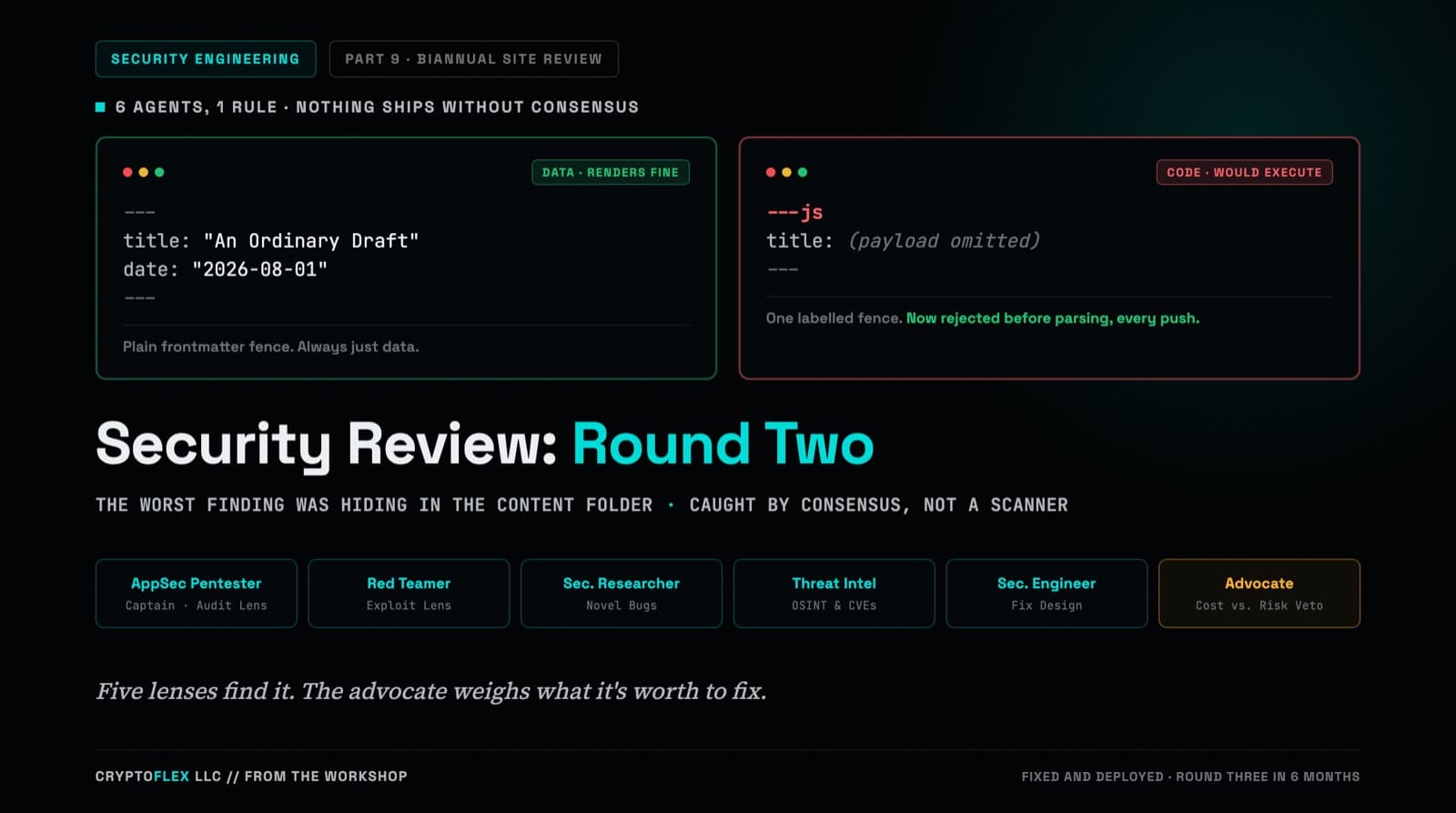
A team of six agents, five security specialists plus an advocate representing the site owner, ran a consensus-driven security review of cryptoflexllc.com. The standout finding: an ordinary-looking blog draft that could have been parsed as executable code instead of data.
How I turned a functional web port of a 1991 game into a full-featured modern 4X strategy game across four feature phases and a wiring plan, using Claude Code as the primary development engine.
How I used Claude Code and four parallel AI agents to rebuild Second Conflict, a forgotten 1991 Windows 3.0 space strategy game, as a modern web app. Complete with reverse-engineered game mechanics, 261 passing tests, and more nostalgia than I knew what to do with.
Comments
Subscribers only — enter your subscriber email to comment